PAGE GUIDEWhat the page does and how to use it8 sections. Choose a role to highlight what matters to you.
Everyone
1What it is and why
What it is
A report that lists worker service anniversaries, calculated from each worker's seniority date.
What you do here
Use this page to print the worker anniversaries that fall in a chosen period, for the anniversary years you select.
Example
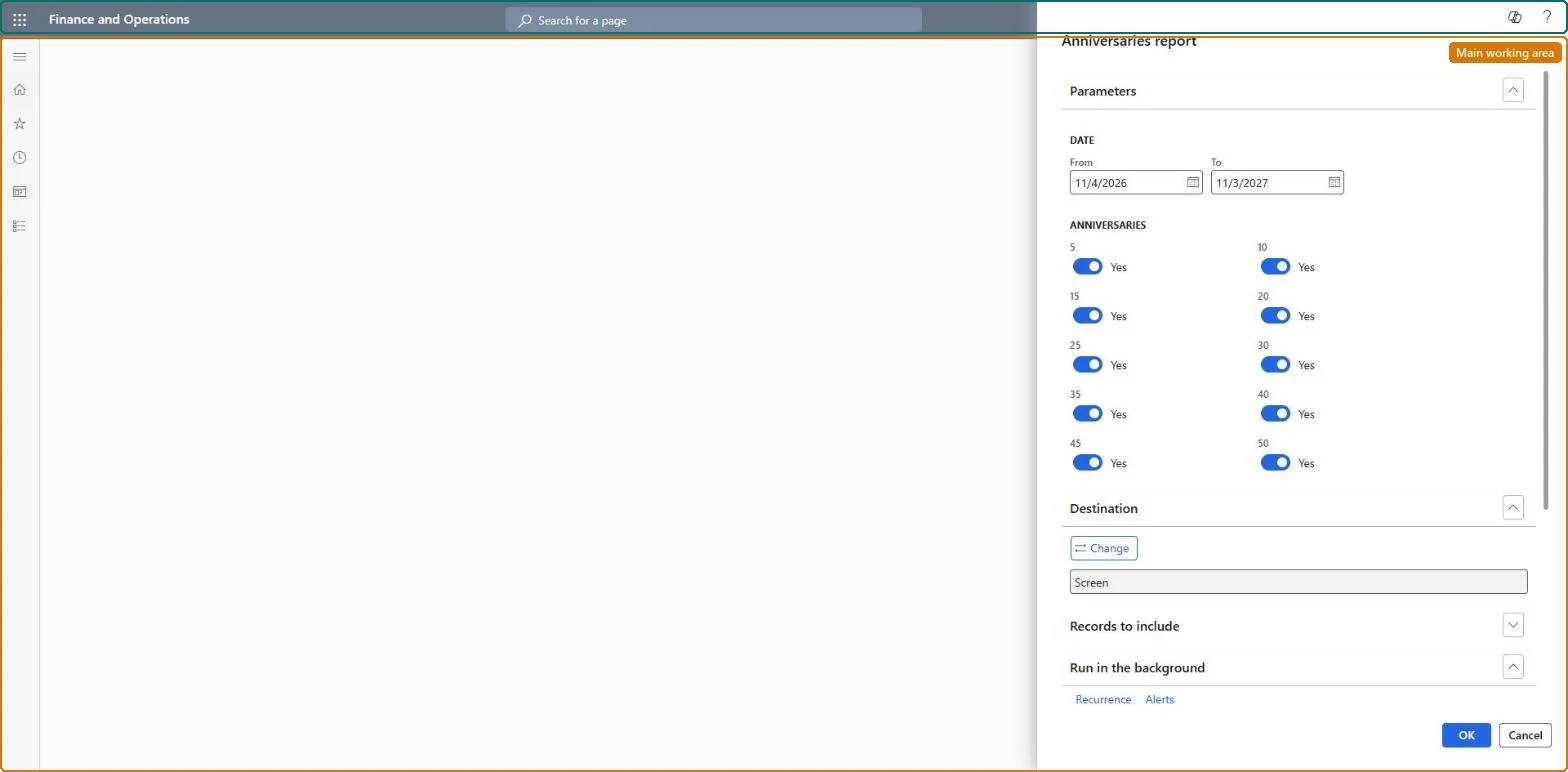
For example, BEAT runs the report for 1 to 31 January 2027 with the 5, 10 and 25 year toggles on and gets 6 workers: 4 reaching 5 years, 1 reaching 10 and 1 reaching 25, for the January service awards.
The page in Dynamics 365. page title tab to open what to set or check
About the examples: Examples and screenshots in this guide use BEAT, a demo company in a Dynamics 365 test environment. Use your own company's codes and values instead of copying them.
When to run it
When to run it
When you plan service awards or recognition for workers who reach a service anniversary.
How often
On demand, for example each month or quarter.
What the output shows
Workers whose service anniversary falls in the period, for the years you selected. A wrong anniversary usually means the worker's seniority date is wrong.
Run it monthly for the next month with only the anniversary years your recognition policy rewards turned on.Anniversaries come from each worker's seniority date, so the list follows the policy only when seniority dates are right and the rewarded years are selected.
Shared worker data: Data management lists the Worker, Employment V2 and Person details entities as shared, so the report reads the same worker records from any legal entity; narrow it with Records to include. Checked in Dynamics 365
Can it be undone
Nothing to undo: The report only reads seniority dates; it changes nothing. Microsoft Learn
If you change it later
Changing a worker's seniority date changes which anniversaries the report shows for that worker. Microsoft Learn
Technical architect
6Technical
Menu item
HRMAnniversaryChecked in Dynamics 365
Form
SysOperationTemplateFormChecked in Dynamics 365
Roles to set it up and use it
To use itHuman resource manager HcmHumanResourceManagerCompensation and benefits manager HcmCompensationAndBenefitsManagerRecruiter HcmRecruiterPayroll administrator HcmPayrollAdministratorPayroll manager HcmPayrollManagerGive people one of these roles. On this system, 6 roles can run this page.Checked in Dynamics 365
Developer
7Developer
Open it by URL
https://<your-environment>/?mi=HRMAnniversary
Data migration
Load order: The Anniversaries report has no data entity in Data management, so it can't be loaded from a file or a configuration template. It reads the workers' seniority dates; load the workers with the Worker data migration template and run the report in each environment.Microsoft Learn