PAGE GUIDEWhat the page does and how to use it8 sections. Choose a role to highlight what matters to you.
Everyone
1What it is and why
What it is
A setup page where system administrators define links that appear on Human Resources pages and open a specific page in another Finance environment.
What you do here
Use this page to set up the target Finance environments and the links themselves, including which Human Resources page shows each link and which page it opens.
Example
For example, BEAT adds the link Finance employees on the Worker page, target system BEAT-FIN and menu item HcmWorkerListPage_Employees; the system administrator tests it with Enable this link at No, then sets it to Yes for the 12 HR users.
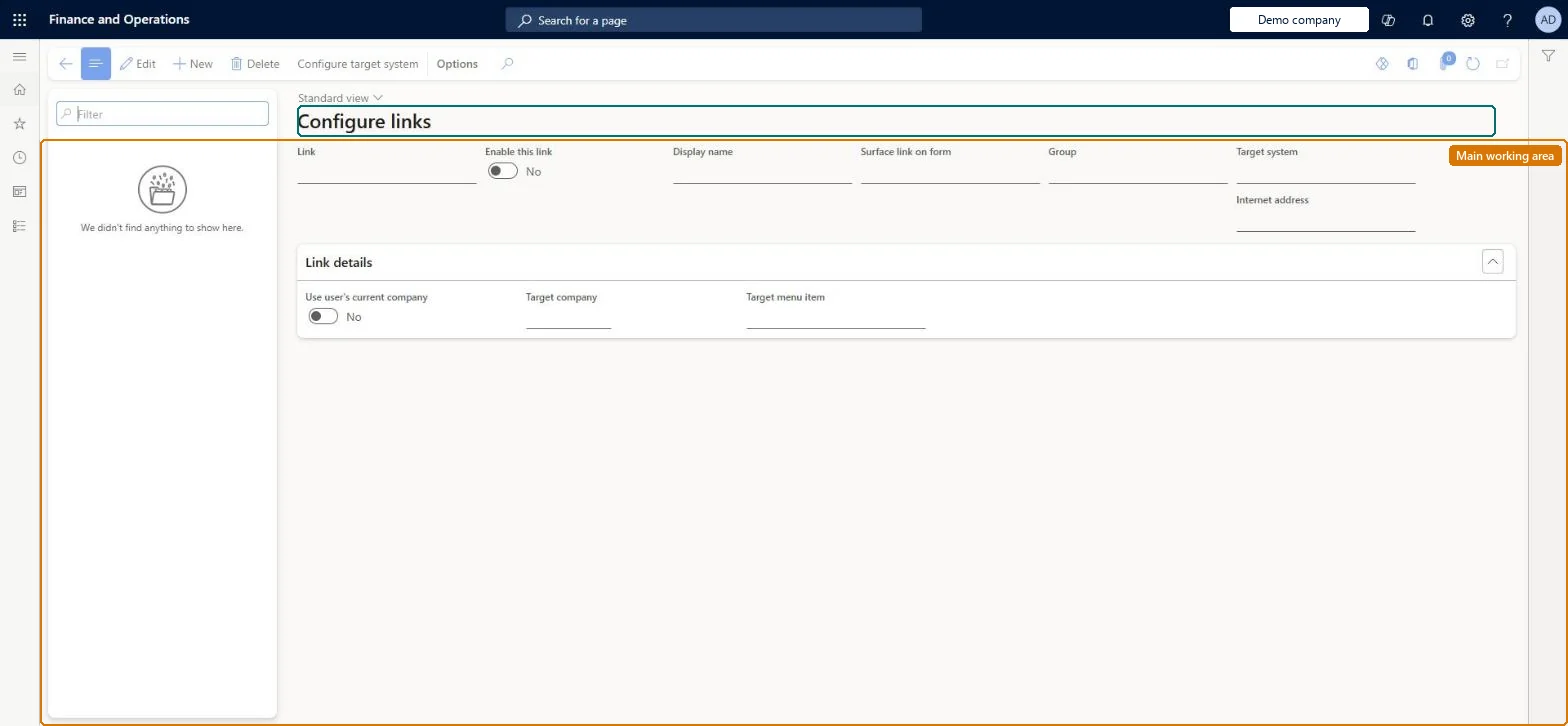
The page in Dynamics 365. page title tab to open what to set or check
About the examples: Examples and screenshots in this guide use BEAT, a demo company in a Dynamics 365 test environment. Use your own company's codes and values instead of copying them.
Setup steps on this page
Set up Configure links
Use this page to set up the target Finance environments and the links themselves, including which Human Resources page shows each link and which page it opens.
Steps from Microsoft
Go to Human resources > User defined links > Configure links.
Select Configure target system.
Enter the target system name and the URL of the Finance environment.
Create a link and enter the display name.
Select the page to show the link on, the target system, and the target menu item.
Set Enable this link to Yes when the link is ready for users.
Leave Enable this link at No until a system administrator has tested the link, then set it to YesSystem administrators see new links on the chosen pages even when Enable this link is No, so they can test before other roles see them.
Shared: links are not per company. Data management lists the User defined links and User defined link base URI entities as shared. Checked in Dynamics 365
Can it be undone
Reversible: Links can be disabled or changed at any time; disabling hides them from all roles except system administrators. Microsoft Learn
If you change it later
Enabling a link makes it visible to every user who can open the page it is placed on; system administrators see links even before they are enabled, and users still need security rights in the target environment. Microsoft Learn
Technical architect
6Technical
Menu item
UserDefinedLinkSetupChecked in Dynamics 365
Form
UserDefinedLinkSetupChecked in Dynamics 365
Table
UserDefinedLinkShown as “USER DEFINED LINKS” in Record infoKey field: NameChecked in Dynamics 365
Data entities
UserDefinedLinkEntityUser defined links UserDefinedLinkBaseUriEntityUser defined link base URI (The target systems: name and URL of each Finance environment.)
Who can open it
PrivilegesMaintain user defined link setup for the system. UserDefinedLinkSetupMaintainDutiesMaintain user defined link setup including exposing external links within the core product to users. UserDefinedLinkMaintain1 security roleInformation technology manager SysServerITManagerChecked in Dynamics 365
Roles to set it up and use it
To set it up or change itInformation technology manager SysServerITManagerGive people one of these roles. On this system, 1 role can open this page.Checked in Dynamics 365
Actions on the page
(Action Pane without tabs): Configure target systemChecked in Dynamics 365
UserDefinedLinkBaseUriEntity User defined link base URI: the target systems. Shared.UserDefinedLinkEntity User defined links. Shared.Load order: Both entities are in the System setup template (010); load User defined link base URI before User defined links, because each link names its target system, and check the URL in each environment.Microsoft Learn