PAGE GUIDEWhat the page does and how to use it8 sections. Choose a role to highlight what matters to you.
Everyone
1What it is and why
What it is
A setup page that holds the list of employment types, such as full time or part time, that employees can be categorized as.
What you do here
Use this page to maintain the employment types that are assigned to employees and used, for example, in benefit eligibility rules.
Example
For example, BEAT sets up the employment types FT (Full time) and PT (Part time); the life insurance plan's eligibility rule uses Eligible employment type = FT, so the 46 full-time employees are offered the plan and the 14 part-time employees are not.
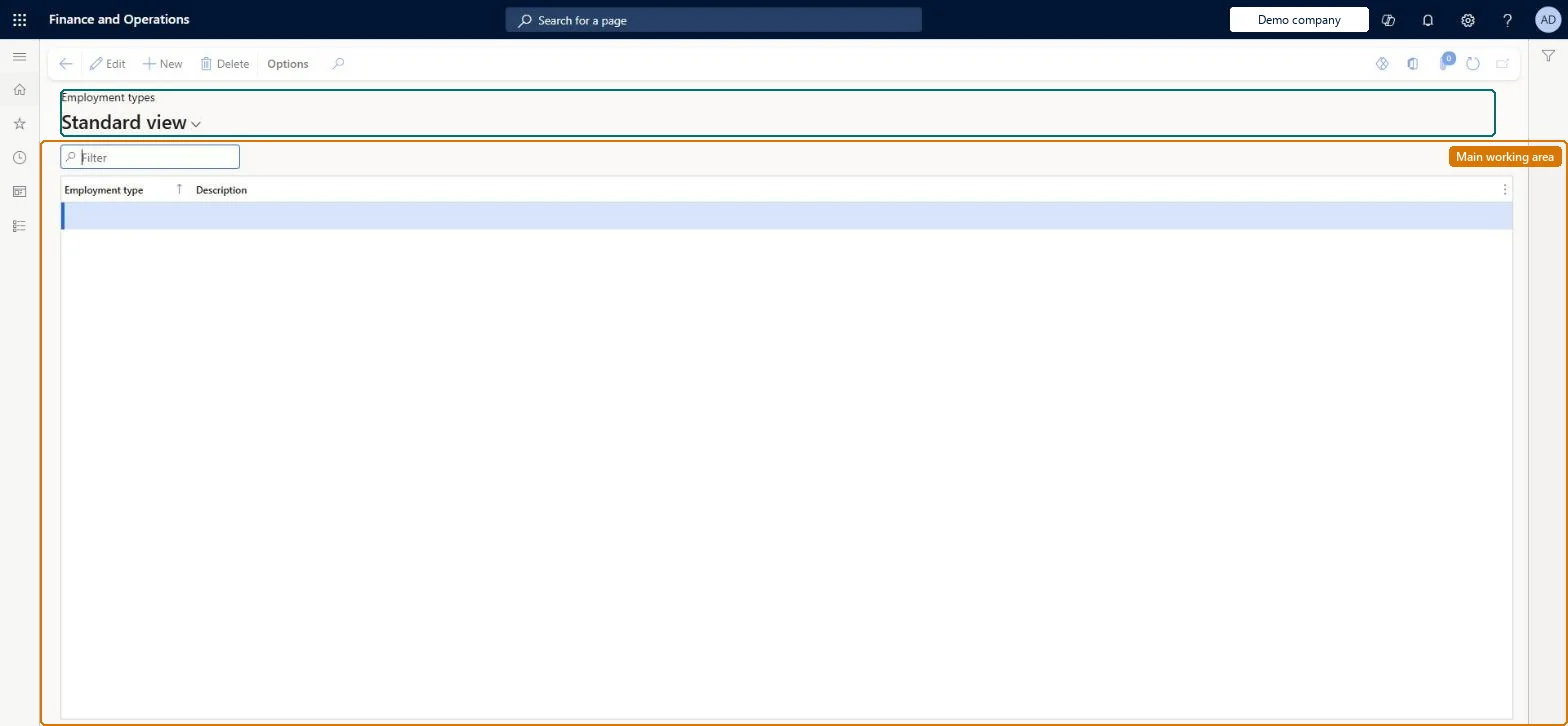
The page in Dynamics 365. page title tab to open what to set or check
About the examples: Examples and screenshots in this guide use BEAT, a demo company in a Dynamics 365 test environment. Use your own company's codes and values instead of copying them.
Setup steps on this page
Set up Employment types
Use this page to maintain the employment types that are assigned to employees and used, for example, in benefit eligibility rules.
How to use it
Go to Human resources > Setup > Employment types.
Use the Filter box to find a row.
Select New and enter the Employment type code and its Description.
Review the Employment type and Description columns.
Select Save; select Delete to remove a selected row.
An employee is still enrolled after moving to a type the plan doesn't allow
Employees who become ineligible aren't unenrolled automatically. Process the life event and change the enrollment in its enrollment period. Microsoft Learn
The payroll provider doesn't receive the employment type
Employment types reach payroll through the Employment Type entity of the payroll integration. Check the type has an ID and description and is set on the employment detail. Microsoft Learn
Test checklist
Create employment types Full time and Part time.
Set Full time on a worker's employment details.
Create an eligibility rule with Eligible employment type = Full time and process eligibility; check the worker is eligible.
Change the worker to Part time and check a Worker eligibility change life event is created.
Employment types such as Full time and Part time that match how benefit eligibility and payroll classify employeesEligibility rules can use Eligible employment type, for example full time or part time, and employment types are exposed to payroll through the payroll integration.
Shared: employment types are not per company. Data management lists the Employment type entity as shared. Checked in Dynamics 365
Can it be undone
Hard to reverse: Employment types are referenced by employment details, benefit eligibility rules and the payroll integration, and a change on a worker creates a life event. Microsoft Learn
If you change it later
A new or updated employment detail with a different employment type creates a Worker eligibility change life event; eligibility rules with Eligible employment type then give a different result. Microsoft Learn
Technical architect
6Technical
Menu item
BenefitEmploymentTypesChecked in Dynamics 365
Form
BenefitEmploymentTypeChecked in Dynamics 365
Table
BenefitEmploymentTypeShown as “EMPLOYMENT TYPES” in Record infoKey field: EmploymentTypeIdChecked in Dynamics 365
Data entities
HcmEmploymentTypeEntityEmployment type Checked in Dynamics 365
Who can open it
PrivilegesMaintain employment types BenefitEmploymentTypeDutiesConfigure the employment types BenefitEmploymentTypeDuty2 security rolesHuman resource assistant HcmHumanResourceAssistantHuman resource manager HcmHumanResourceManagerChecked in Dynamics 365
Roles to set it up and use it
To set it up or change itHuman resource assistant HcmHumanResourceAssistantHuman resource manager HcmHumanResourceManagerGive people one of these roles. On this system, 2 roles can open this page.Checked in Dynamics 365
HcmEmploymentTypeEntity data entity Checked in Dynamics 365
Data migration
HcmEmploymentTypeEntity Employment type. Shared by all companies.Load order: Load with the Benefits management template after Employment category, before employment details and eligibility rules.Load first: HcmEmploymentCategoryEntityMicrosoft Learn