PAGE GUIDEWhat the page does and how to use it8 sections. Choose a role to highlight what matters to you.
Everyone
1What it is and why
What it is
A setup page for the document templates used to create letters to applicants for each correspondence action.
What you do here
Use this page to keep a letter template for each type of correspondence, so that letters can be generated for applicants with bookmarked information filled in.
Example
For example, BEAT uploads 3 letter templates, Offer, Rejection and Interview invitation, one per correspondence action, each using the bookmarks set up for that action.
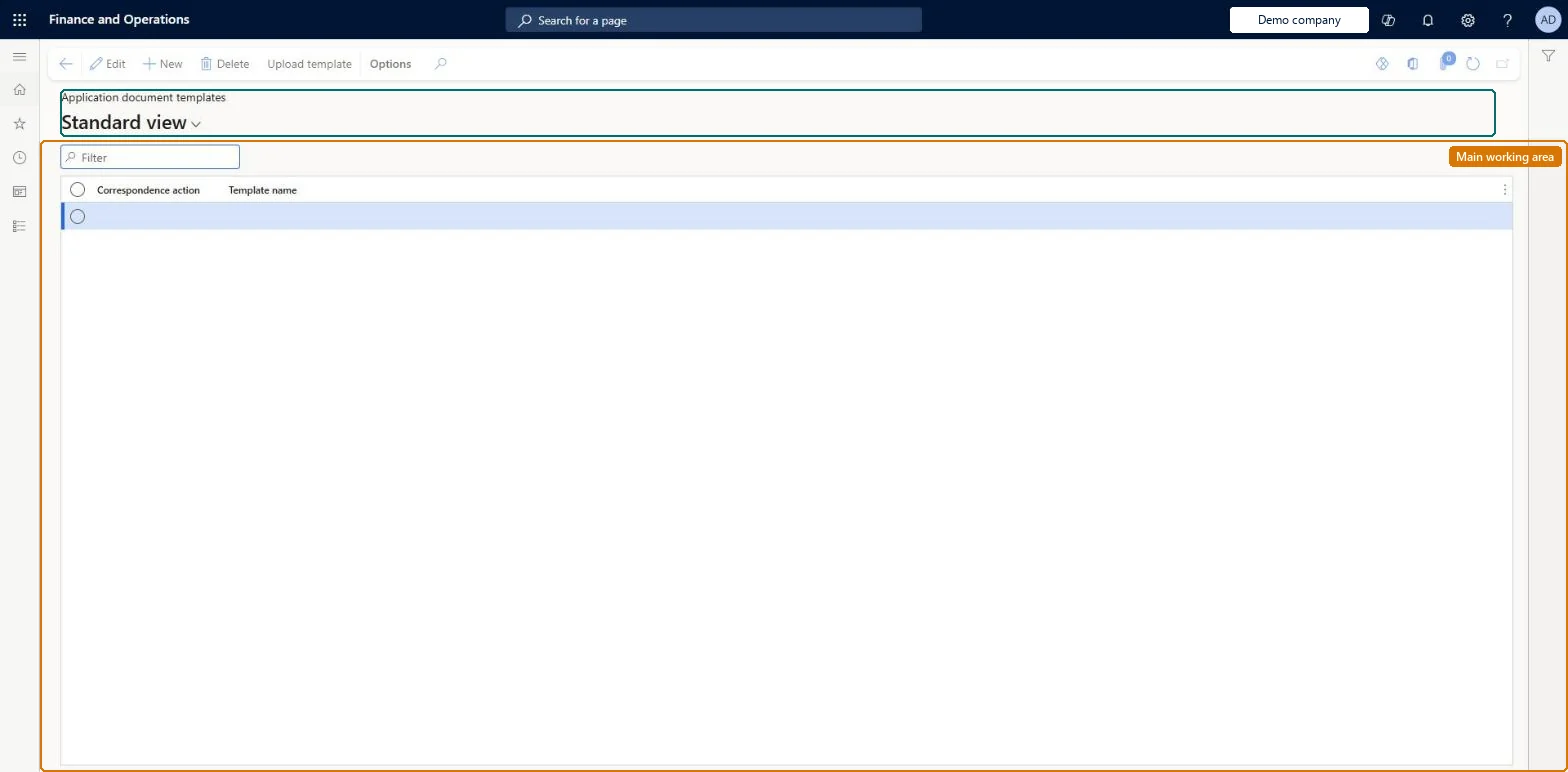
The page in Dynamics 365. page title tab to open what to set or check
About the examples: Examples and screenshots in this guide use BEAT, a demo company in a Dynamics 365 test environment. Use your own company's codes and values instead of copying them.
Setup steps on this page
Set up Application document templates
Use this page to keep a letter template for each type of correspondence, so that letters can be generated for applicants with bookmarked information filled in.
Steps from Microsoft
Go to Human resources > Recruitment > Communication > Application document templates.
Use the Filter box to find a row.
Select New and enter the Correspondence action and Template name.
Select Upload template to attach a template to the selected row.
Select Edit to change a selected row, or Delete to remove it.
One letter template per correspondence action you send letters for (for example Interview, Rejection, Employed), built on that action's bookmarks.An application's correspondence action determines the document template used to communicate with the applicant, and bookmarks fill in values from the application, applicant, interview and project.
Recruiters and HR managers use it: the live security grants it to the Human resource manager and Recruiter roles. No Feature management feature is needed for this page.
Per company: the document types used for applicant correspondence are chosen per company on the Recruitment tab of Human resources parameters. Microsoft Learn
If you change it later
The correspondence action decides which template a letter uses, so replacing a template changes every letter created for that action afterwards; letters already created are not changed. Microsoft Learn
Technical architect
6Technical
Menu item
HRMApplicationWordTemplateChecked in Dynamics 365
Form
HRMApplicationWordTemplateChecked in Dynamics 365
Table
HRMApplicationWordTemplaShown as “APPLICATION DOCUMENT TEMPLATES” in Record infoChecked in Dynamics 365
Who can open it
PrivilegesMaintain application Word templates HRMApplicationWordTemplateMaintainView application Word templates HRMApplicationWordTemplateViewDutiesEnable recruitment process HcmRecruitmentProcessEnableInquire into recruitment process HcmRecruitmentProcessInquire2 security rolesHuman resource manager HcmHumanResourceManagerRecruiter HcmRecruiterChecked in Dynamics 365
Roles to set it up and use it
To set it up or change itRecruiter HcmRecruiterTo use itHuman resource manager HcmHumanResourceManagerGive people one of these roles. On this system, 2 roles can open this page.Checked in Dynamics 365
Actions on the page
(Action Pane without tabs): Upload templateChecked in Dynamics 365
Load order: Application document templates has no data entity in Data management, so it can't be loaded from a file or a configuration template. Upload the template files on this page in each environment after the bookmarks are set up.Microsoft Learn