PAGE GUIDEWhat the page does and how to use it8 sections. Choose a role to highlight what matters to you.
Everyone
1What it is and why
What it is
A report that lists the skills and competencies recorded for one or more applicants.
What you do here
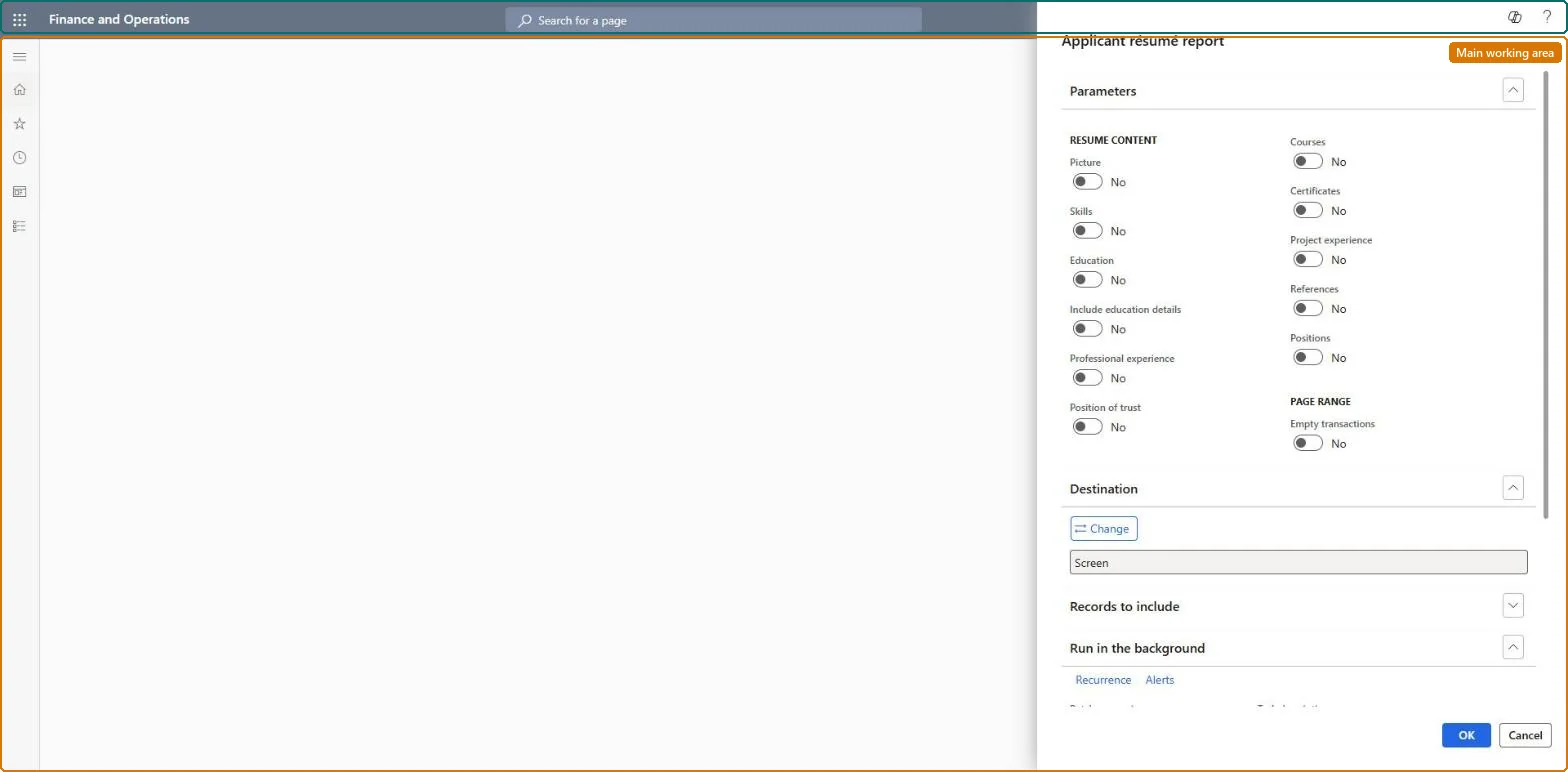
Use this report to print applicants' résumé content, choosing which competency information to show and which applicants to include.
Example
For example, before the 12 November interviews BEAT prints the résumés of the 5 shortlisted applicants for REC-0042 with Skills, Education and Professional experience on and Empty transactions off, and hands them to the hiring manager.
The page in Dynamics 365. page title tab to open what to set or check
About the examples: Examples and screenshots in this guide use BEAT, a demo company in a Dynamics 365 test environment. Use your own company's codes and values instead of copying them.
When to run it
When to run it
When you prepare for interviews or share applicant profiles with a hiring manager.
How often
On demand, during selection for a recruitment project.
What the output shows
One résumé per applicant with the competency content you chose. Unlike the Worker résumé report, it covers applicants and can include References.
Run it per recruitment project for the shortlisted applicants only, with the content the job requires turned on.Applicant competencies (skills, experience, education, tests, certificates) are what the job's requirements are compared with.
Recruiters and HR managers use it: the live security grants it to the Human resource manager and Recruiter roles. No Feature management feature is needed for this page.
Shared: the applicants printed are not per company. Data management lists the Applicants entity as shared, so every legal entity sees the same records. Checked in Dynamics 365
Can it be undone
Nothing to undo: The report only reads applicant data; it changes nothing. Microsoft Learn
If you change it later
The report prints the competencies entered on the applicant; anything not recorded under Competencies isn't on the résumé. Microsoft Learn
Technical architect
6Technical
Menu item
HRMApplicantResumeChecked in Dynamics 365
Form
SysOperationTemplateFormChecked in Dynamics 365
Roles to set it up and use it
To use itHuman resource manager HcmHumanResourceManagerRecruiter HcmRecruiterGive people one of these roles. On this system, 2 roles can run this page.Checked in Dynamics 365
Developer
7Developer
Open it by URL
https://<your-environment>/?mi=HRMApplicantResume
Data migration
Load order: The Applicant résumé report has no data entity in Data management, so it can't be loaded from a file or a configuration template. It prints applicant competencies; load them with the applicant competency entities and run the report in each environment.Microsoft Learn