Human resource assistant, Human resource manager, Recruiter
Business process
Recruit new talent
Menu item
HcmSkillGapForm
Main table
HcmSkillGapProfileTmp
Setup steps
1 on this page
Show what matters for
PAGE GUIDEWhat the page does and how to use it8 sections. Choose a role to highlight what matters to you.
Everyone
1What it is and why
What it is
An analysis page that compares a person's skills with the skills required for a job.
What you do here
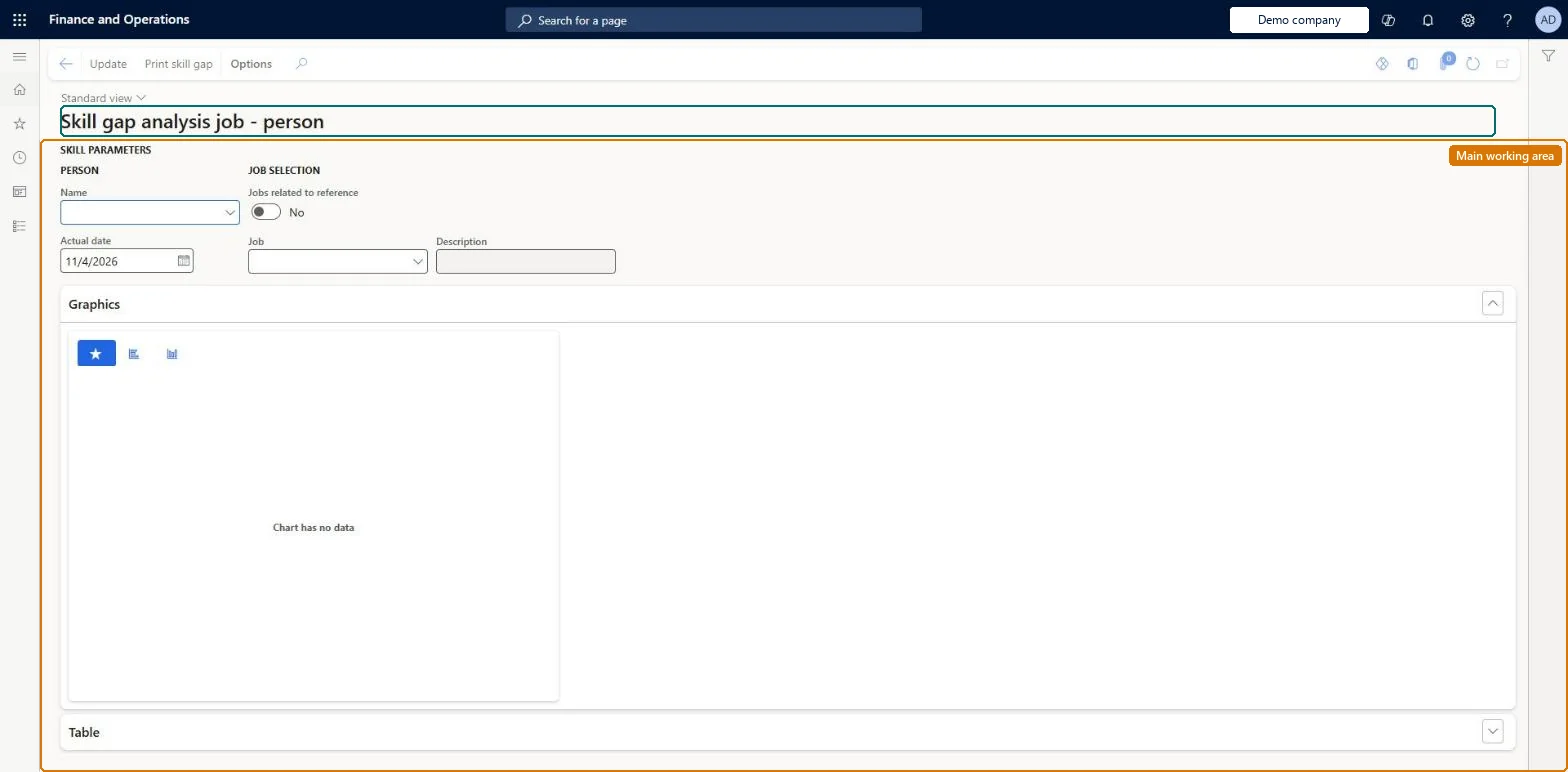
Use this page to create a skill gap analysis that shows how a person's skills compare with a job's requirements.
Example
For example, before the final interview for Senior accountant the recruiter compares applicant Sara Thomas with the job as of today: she meets CPA and Excel, and the chart shows one level short on Consolidation, which becomes an interview question.
The page in Dynamics 365. page title tab to open what to set or check
About the examples: Examples and screenshots in this guide use BEAT, a demo company in a Dynamics 365 test environment. Use your own company's codes and values instead of copying them.
Setup steps on this page
Check a finalist against the job
Compare a shortlisted applicant's skills with the job's required skills.
Steps from Microsoft
Go to Human resources > Recruitment > Skill analysis > Skill gap analysis job - person.
Under Skill parameters, select the applicant's Name and the Actual date of the comparison.
Under Job selection, select the Job of the opening.
Select Update and read the chart and the Table FastTab for the skills where the applicant is below the job level.
Select Print skill gap to give the comparison to the hiring manager.
Select the applicant first, set Actual date to today, then the job of the opening; read only the skills below the job level.A skill gap analysis compares a person's skills with the skills required for a job.
Recruiters and HR staff use it: the live security grants it to the Recruiter, Human resource manager and Human resource assistant roles. No Feature management feature is needed for this page.
Nothing is stored: the comparison is calculated from the person's skills and the job's required skills. Microsoft Learn
Can it be undone
Reversible: Learn describes this page as a comparison of a person's skills with the skills a job requires. It does not describe it changing either record, so you can create and rerun analyses freely. Microsoft Learn
If you change it later
The result depends on the skills recorded for the person and the skills required on the job; add missing ones there and run the comparison again. Microsoft Learn
Technical architect
6Technical
Menu item
HcmSkillGapFormChecked in Dynamics 365
Form
HcmSkillGapProfileChecked in Dynamics 365
Table
HcmSkillGapProfileTmpShown as “SKILLS GAP” in Record infoChecked in Dynamics 365
Who can open it
PrivilegesView skill gap analysis job - person HcmSkillGapFormViewDutiesInquire into applicant master HcmApplicantInquireInquire into skills data HcmSkillInquire3 security rolesHuman resource assistant HcmHumanResourceAssistantHuman resource manager HcmHumanResourceManagerRecruiter HcmRecruiterChecked in Dynamics 365
Roles to set it up and use it
To use itHuman resource manager HcmHumanResourceManagerHuman resource assistant HcmHumanResourceAssistantRecruiter HcmRecruiterGive people one of these roles. On this system, 3 roles can open this page.Checked in Dynamics 365
Actions on the page
(Action Pane without tabs): Update, Print skill gapChecked in Dynamics 365
Developer
7Developer
Open it by URL
https://<your-environment>/?mi=HcmSkillGapForm
Data migration
Load order: Skill gap analysis has no data entity in Data management, so it can't be loaded from a file or a configuration template. It calculates the comparison into a temporary table; load job skills and person skills, then run it in each environment.Microsoft Learn