Human resource assistant, Human resource manager, Manager and 1 more role
Business process
Develop people strategy
Menu item
HcmGoalGroup
Main table
HcmGoalGroup
Data entity
HcmGoalGroupEntity
Setup steps
1 on this page
Show what matters for
PAGE GUIDEWhat the page does and how to use it8 sections. Choose a role to highlight what matters to you.
Everyone
1What it is and why
What it is
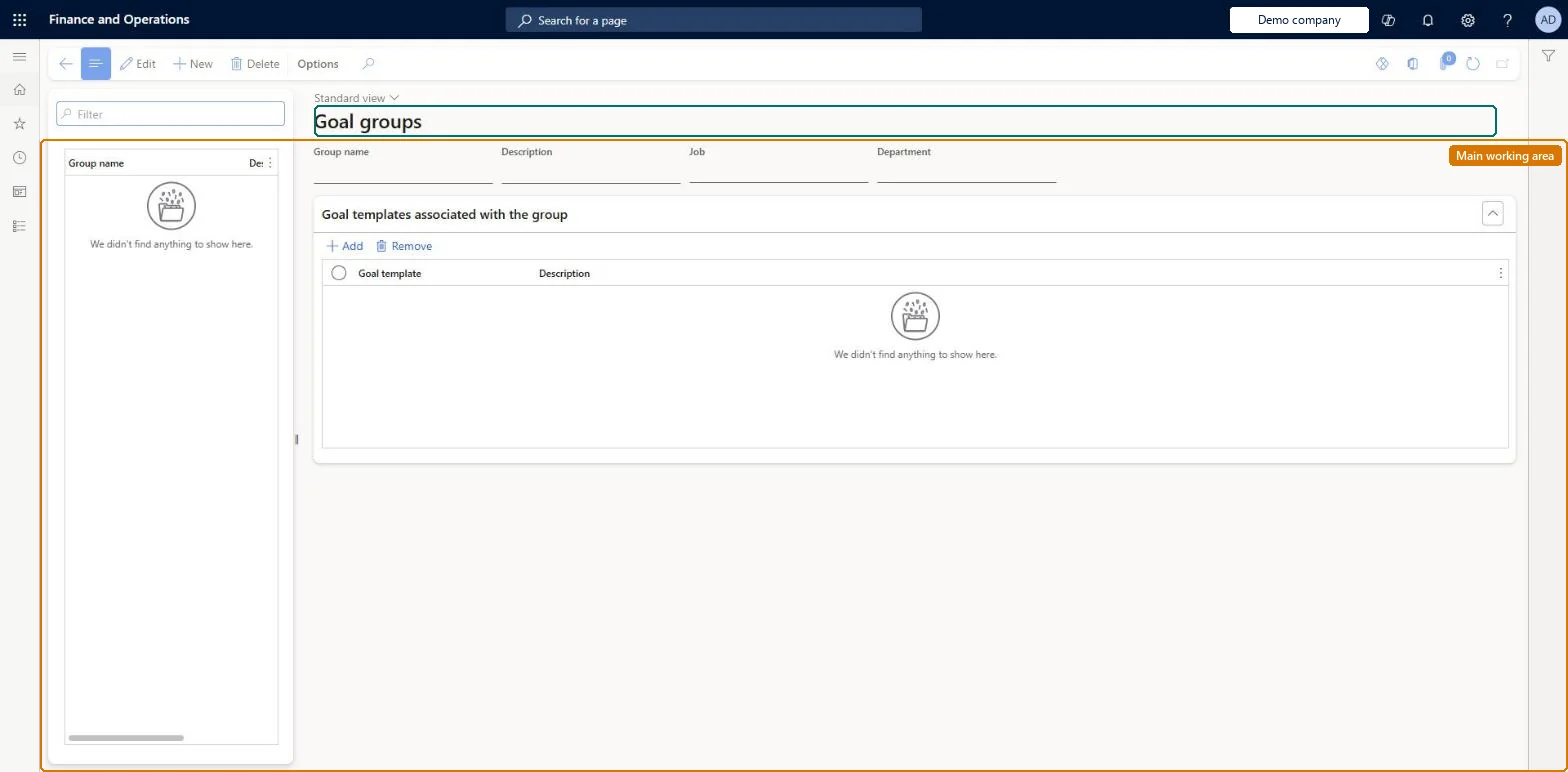
A setup page where you create goal groups, each containing one or more goal templates.
What you do here
Use this page to bundle goal templates that apply to the same team or to all employees, so that several goals can be added at once from a group and then adjusted to the person's timelines.
Example
For example, BEAT's goal group Sales 2026 holds 3 templates (Win new partners, Customer visits, Product training) and the job Sales representative; a manager uses Add from group for 6 sales reps at once and each gets 3 goals.
The page in Dynamics 365. page title tab to open what to set or check
About the examples: Examples and screenshots in this guide use BEAT, a demo company in a Dynamics 365 test environment. Use your own company's codes and values instead of copying them.
Setup steps on this page
Set up Goal groups
Use this page to bundle goal templates that apply to the same team or to all employees, so that several goals can be added at once from a group and then adjusted to the person's timelines.
Steps from Microsoft
Go to Human resources > Performance > Setup > Goal groups.
Open an existing goal group, or create a group.
In the Job control, select one or more valid jobs (when job-based filtering is enabled).
The jobs whose workers are listed when goals are assigned from the group; with no job, no filter is applied.Microsoft Learn
Sales representative
JobId
Common errors and fixes
Message
What to do
A warning appears when a template is added to the group
The template's jobs and the group's jobs don't overlap. The warning doesn't block: add the template only if the combination is intended. Microsoft Learn
Add from group lists every worker
No job is set on the group; an empty Job control means no filter. The group doesn't take jobs from its templates. Microsoft Learn
Test checklist
Create a goal group, select a job in the Job control and add two goal templates.
Add a template whose jobs don't overlap the group's and check a warning appears but the template can still be added.
Start Add from group, select the group and check only workers whose active job matches are listed.
Add the goals for one worker and check one goal is created per template in the group.
One goal group per team or role that gets the same set of goals, holding the goal templates for that set, with the group's own jobs selected in the Job control.Goal groups let managers add several goals at once and then adjust them. Job criteria on a group are independent of its templates, and Add from group lists only workers whose active job matches the group's jobs.
Shared: Data management lists the Goal groups entity as shared, so the records are not kept per legal entity and every company sees the same list. Checked in Dynamics 365
Can it be undone
Reversible: Group membership and job criteria can be changed at any time; the change affects which workers Add from group lists next time. Goals already added from the group are not changed. Integrations or reports that read the old single job field on goal groups should move to the multiselect job data. Microsoft Learn
If you change it later
When template and group job criteria do not overlap you get a warning only, and changing job criteria never removes templates from the group automatically. Microsoft Learn
Technical architect
6Technical
Menu item
HcmGoalGroupChecked in Dynamics 365
Form
HcmGoalGroupChecked in Dynamics 365
Table
HcmGoalGroupShown as “GOAL GROUP” in Record infoChecked in Dynamics 365
Data entities
HcmGoalGroupEntityGoal groups HcmGoalGroupTemplatesEntityGoal group templates (The goal templates in each group.)
Who can open it
PrivilegesView privilege for goal groups HcmGoalGroupsMaintainMaintain privilege for goal groups HcmGoalGroupsViewDutiesEnable performance process HcmPerformanceProcessEnableInquire into performance process HcmPerformanceProcessInquireInquire into manager's direct report information (Enterprise Portal) MssInquireMaintain manager access to direct report information (Enterprise Information) MssMaintain4 security rolesHuman resource assistant HcmHumanResourceAssistantHuman resource manager HcmHumanResourceManagerManager HcmManagerSelf-service manager HcmManagerSelfServiceChecked in Dynamics 365
Roles to set it up and use it
To set it up or change itHuman resource manager HcmHumanResourceManagerSelf-service manager HcmManagerSelfServiceManager HcmManagerTo use itHuman resource assistant HcmHumanResourceAssistantGive people one of these roles. On this system, 4 roles can open this page.Checked in Dynamics 365
Developer
7Developer
Open it by URL
https://<your-environment>/?mi=HcmGoalGroup
Integrate with
HcmGoalGroupEntity data entity
Data migration
HcmGoalGroupEntity Goal groups. Shared by all companies.HcmGoalGroupTemplatesEntity Goal group templates: the templates in each group.Load order: Load with the Employee development template: Goal groups, then the templates in each group once Goal template is loaded; jobs must exist for the job criteria.Load first: HcmGoalTemplateEntity, HcmJobEntityMicrosoft Learn