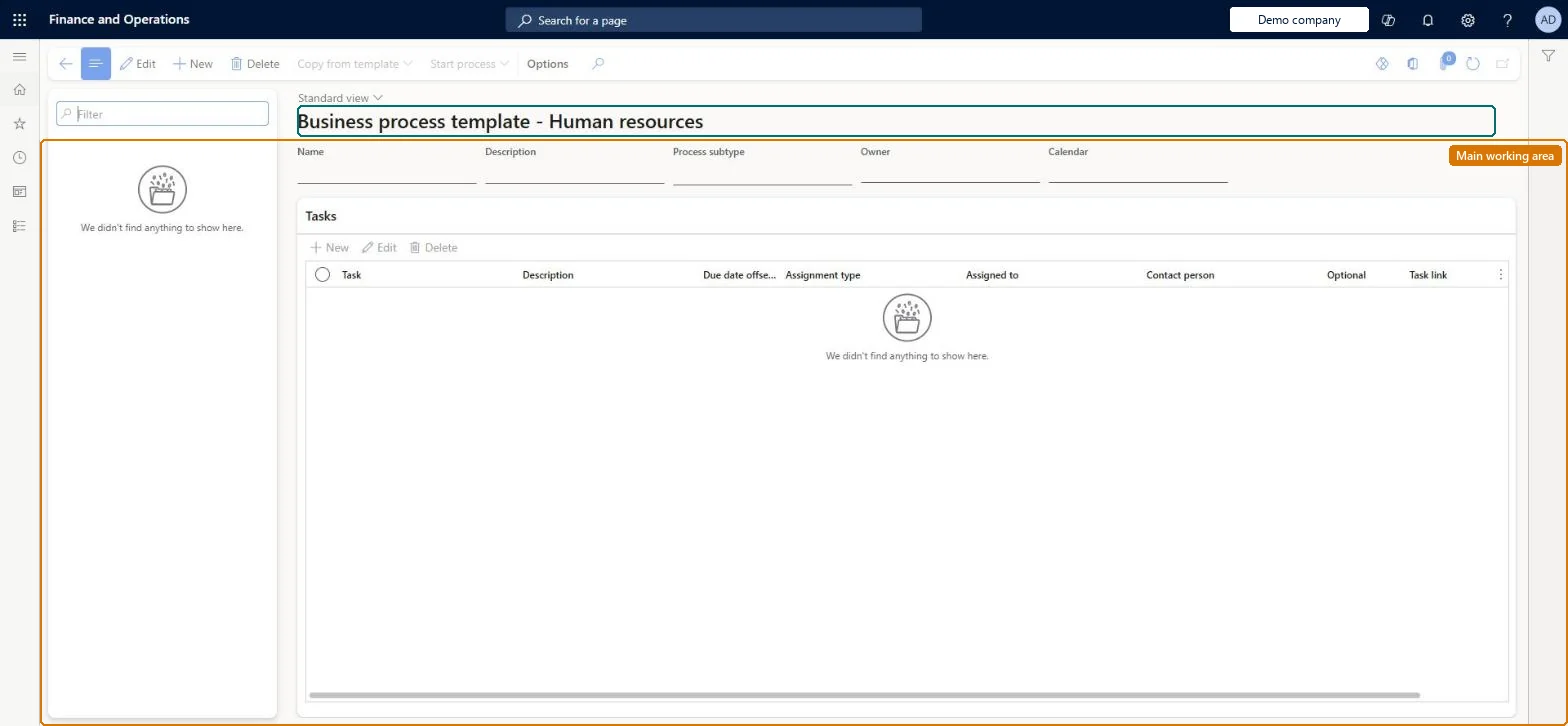
A list page of generic business process templates: checklists with a name, a process subtype, an owner, a calendar and tasks, from which a business process is started with Start process.
PAGE GUIDEWhat the page does and how to use it8 sections. Choose a role to highlight what matters to you.
Everyone
1What it is and why
What it is
A list page of generic business process templates: checklists with a name, a process subtype, an owner, a calendar and tasks, from which a business process is started with Start process.
What you do here
Use this page to keep reusable generic task checklists and to start a business process from one when the work begins.
Example
For example, BEAT keeps a template Annual policy review owned by Ana Bowman with 5 tasks, one of them assigned to the IT Laptop group and due 10 working days after the start; Start process on June 1, 2027 starts the process from the template.
The page in Dynamics 365. page title tab to open what to set or check
About the examples: Examples and screenshots in this guide use BEAT, a demo company in a Dynamics 365 test environment. Use your own company's codes and values instead of copying them.
Setup steps on this page
Set up Business processes administration
Steps from Microsoft
Go to Human resources > Business process > Business processes administration.
Use the Filter box to find a template.
Select New and enter the Name, Description, Process subtype, Owner and Calendar.
Under Tasks, add the tasks with their due date offset, assignment and contact person.
Select Start process to start the business process from the template, or Copy from template to copy one.
The generic subtype stored on the business process template.Microsoft Learn
Owner
The person who gets tasks that can't be assigned to anyone else.Microsoft Learn
Ana Bowman
Calendar
The calendar used to calculate task due dates; nonworking days are skipped.Microsoft Learn
BEAT working days
Due date offset
Days before or after the start date that a task is due.Microsoft Learn
10
Common errors and fixes
Message
What to do
Tasks land with the template owner
The task's assignment is Position, Manager or Group and no person can be found for it. Assign workers to the positions or groups, or pick a Worker assignment. Microsoft Learn
Due dates fall on weekends
The template's calendar doesn't mark weekends and holidays as nonworking. Correct the calendar. Microsoft Learn
Test checklist
Create a template with an owner, a calendar with weekends as nonworking days, and 2 tasks: one for a worker, one for a vacant position.
Select Start process.
Check 2 tasks are created, the position task is assigned to the owner, and no due date falls on a weekend.
One template per repeating piece of HR work, with an owner and a calendar, and tasks assigned to positions or groups rather than named people.Checklist due dates are calculated from the calendar, and a task that can't be routed to a person goes to the owner.
On BEAT the page is maintained by Human resource assistant and Human resource manager; the full list is under the page's security roles. No Feature management feature is needed for this page.
Shared: business process templates are not per company. Data management lists the Business process generic template entity as shared. Checked in Dynamics 365
Can it be undone
Hard to reverse: Tasks already created keep their assignee and due date; adjust or reassign them one by one. Microsoft Learn
If you change it later
Checklist tasks are assigned to people when the tasks are created, with due dates from the checklist's calendar; tasks that can't be routed to a person go to the owner. Changes to the template don't change tasks already created. Microsoft Learn
Technical architect
6Technical
Menu item
HcmGenericProcessTemplateListPageChecked in Dynamics 365
Form
BusinessProcessGenericTemplateListPageChecked in Dynamics 365
Table
BusinessProcessTemplateHShown as “BUSINESS PROCESS TEMPLATE” in Record infoChecked in Dynamics 365
Data entities
BusinessProcessGenericTemplateHeaderEntityBusiness process generic template BusinessProcessTemplateHeaderEntityBusiness process template (Business process templates of every process type; this page shows the generic ones.) BusinessProcessTemplateTaskEntityBusiness process template task (The task lines of the templates.)
Who can open it
PrivilegesMaintain Human resources generic processes. HcmGenericProcessMaintainDutiesMaintain Human resources generic processes. HcmGenericProcessMaintain2 security rolesHuman resource assistant HcmHumanResourceAssistantHuman resource manager HcmHumanResourceManagerChecked in Dynamics 365
Roles to set it up and use it
To set it up or change itHuman resource assistant HcmHumanResourceAssistantHuman resource manager HcmHumanResourceManagerGive people one of these roles. On this system, 2 roles can open this page.Checked in Dynamics 365
Actions on the page
(Action Pane without tabs): Copy from template, Start processChecked in Dynamics 365
BusinessProcessGenericTemplateHeaderEntity data entity
Data migration
BusinessProcessGenericTemplateHeaderEntity Business process generic template. Shared by all companies.BusinessProcessTemplateTaskEntity Business process template task: the template's task lines.Load order: Load with the Task management template: Business calendar and days, Group assignment and members, library tasks and task groups, then Business process template and Business process template task.Load first: BusinessProcessCalendarEntity, BusinessProcessGroupAssignmentEntity, BusinessProcessLibraryTaskEntityMicrosoft Learn