Accountant, Accounting manager, Accounting supervisor and 11 more roles
Business process
Close periods
Menu item
LedgerPeriodCloseProjectWorkspace
Show what matters for
PAGE GUIDEWhat the page does and how to use it7 sections. Choose a role to highlight what matters to you.
Everyone
1What it is and why
What it is
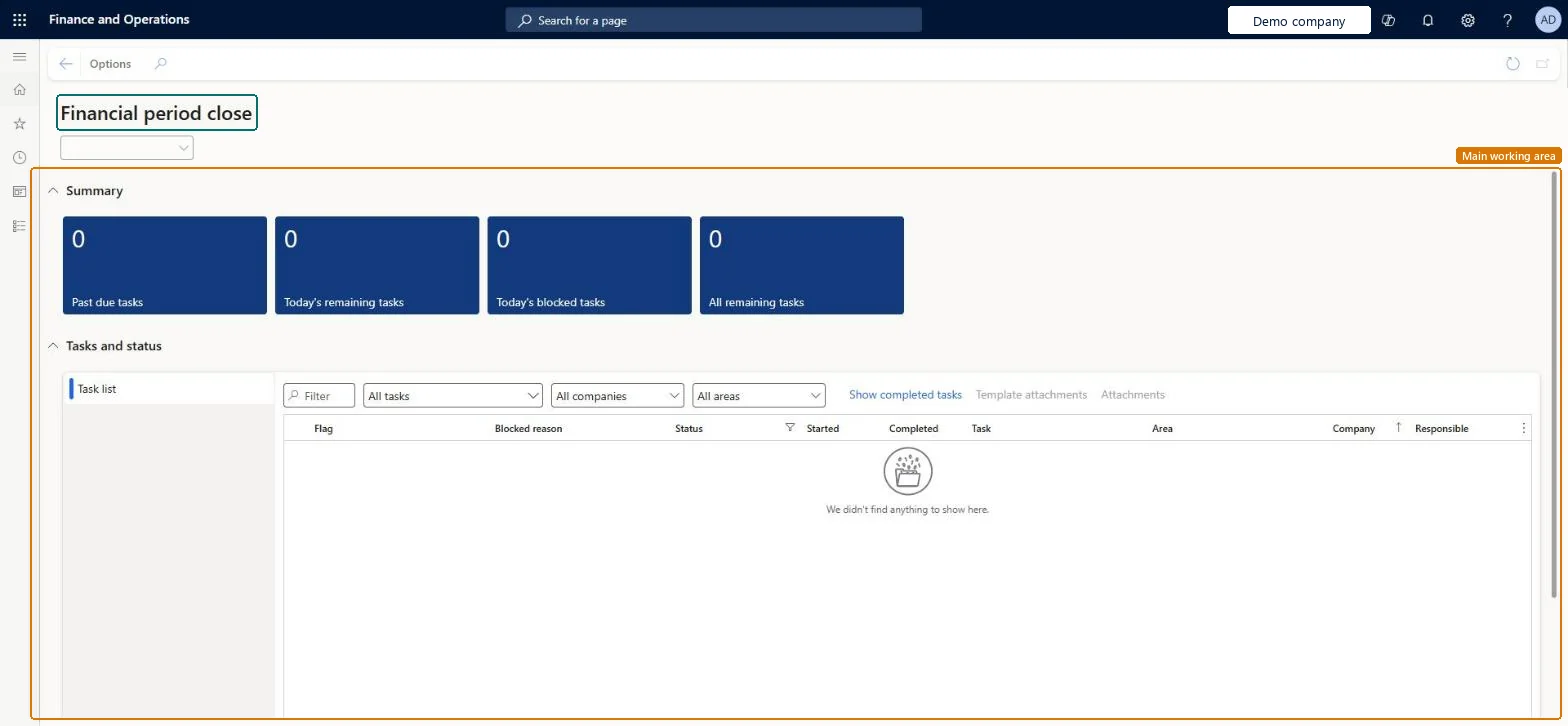
A workspace that tracks financial closing processes across companies, areas, and people for a selected closing schedule.
What you do here
Use this workspace to see closing tasks that are overdue, due today, blocked or still open, view status by company, area, and person, open the page linked to each task, add attachments, and mark tasks complete.
Example
A closing task to run the currency revaluation process for Accounts payable is linked to the Foreign currency revaluation page, so the user goes straight there from the workspace.
The page in Dynamics 365. page title tab to open what to set or check
About the examples: Examples and screenshots in this guide use BEAT, a demo company in a Dynamics 365 test environment. Use your own company's codes and values instead of copying them.
How to use it
Go to General ledger > Workspaces > Financial period close.
Pick a closing schedule in the list at the top of the page.
Review the Summary tiles: Past due tasks, Today's remaining tasks, Today's blocked tasks and All remaining tasks.
In Tasks and status, narrow the Task list with the Filter box and the All tasks, All companies and All areas lists.
Select Show completed tasks to include finished tasks.
Select Template attachments or Attachments for a selected task.
Source: Checked in Dynamics 365
Fields on the page
Field
What it means
Task complete
Marks a closing task as done and stamps the completed date and time.Microsoft Learn
Task link
Sets the page or web address that the task name opens.Microsoft Learn
Set dependency
Makes a task wait for other tasks; a blocked task can't be marked as completed.Microsoft Learn
Attachments
Adds files, notes, images or web links to a task.Microsoft Learn
Solution architect
4Design impact
If you change it later
When a closing schedule is marked Closed, it leaves the workspace and its tasks can no longer be added, edited or removed; the history stays on the All financial period close tasks page. Microsoft Learn
Technical architect
5Technical
Menu item
LedgerPeriodCloseProjectWorkspaceChecked in Dynamics 365
Form
LedgerPeriodCloseProjectWorkspaceChecked in Dynamics 365
Who can open it
PrivilegesMaintain financial period close processes LedgerPeriodCloseWorkspaceMaintainView financial period close processes LedgerPeriodCloseWorkspaceViewDutiesMaintain financial period close processes LedgerPeriodCloseWorkspaceMaintainView financial period close processes LedgerPeriodCloseWorkspaceView14 security rolesCollections agent CollectionLetterCollectionsAgentCollections manager CollectionLetterCollectionsManagerChief financial officer CompanyChiefFinancialOfficerAccounts receivable clerk CustInvoiceAccountsReceivableClerkAccounts receivable manager CustInvoiceAccountsReceivableManagerAccountant LedgerAccountantAccounting manager LedgerAccountingManagerAccounting supervisor LedgerAccountingSupervisorFinancial controller LedgerFinancialControllerAccounts payable payments clerk PaymAccountsPayablePaymentsClerkProject accountant ProjProjectAccountantProject manager ProjProjectManagerAccounts payable clerk VendInvoiceAccountsPayableClerkAccounts payable manager VendInvoiceAccountsPayableManagerChecked in Dynamics 365
Roles to set it up and use it
To set it up or change itAccounting supervisor LedgerAccountingSupervisorAccounting manager LedgerAccountingManagerAccountant LedgerAccountantAccounts receivable clerk CustInvoiceAccountsReceivableClerkProject accountant ProjProjectAccountantTo use itFinancial controller LedgerFinancialControllerChief financial officer CompanyChiefFinancialOfficerAccounts payable manager VendInvoiceAccountsPayableManagerAccounts receivable manager CustInvoiceAccountsReceivableManagerCollections manager CollectionLetterCollectionsManagerGive people one of these roles. On this system, 14 roles can open this page.Checked in Dynamics 365
Actions on the page
Options: Personalize, Page options, ShareChecked in Dynamics 365