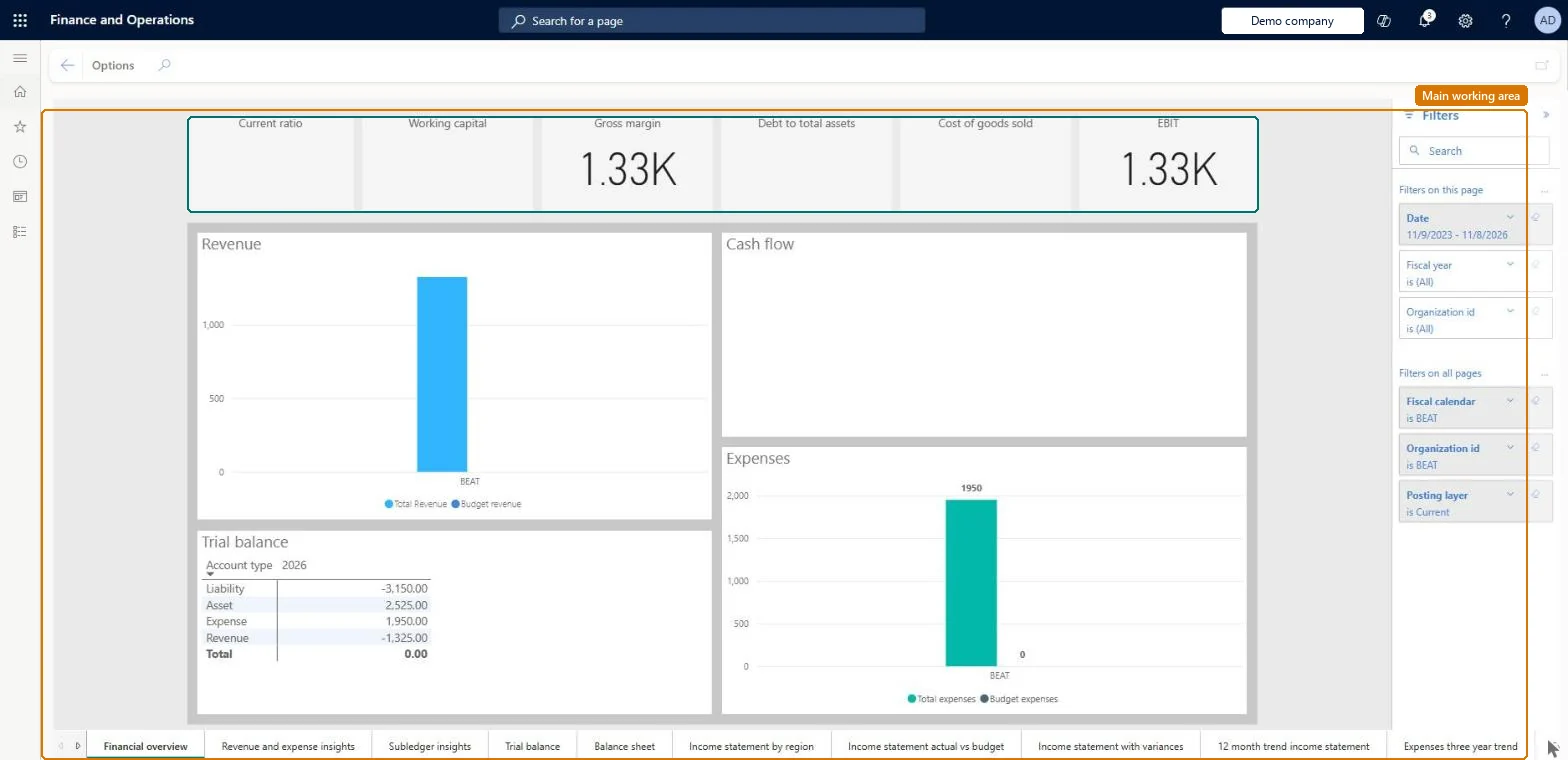
The Financial analysis workspace for the current company, which uses embedded Microsoft Power BI to bring together financial KPIs, charts, and financial statements for the active company.
Accountant, Accounting manager, Accounting supervisor and 3 more roles
Business process
Analyze financial performance
Menu item
FinancialInsightsWorkspace
Show what matters for
PAGE GUIDEWhat the page does and how to use it6 sections. Choose a role to highlight what matters to you.
Everyone
1What it is and why
What it is
The Financial analysis workspace for the current company, which uses embedded Microsoft Power BI to bring together financial KPIs, charts, and financial statements for the active company.
What you do here
Use this page to view and filter analytical reports for the active company only; the active company is the filter and other legal entities can't be added.
The page in Dynamics 365. page title tab to open what to set or check
About the examples: Examples and screenshots in this guide use BEAT, a demo company in a Dynamics 365 test environment. Use your own company's codes and values instead of copying them.
Fields on the page
Field
What it means
Display order
Sets the order in which main account categories appear on the financial statements in the workspace.Microsoft Learn
Fiscal calendar
A required filter that sets the fiscal calendar used by the reports.Microsoft Learn
Technical architect
4Technical
Menu item
FinancialInsightsWorkspaceChecked in Dynamics 365
Form
PowerBIReportFormChecked in Dynamics 365
Who can open it
PrivilegesView financial insights current company FinancialInsightsWorkspaceViewDutiesView financial insights current company FinancialInsightsWorkspaceView6 security rolesAuditor AuditPolicyManagerBudget manager BudgetBudgetManagerAccountant LedgerAccountantAccounting manager LedgerAccountingManagerAccounting supervisor LedgerAccountingSupervisorFinancial controller LedgerFinancialControllerChecked in Dynamics 365
Roles to set it up and use it
To use itAccounting manager LedgerAccountingManagerAccounting supervisor LedgerAccountingSupervisorAccountant LedgerAccountantFinancial controller LedgerFinancialControllerBudget manager BudgetBudgetManagerGive people one of these roles. On this system, 6 roles can open this page.Checked in Dynamics 365