Workspace page · General ledger
Financial period close workspace
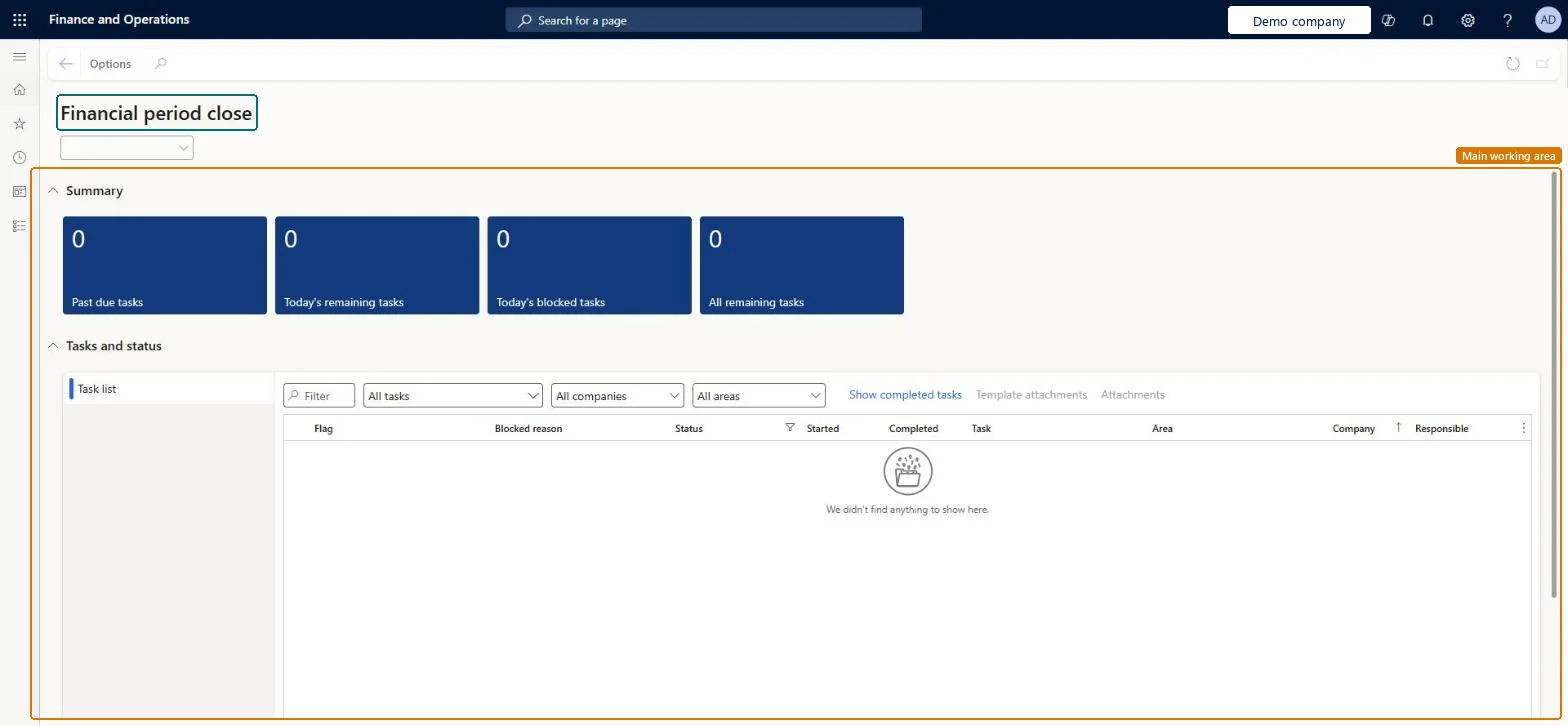
A workspace that tracks financial closing processes across companies, areas, and people for a selected closing schedule.
- Used by
- Accountant, Accounting manager, Accounting supervisor and 11 more roles
- Business process
- —
- Menu item
LedgerPeriodCloseProjectWorkspaceFromMenu- Main table
- —
- Data entity
- —
- Setup steps
- —
Show what matters for
Everyone
1What it is and why
| What it is | A workspace that tracks financial closing processes across companies, areas, and people for a selected closing schedule. |
|---|---|
| What you do here | Used to see past-due, due-today, blocked, and remaining closing tasks, view status by company, area, and person, open the page linked to each task, add attachments, and mark tasks complete. |
| Example | A closing task to run the currency revaluation process for Accounts payable is linked to the Foreign currency revaluation page, so the user goes straight there from the workspace. |
Functional consultant · Solution architect
2Where it fits
| Business process | — |
|---|---|
| Menu path | General ledger › Period close › Financial period close workspace |
| Set up first | Financial period close configuration Microsoft Learn ↗ |
| Used next by | — |
| Related pages | All financial period close tasks Microsoft Learn ↗Foreign currency revaluation Microsoft Learn ↗ |
End user · Functional consultant
3How to do it
Microsoft's steps
—
Field guide
| Field | What it means | Worked example | Table column |
|---|---|---|---|
| Task complete | Marks a closing task as done and stamps the completed date and time.Microsoft Learn ↗ | — | — |
| Task link | Sets the page or web address that the task name opens.Microsoft Learn ↗ | — | — |
| Set dependency | Makes a task wait for other tasks; a blocked task can't be marked as completed.Microsoft Learn ↗ | — | — |
| Attachments | Adds files, notes, images or web links to a task.Microsoft Learn ↗ | — | — |
Functional consultant
4Setup decisions
| Setup step | Recommended value and why | Decision · common mistake · test |
|---|---|---|
| — No setup is made on this page. | ||
Solution architect
5Design impact
| Shared or per company | — |
|---|---|
| Can it be undone | — |
| Feature or country | — |
| If you change it later | When a closing schedule is marked Closed, it leaves the workspace and its tasks can no longer be added, edited or removed; the history stays on the All financial period close tasks page. Microsoft Learn ↗ |
Technical architect
6Technical
| Menu item | LedgerPeriodCloseProjectWorkspaceFromMenu Checked in Dynamics 365 |
|---|---|
| Form | LedgerPeriodCloseProjectWorkspace Checked in Dynamics 365 |
| Table | — |
| Data entities | — |
| Who can open it | PrivilegesMaintain financial period close processes LedgerPeriodCloseWorkspaceMaintainView financial period close processes LedgerPeriodCloseWorkspaceViewDutiesMaintain financial period close processes LedgerPeriodCloseWorkspaceMaintainView financial period close processes LedgerPeriodCloseWorkspaceView14 security rolesCollections agentCollectionLetterCollectionsAgentCollections manager CollectionLetterCollectionsManagerChief financial officer CompanyChiefFinancialOfficerAccounts receivable clerk CustInvoiceAccountsReceivableClerkAccounts receivable manager CustInvoiceAccountsReceivableManagerAccountant LedgerAccountantAccounting manager LedgerAccountingManagerAccounting supervisor LedgerAccountingSupervisorFinancial controller LedgerFinancialControllerAccounts payable payments clerk PaymAccountsPayablePaymentsClerkProject accountant ProjProjectAccountantProject manager ProjProjectManagerAccounts payable clerk VendInvoiceAccountsPayableClerkAccounts payable manager VendInvoiceAccountsPayableManager |
| Actions on the page | — |
Developer
7Developer
| Open it directly | https://<your-environment>/?mi=LedgerPeriodCloseProjectWorkspaceFromMenu |
|---|---|
| Integrate with | — |
| Table definition | — |
Everyone
8Sources and checks
- learn.microsoft.com/dynamics365/finance/general-ledger/financial-period-close-workspace
- learn.microsoft.com/dynamics365/finance/general-ledger/financial-period-close-workspace
- Checked in a working Dynamics 365 system, version 10.0.49: the menu item, form, table and security, the page.