About the examples: Examples and screenshots in this guide use BEAT, a demo company in a Dynamics 365 test environment. Use your own company's codes and values instead of copying them.
Setup steps on this page
Set up Process automations
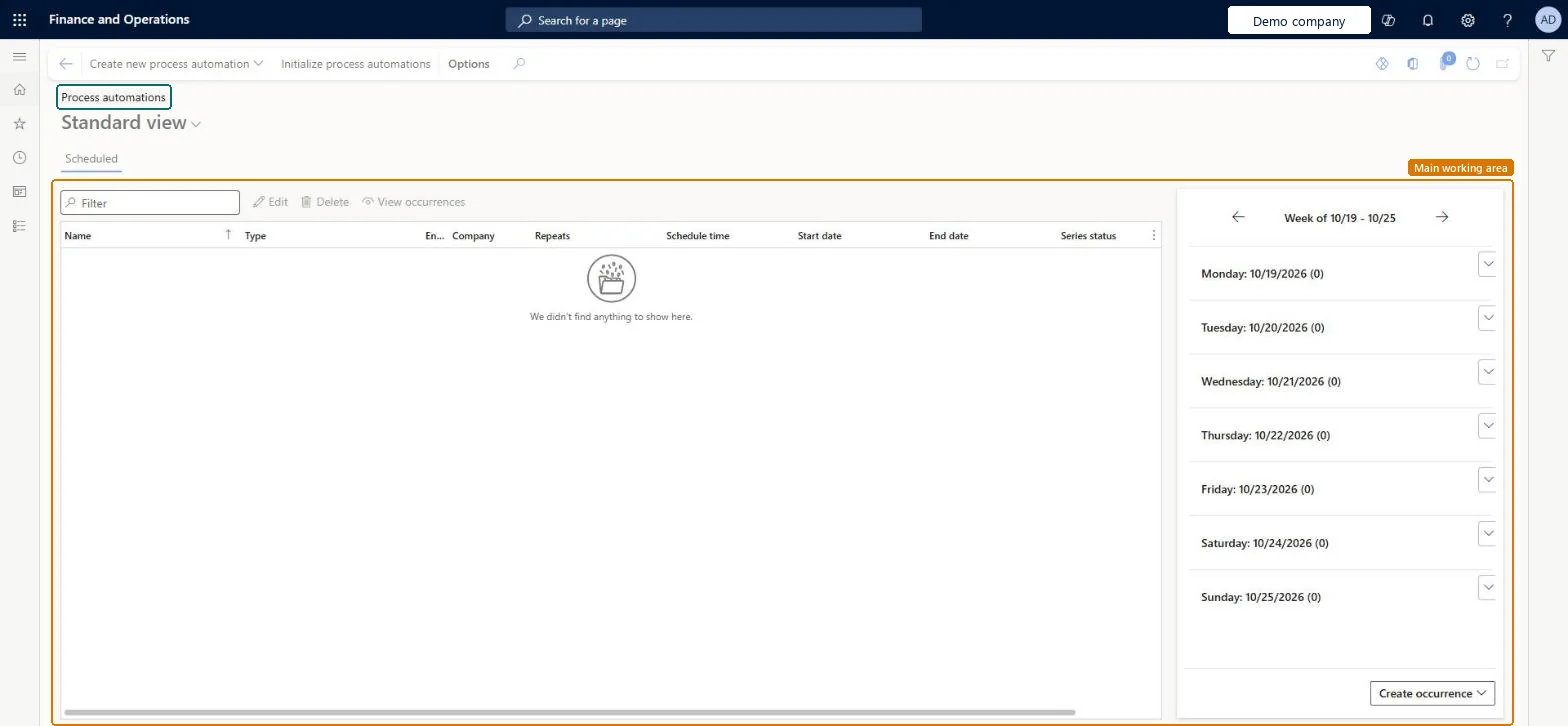
Use this page to add, edit, disable or delete scheduled process automations and see their scheduled and completed runs.
How to use it
Go to Credit and collections > Setup > Process automations.
Type in the Filter box to find an automation on the Scheduled tab.
Select Create new process automation on the Action Pane to add one.
Select an automation, then select Edit, Delete or View occurrences.
Use the arrows beside the week at the right to move between weeks, and select Create occurrence to add a run.
Source: Checked in Dynamics 365
Test checklist
Add a new process automation series and save it.
Check the scheduled occurrences show in the calendar view for the week.
Disable one occurrence from the calendar view and check the rest of the series still runs.
Check the Process automation polling system job is running in batch jobs.
Editing or stopping the Process automation polling system job. Learn says not to alter it; if it isn't running or is in error, use Initialize process automation to reset it.
Solution architect
5Design impact
Can it be undone
Reversible: Disable a series to pause it and enable it again later. If the feature behind a process is disabled in Feature management and later re-enabled, occurrences scheduled in the past run immediately. Microsoft Learn
If you change it later
Disabling a series pauses its scheduled work until you enable it again. Microsoft Learn
Technical architect
6Technical
Menu item
CustAutomationProcessScheduleSeriesChecked in Dynamics 365
Form
ProcessScheduleSeriesChecked in Dynamics 365
Table
ProcessScheduleSeriesShown as “Schedule series” in Record infoChecked in Dynamics 365
Who can open it
PrivilegesMaintain collection process automation schedule series settings CustAutomationProcessScheduleSeriesMaintainView collection process automation schedule series settings CustAutomationProcessScheduleSeriesViewDutiesMaintain collections process automation setup CustAutomationSetupMaintainView collections process automation setup CustAutomationSetupView2 security rolesCollections agent CollectionLetterCollectionsAgentCollections manager CollectionLetterCollectionsManagerChecked in Dynamics 365
Roles to set it up and use it
To set it up or change itCollections manager CollectionLetterCollectionsManagerTo use itCollections agent CollectionLetterCollectionsAgentGive people one of these roles. On this system, 2 roles can open this page.Checked in Dynamics 365
Actions on the page
Options: Personalize, Page options, ShareChecked in Dynamics 365