Auditor, Collections agent, Collections manager and 10 more roles
Business process
Remit a bill of exchange in Dynamics 365 Finance
Menu item
LedgerJournalTable_CustPaymRemittance
Main table
LedgerJournalTable
Data entity
AssetJournalEntity
Show what matters for
PAGE GUIDEWhat the page does and how to use it7 sections. Choose a role to highlight what matters to you.
Everyone
1What it is and why
What it is
A journal page for the Customer bank remittance journal type.
What you do here
Use this journal to create a bill of exchange remittance file to send to the organization's bank; this journal type requires the Automatic settlement option on Accounts receivable parameters to be cleared.
Example
For example, a company can send a bill of exchange to its bank on the due date, which is called remit for collection.
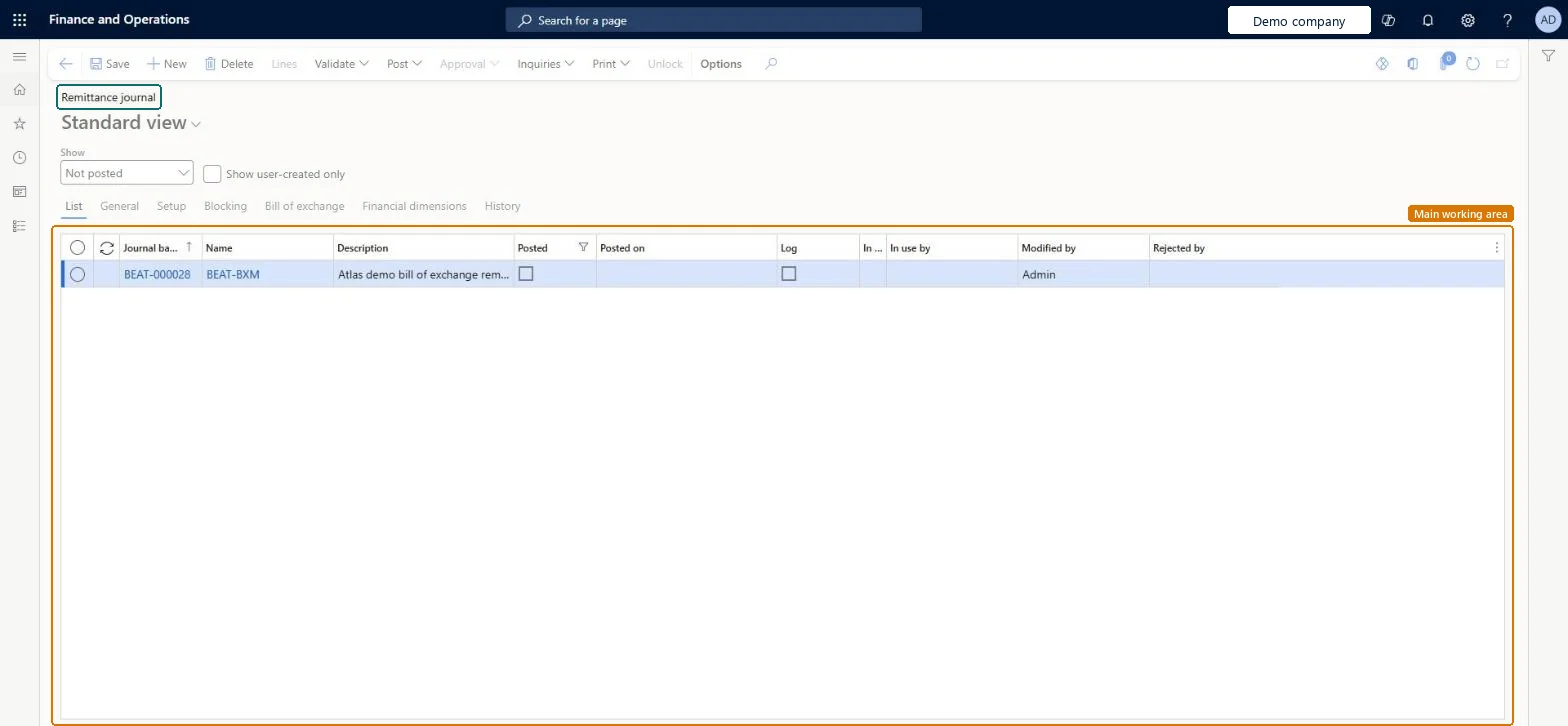
The page in Dynamics 365. page title tab to open what to set or check
About the examples: Examples and screenshots in this guide use BEAT, a demo company in a Dynamics 365 test environment. Use your own company's codes and values instead of copying them.
Steps from Microsoft
Go to Credit and collections > Payments > Bill of exchange > Remittance journal.
Create a journal.
On the Bill of exchange tab, select the Remittance type, Discount or Collection.
In the Bank account field, select the bank account for the bill of exchange.
Select Lines and select the customer account for the invoice.
Open settlement and select the open transaction, or use a payment proposal to select transactions.
If Automatic settlement is selected in the Accounts receivable parameters, the remittance file is generated automatically when invoices are posted with a bill of exchange method of payment. Microsoft Learn
Technical architect
5Technical
Menu item
LedgerJournalTable_CustPaymRemittanceChecked in Dynamics 365
Form
LedgerJournalTableChecked in Dynamics 365
Table
LedgerJournalTableShown as “Ledger journal table” in Record infoKey field: JournalNumChecked in Dynamics 365
PrivilegesMaintain bill of exchange remittance journal transactions LedgerJournalTable_CustPaymRemiMaintainView bill of exchange remittance journal transactions LedgerJournalTable_CustPaymRemittViewDutiesReview invoice and cash process performance CustInvoiceInvoiceAndCashProcPerfReviewInquire into bill of exchange status PaymBillOfExchangeStatusInquireMaintain bill of exchange transactions PaymBillOfExchangeTransactionsMaintain13 security rolesAuditor AuditPolicyManagerCollections agent CollectionLetterCollectionsAgentCollections manager CollectionLetterCollectionsManagerChief executive officer CompanyChiefExecutiveOfficerChief financial officer CompanyChiefFinancialOfficerAccounts receivable clerk CustInvoiceAccountsReceivableClerkAccounts receivable manager CustInvoiceAccountsReceivableManagerAccountant LedgerAccountantAccounting manager LedgerAccountingManagerAccounting supervisor LedgerAccountingSupervisorFinancial controller LedgerFinancialControllerAccounts receivable centralized payments clerk PaymAccountsReceivableCentralPaymClerkAccounts receivable payments clerk PaymAccountsReceivablePaymentsClerkChecked in Dynamics 365
Roles to set it up and use it
To set it up or change itAccounts receivable payments clerk PaymAccountsReceivablePaymentsClerkTo use itCollections manager CollectionLetterCollectionsManagerCollections agent CollectionLetterCollectionsAgentAccounts receivable manager CustInvoiceAccountsReceivableManagerAccounting manager LedgerAccountingManagerAccounting supervisor LedgerAccountingSupervisorGive people one of these roles. On this system, 13 roles can open this page.Checked in Dynamics 365