BeyondERP.Newsletter
Menu

Report page · Credit and collections

Interest note report

A report that prints interest notes to send to customers.

Business process
Manage credit and collections
Menu item
output:CustReport_interestNoteAll
Show what matters for
PAGE GUIDEWhat the page does and how to use it7 sections. Choose a role to highlight what matters to you.
Everyone

1What it is and why

What it isA report that prints interest notes to send to customers.
What you do hereUse this report to print the interest notes that tell customers about interest and fees charged to their account.
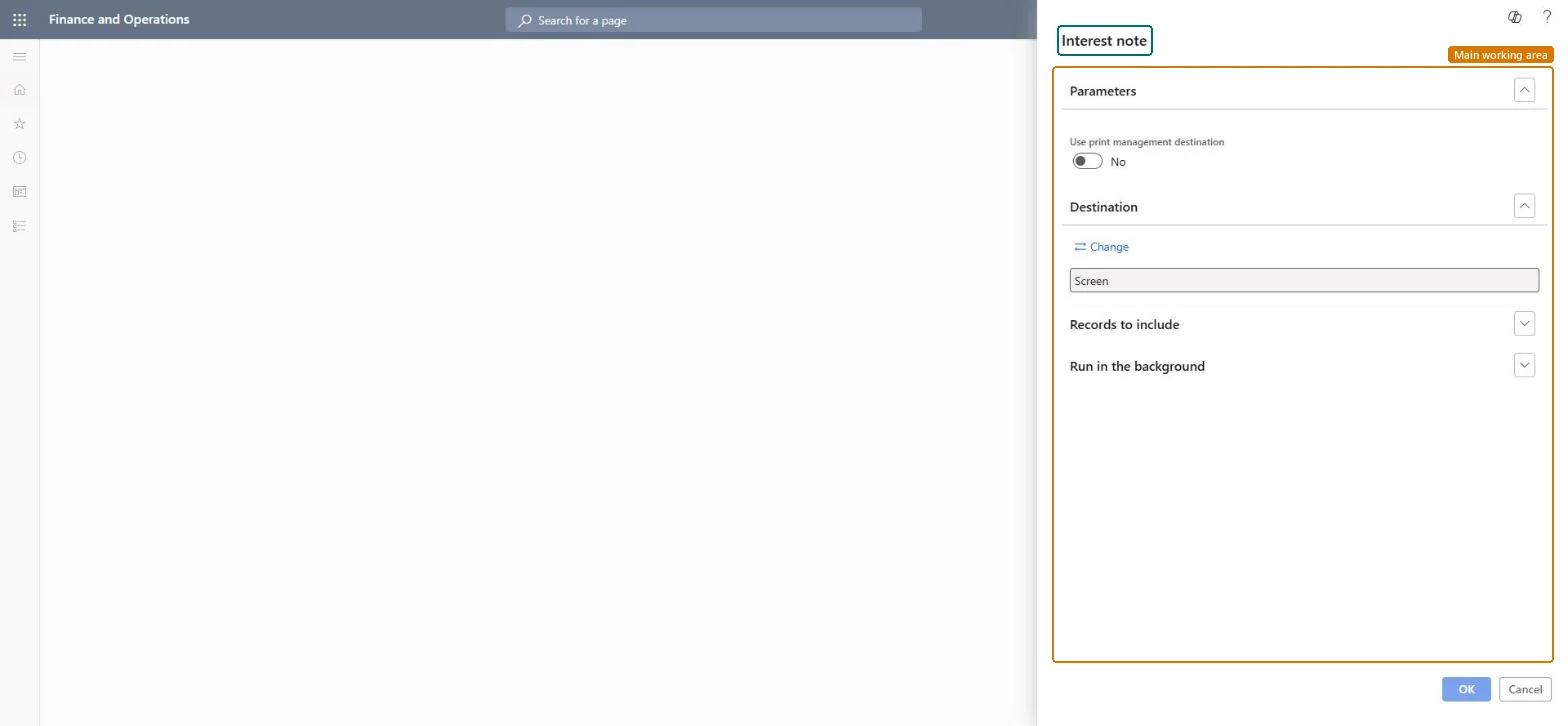
Interest note report page in Dynamics 365
The page in Dynamics 365. page title tab to open what to set or check
Functional consultant · Solution architect

2Where it fits

Business processManage credit and collections
Menu pathCredit and collections › Interest › Interest note report
Set up firstReview and process interest notes Microsoft Learn
End user · Functional consultant

3How to do it

About the examples: Examples and screenshots in this guide use BEAT, a demo company in a Dynamics 365 test environment. Use your own company's codes and values instead of copying them.

When to run it

When to run itAfter interest notes are created and reviewed, before you post them and send them to customers.
How oftenOnce per interest run.
What the output showsPrinted interest notes that tell each customer about interest and fees charged to their account. Interest charged on an invoice the customer already paid usually means the payment was posted after the interest calculation.

Source: Microsoft Learn

Steps from Microsoft

  1. Go to Credit and collections > Interest > Interest note report.
  2. Turn on Use print management destination if the notes should follow each customer's print management setup.
  3. Filter on the interest notes to print, for example the ones with status Created that aren't printed yet.
  4. Read a few notes and check that the interest amount and the transactions it was charged on match Review and process interest notes.

Source: Microsoft Learn

Fields on the page

FieldWhat it means
Use print management destinationShows the Print management setup before the report is generated.Microsoft Learn
Solution architect

4Design impact

Can it be undoneNothing to undo: Printing interest notes changes no amounts; the notes stay unposted until you post them. Microsoft Learn
Technical architect

5Technical

Menu itemoutput:CustReport_interestNoteAll Checked in Dynamics 365
FormSysOperationTemplateForm Checked in Dynamics 365
Roles to set it up and use itTo use itCollections manager CollectionLetterCollectionsManagerCollections agent CollectionLetterCollectionsAgentGive people one of these roles. On this system, 2 roles can run this page.Checked in Dynamics 365
Developer

6Developer

Open it by URLhttps://<your-environment>/?mi=output:CustReport_interestNoteAll
Everyone

7Sources