Auditor, Collections agent, Collections manager and 10 more roles
Business process
Write off bad debt
Menu item
CustWriteoffJournal
Main table
LedgerJournalTable
Data entity
AssetJournalEntity
Show what matters for
PAGE GUIDEWhat the page does and how to use it7 sections. Choose a role to highlight what matters to you.
Everyone
1What it is and why
What it is
An inquiry page where you review the write-off journals created when customer balances or transactions are written off.
What you do here
Use this page to check the general journals that hold write-off transactions started from the Collections page, the collections list pages, Open customer invoices, All customers or the Collections coordinator workspace.
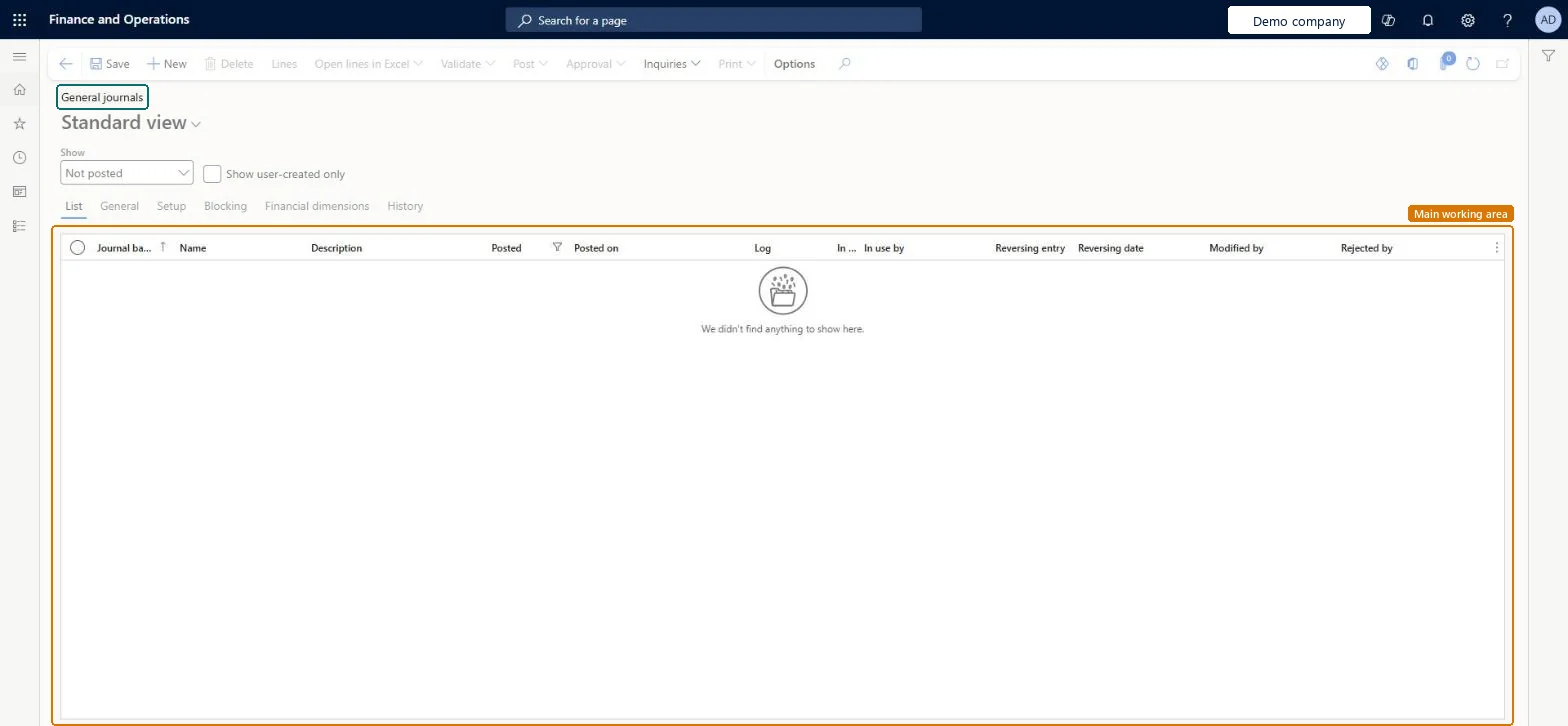
The page in Dynamics 365. page title tab to open what to set or check
About the examples: Examples and screenshots in this guide use BEAT, a demo company in a Dynamics 365 test environment. Use your own company's codes and values instead of copying them.
How to use it
Go to Credit and collections > Inquiries and reports > Write-off journals.
Choose a value in the Show list, and select Show user-created only if you want only your own journals.
Check the Journal batch number, Name, Description, Posted, Posted on and Modified by columns on the List tab.
Select a journal, then select Lines to open it.
Use the General, Setup, Blocking, Financial dimensions and History tabs to see more about the selected journal.
PrivilegesView open customer invoices due today list page CustOpenInvoicesDueTodayListPageViewView open customer invoices list page CustOpenInvoicesListPageViewView open customer invoices past due list page CustOpenInvoicesPastDueListPageViewDutiesReview collections process performance CollectionLetterCollectionProcPerfRevieInquire into collections status CollectionLetterCollectionsStatusInquirMaintain collections transactions CollectionLetterCollectionsTransMaintaiInquire into customer invoice status CustInvoiceCustomerInvoiceStatusInquireMaintain customer invoice transactions CustInvoiceCustomerInvoiceTransMaintainReview invoice and cash process performance CustInvoiceInvoiceAndCashProcPerfReview13 security rolesAuditor AuditPolicyManagerCollections agent CollectionLetterCollectionsAgentCollections manager CollectionLetterCollectionsManagerChief executive officer CompanyChiefExecutiveOfficerChief financial officer CompanyChiefFinancialOfficerAccounts receivable clerk CustInvoiceAccountsReceivableClerkAccounts receivable manager CustInvoiceAccountsReceivableManagerAccountant LedgerAccountantAccounting manager LedgerAccountingManagerAccounting supervisor LedgerAccountingSupervisorFinancial controller LedgerFinancialControllerAccounts receivable centralized payments clerk PaymAccountsReceivableCentralPaymClerkAccounts receivable payments clerk PaymAccountsReceivablePaymentsClerkChecked in Dynamics 365
Roles to set it up and use it
To use itCollections manager CollectionLetterCollectionsManagerCollections agent CollectionLetterCollectionsAgentAccounts receivable manager CustInvoiceAccountsReceivableManagerAccounting manager LedgerAccountingManagerAccounting supervisor LedgerAccountingSupervisorGive people one of these roles. On this system, 13 roles can open this page.Checked in Dynamics 365
Actions on the page
Options: Personalize, Page options, Edit, ShareChecked in Dynamics 365