About the examples: Examples and screenshots in this guide use BEAT, a demo company in a Dynamics 365 test environment. Use your own company's codes and values instead of copying them.
When to run it
When to run it
After collection letters are created and before they are posted and sent.
How often
Once per collection letter run.
What the output shows
Printed collection letters per customer listing the overdue transactions, with the cutoff date for payments printed on the letter. A paid invoice on a letter usually means the payment was posted after the cutoff date.
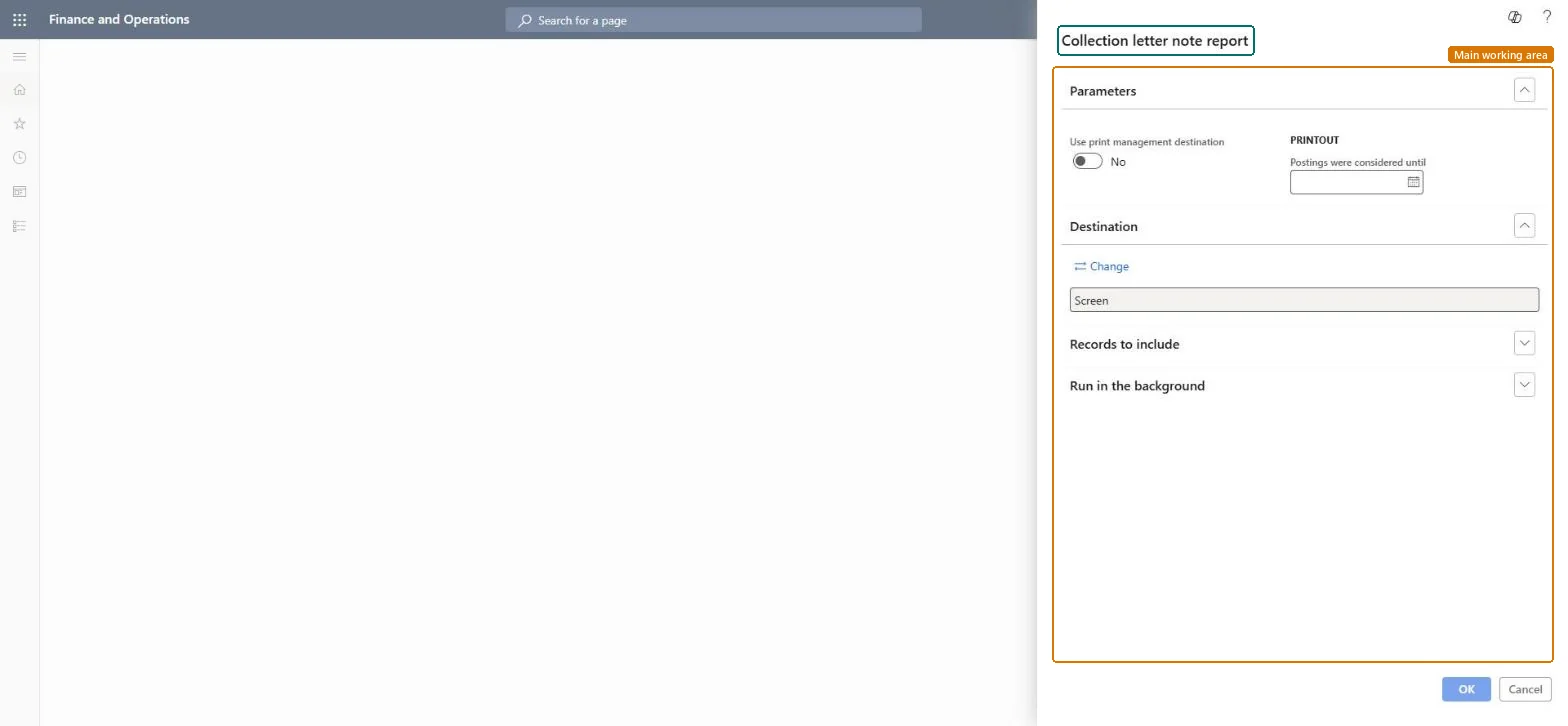
Go to Credit and collections > Collection letter > Collection letter note report.
Enter Postings were considered until: the date of the latest payment taken into account. It's printed on the letter, so the customer knows which payments are included.
Filter on the collection letters to print, for example the ones with status Created that aren't printed yet.
Read a few letters: transactions listed as overdue must not include payments received before the cutoff date.
Date of the latest payment considered in the letter; it is printed on the letter.Microsoft Learn
Use print management destination
Shows the Print management setup before the report is generated.Microsoft Learn
Solution architect
4Design impact
Can it be undone
Nothing to undo: Printing collection letters changes nothing; the letters stay unposted until you post them. Microsoft Learn
Technical architect
5Technical
Menu item
output:CustReport_collectionLetterAllChecked in Dynamics 365
Form
SysOperationTemplateFormChecked in Dynamics 365
Roles to set it up and use it
To use itCollections manager CollectionLetterCollectionsManagerCollections agent CollectionLetterCollectionsAgentGive people one of these roles. On this system, 2 roles can run this page.Checked in Dynamics 365