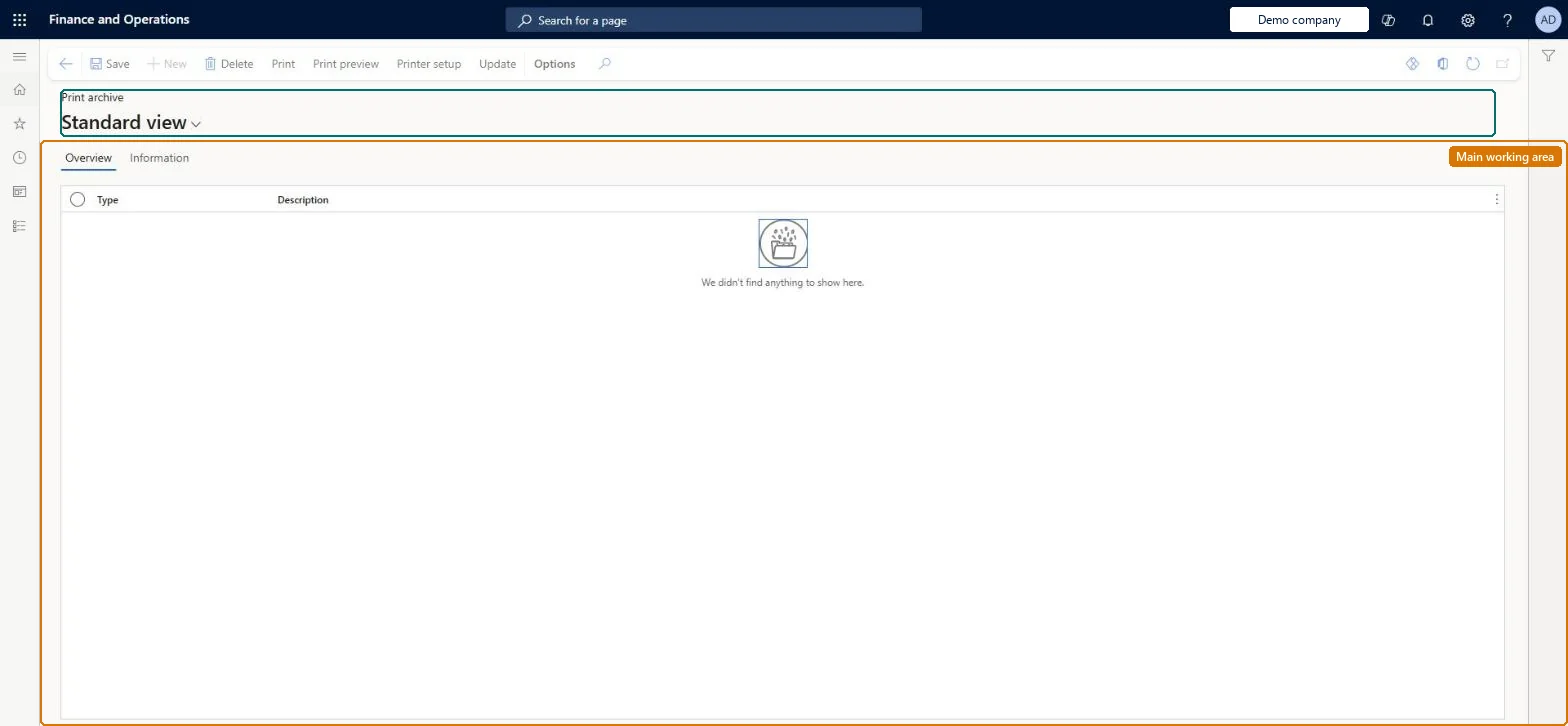
An inquiry page that lists the documents and reports that were saved to the print archive when they were printed, so that they are available to print again.
Retail catalog manager, Retail service, Retail store IT and 4 more roles
Business process
Configure and maintain cloud-based printing
Menu item
SysPrintArchiveUser
Main table
PrintJobHeader
Setup steps
1 on this page
Show what matters for
PAGE GUIDEWhat the page does and how to use it8 sections. Choose a role to highlight what matters to you.
Everyone
1What it is and why
What it is
An inquiry page that lists the documents and reports that were saved to the print archive when they were printed, so that they are available to print again.
What you do here
Use this page to find your own archived report output and print it again later without regenerating it.
Example
For example, a BEAT customer asks for a copy of last week's invoice. Because the invoice print destination had Save in print archive turned on, the clerk opens Print archive, finds the invoice by Description and prints it again without regenerating it.
The page in Dynamics 365. page title tab to open what to set or check
About the examples: Examples and screenshots in this guide use BEAT, a demo company in a Dynamics 365 test environment. Use your own company's codes and values instead of copying them.
Setup steps on this page
Reprint from the print archive
Reprint documents exactly as they were printed.
How to use it
Go to Common > Inquiries > Print archive.
On the Overview tab, select an archived print job by Type and Description.
Use the Information tab to see the details of the job.
Select Print, Print preview or Printer setup to reprint or view the archived output.
Source: Checked in Dynamics 365
Fields on the page
Field
What it means
Example
Type
The kind of archived print job.Checked in Dynamics 365
Report
Description
The description of the archived job, such as the report and document number.Checked in Dynamics 365
Invoice CIV-000231
Print / Print preview / Printer setup
Actions that print or preview the archived output again.Checked in Dynamics 365
Common errors and fixes
Message
What to do
The document isn't in the archive
Only output printed with Save in print archive turned on is archived; turn it on in the print destination settings. Microsoft Learn
Test checklist
Print a document to a printer destination with Save in print archive turned on.
Open Print archive and find the job by Description.
On the live system, these roles can open the page: System user, TestEssentialsRole, Retail store IT, Information technology manager, Retail service.
Checked in Dynamics 365
Solution architect
5Design impact
Shared or per company
Per user: the menu item opens the archive of your own print jobs. Checked in Dynamics 365
Can it be undone
Reversible: Reversible: printing again changes no data; the archived output stays in the archive. Microsoft Learn
If you change it later
Reprinting uses the archived output, not the current data, so it matches what was printed the first time. Microsoft Learn
Technical architect
6Technical
Menu item
SysPrintArchiveUserChecked in Dynamics 365
Form
SysPrintArchiveChecked in Dynamics 365
Table
PrintJobHeaderShown as “PRINT JOB INFORMATION (JOB-LEVEL)” in Record infoChecked in Dynamics 365
Who can open it
PrivilegesClient essentials ClientEssentialsClient essentials privileges for retail trial RetailTrialClientEssentialsMaintainMaintain your printouts in the print archive SysPrintArchiveUserMaintainSystemExternalUserDenyDutiesView retail channels RetailChannelsViewMaintain system for retail trial. RetailTrialSystemExternalBasicMaintainMaintain reporting and business intelligence settings SRSBISettingsMaintainUse basic functionality SysServerAXBasicMaintainUse basic external functionality SystemExternalBasicMaintainMaintain duty for system external only account SystemExternalOnlyMaintain11 security rolesAifTestSecRoleEventTestRoleRetail catalog manager RetailCatalogManagerRetail service RetailServiceRetail store IT RetailStoreITRetail store manager RetailStoreManagerInformation technology manager SysServerITManagerSystem external user SystemExternalUserSystem user SystemUserTestEssentialsExternalUserRoleTestEssentialsRoleChecked in Dynamics 365
Roles to set it up and use it
To set it up or change itSystem user SystemUserTestEssentialsRole Retail store IT RetailStoreITInformation technology manager SysServerITManagerRetail service RetailServiceGive people one of these roles. On this system, 8 roles can open this page.Checked in Dynamics 365
Actions on the page
(Action Pane without tabs): Print, Print preview, Printer setup, UpdateChecked in Dynamics 365
Load order: Print archive has no data entity in Data management. Archived print output stays in the old system; it is not migrated.Checked in Dynamics 365