PAGE GUIDEWhat the page does and how to use it8 sections. Choose a role to highlight what matters to you.
Everyone
1What it is and why
What it is
A setup page where you upload and manage the Word and Excel templates that power the Open in Microsoft Office options.
What you do here
Use this page to add templates so that users can create documents, such as Export to Word documents, from the record they are working on.
Example
For example, BEAT builds a Word welcome letter for new customers, uploads it on Document templates with Apply current record filter selected, and a sales clerk then opens a customer and selects Open in Microsoft Office > Export to Word to get the letter for that customer only.
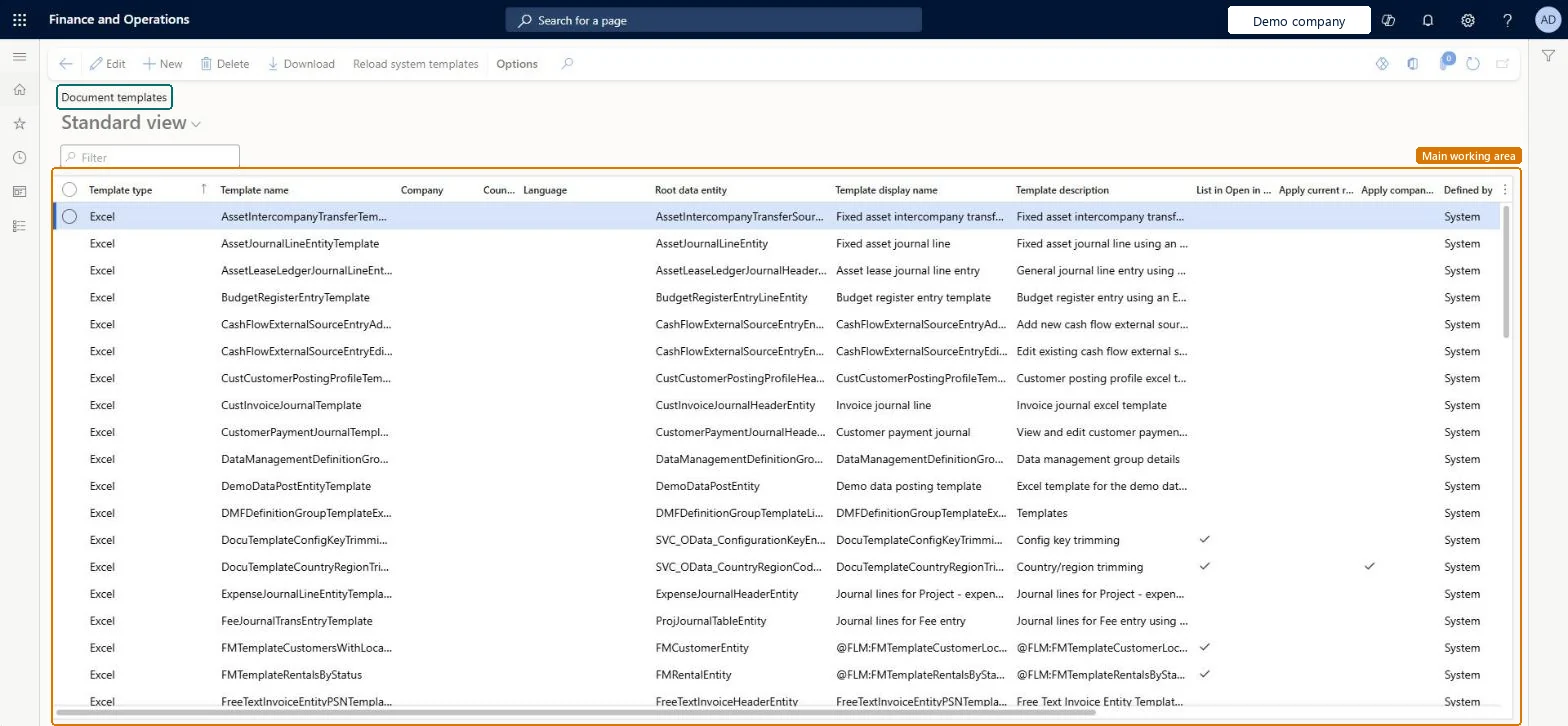
The page in Dynamics 365. page title tab to open what to set or check
About the examples: Examples and screenshots in this guide use BEAT, a demo company in a Dynamics 365 test environment. Use your own company's codes and values instead of copying them.
Step by step, with screenshots
Set up Document templates1 screen
Use this page to add templates so that users can create documents, such as Export to Word documents, from the record they are working on.
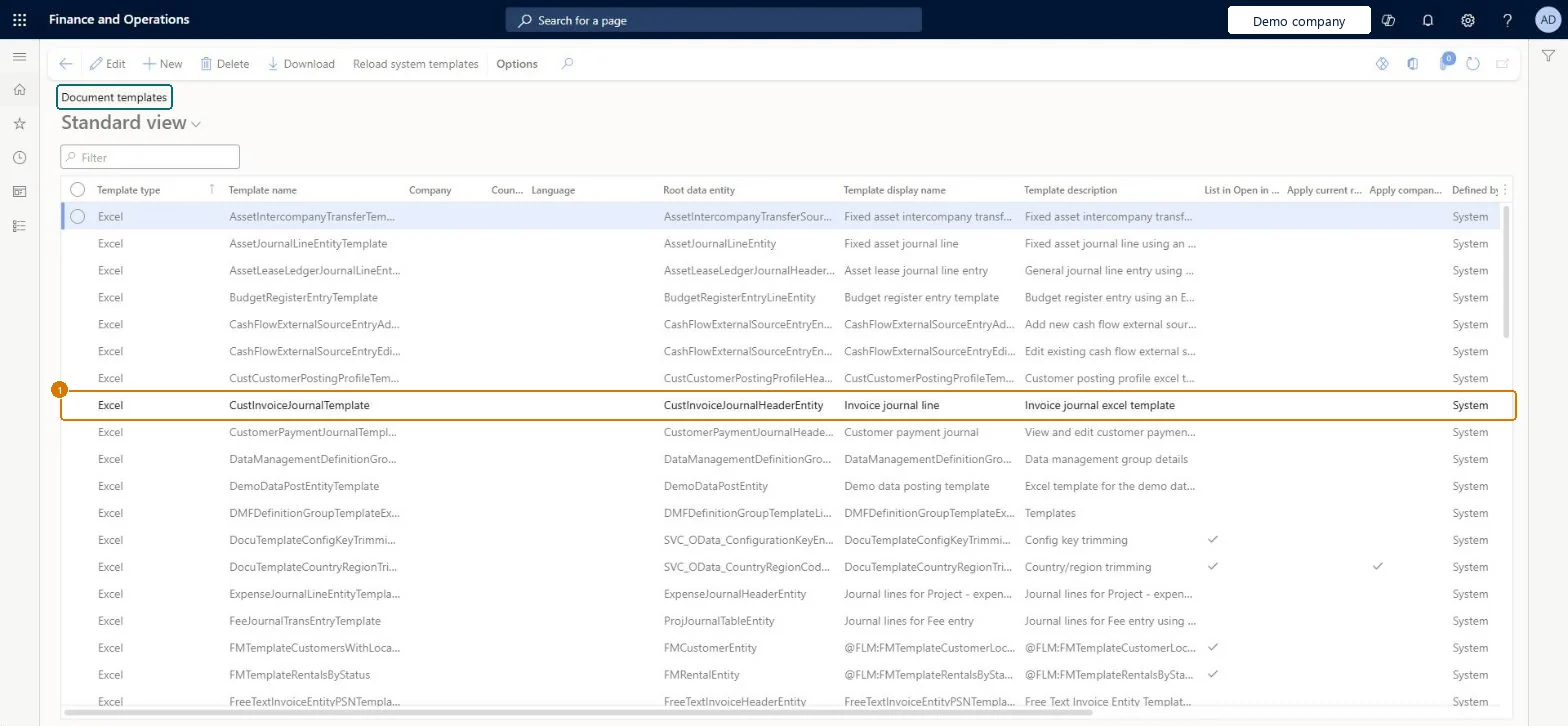
Screen 1
Check a document template
Go to Organization administration > Setup > Office integration > Document templates
Find the template in the list
Check its type, root data entity and display name
Select Download to open the template, or New to upload your own
1Template name
CustInvoiceJournalTemplate
Template type
Excel
Root data entity
CustInvoiceJournalHeaderEntity
Template display name
Invoice journal line
Defined by
System
Show the full screen page title tab to open what to set or check
Publish Word and Excel templates
Make Word and Excel templates available on the Open in Microsoft Office menu.
Steps from Microsoft
Go to Common > Common > Office integration > Document templates.
Select New.
Select Browse.
Select the template you created, and then select Open. The root data entity is read from the template.
Select OK.
Check that the template now appears in the list.
If the template shouldn't be filtered to the user's current record, clear the Apply current record filter checkbox.
Whether the template is system-defined (registered in code and restored with Reload system templates) or added on this page.Microsoft Learn
Apply company filter
When selected, the data is filtered to the current company.Microsoft Learn
Selected
List in Office menu
When selected, the template is offered on the Open in Office menu of applicable pages.Microsoft Learn
Selected
Common errors and fixes
Message
What to do
The template doesn't appear under Open in Microsoft Office
Templates are offered only on pages whose root data source matches the template's root data entity, and only when List in Office menu is selected. Microsoft Learn
Test checklist
Build a Word template with the Office add-in from a blank document created with Excel workbook designer > Create blank document.
On Document templates select New, browse to the template and check the Root data entity is filled in.
Set Template display name and decide whether Apply current record filter stays selected.
Open a page with the same root data source, select Open in Microsoft Office > Export to Word and pick the template.
Check the generated document holds data from the selected record (or all records when the filter was cleared).
Keep Apply current record filter for Export to Word documents about one record; clear it for Excel list templates that should load all recordsWith the filter on, the generated document is limited to the record the user is on; Microsoft's tutorial clears it for an Excel list template so the full list loads.
Uploading a template whose root data entity doesn't share the page's root data source. Templates are offered under Open in Microsoft Office only on pages with the same root data source.
Keep Apply current record filter for Export to Word documents about one record; clear it for Excel list templates that should load all recordsThe record filter decides whether the document holds the selected record or the whole list.
On the live system, these roles can open the page: Maintain document templates.
Checked in Dynamics 365
Solution architect
5Design impact
Shared or per company
Shared, with optional filters: a template is offered to all users on matching pages; Apply company filter limits its data to the current company. Microsoft Learn
Can it be undone
Reversible: Uploaded templates can be edited or removed, and Apply current record filter and Apply company filter can be changed at any time. The change affects the Open in Microsoft Office options users see from then on; system-defined templates are restored with Reload system templates. Microsoft Learn
If you change it later
Adding or changing a template changes the Open in Microsoft Office options users see on every page with the same root data source. Microsoft Learn
Technical architect
6Technical
Menu item
DocuTemplateChecked in Dynamics 365
Form
DocuTemplateChecked in Dynamics 365
Table
DocuTemplateShown as “DOCUMENT TEMPLATES” in Record infoKey field: TemplateID, LegalEntityID, LanguageID, RegionIDChecked in Dynamics 365
Who can open it
PrivilegesMaintain document templates DocuTemplateMaintainDutiesMaintain document templates DocuTemplateMaintainChecked in Dynamics 365
Roles to set it up and use it
To set it up or change itMaintain document templates DocuTemplateMaintainGive people a role that holds these duties. On this system, 0 roles give access to this page.Checked in Dynamics 365
Actions on the page
(Action Pane without tabs): Download, Reload system templatesChecked in Dynamics 365
Developer
7Developer
Open it by URL
https://<your-environment>/?mi=DocuTemplate
Data migration
Load order: Document templates has no data entity in Data management. Download each template with Download and upload it again with New in the target environment; system-defined templates come back with Reload system templates.Microsoft Learn
Checked in a working Dynamics 365 system, version 10.0.49: the menu item, form, table and security, the page, the demo records and the values in the screenshots.