About the examples: Examples and screenshots in this guide use BEAT, a demo company in a Dynamics 365 test environment. Use your own company's codes and values instead of copying them.
Setup steps on this page
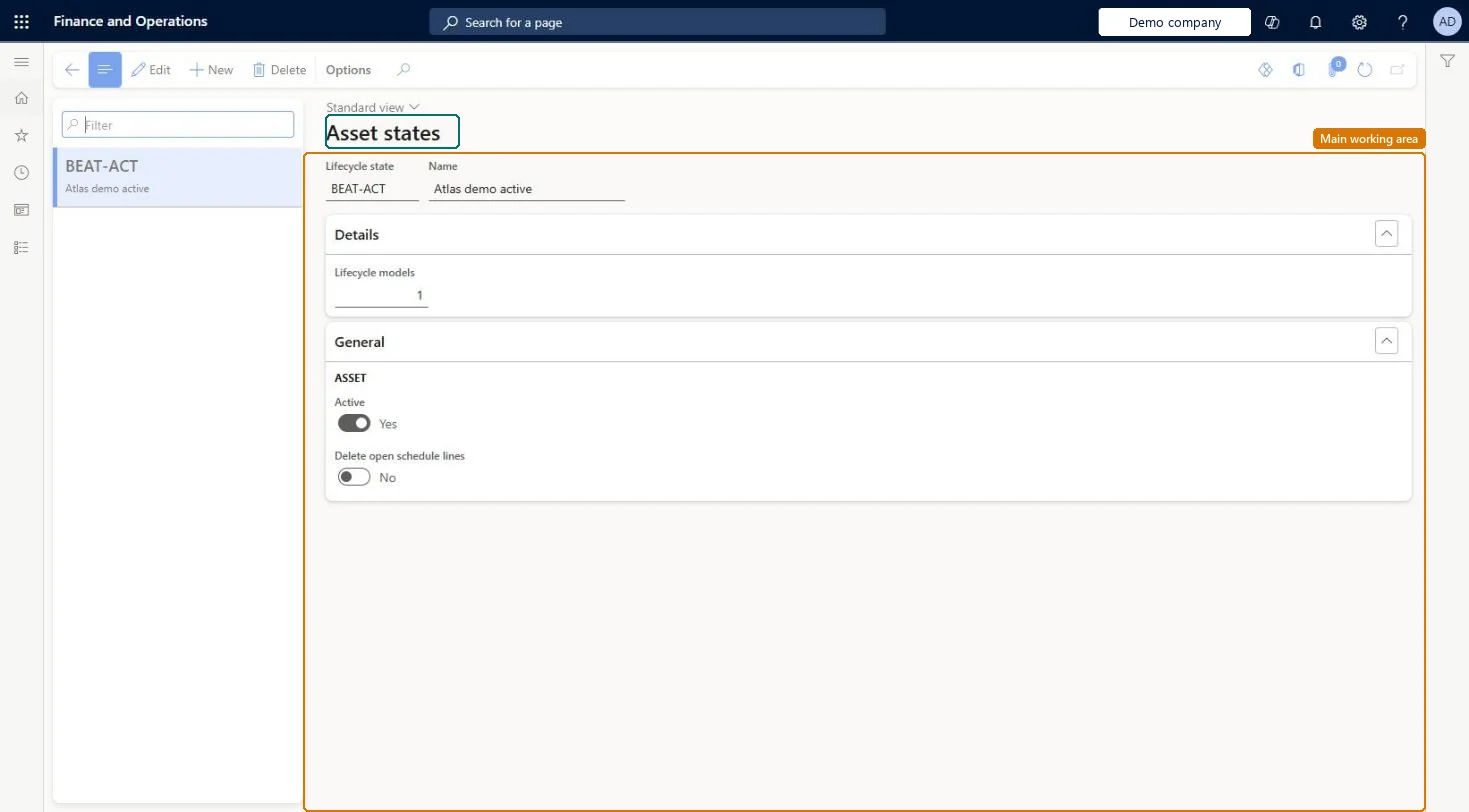
Set up Asset states
Use this page to create states such as Created, Active, and Terminated, and to set whether work orders can be created for assets in each state.
Steps from Microsoft
Go to Asset management > Setup > Assets > Lifecycle states.
Select New.
In the Lifecycle state field, enter the lifecycle state ID.
In the Name field, enter a description.
Set the Active option to Yes if work orders can be created for assets in this state.
Set the Delete open calendar lines option to Yes if open schedule lines should be deleted in this state.
Created (Active = No), Active (Active = Yes), Terminated (Active = No, Delete open calendar lines = Yes)Learn uses Created, Active and Terminated as examples, Active decides whether work orders can be created, and Delete open calendar lines cleans up maintenance schedules that no longer apply once an asset is no longer active.
Linking work order lifecycle states to asset states without telling users: changing the work order's state then also changes the linked asset's state.Test: Inactive asset state blocks work orders
Solution architect
5Design impact
Can it be undone
Hard to reverse: State settings can be changed, but deleted calendar lines don't come back; run maintenance plan scheduling again after reactivating an asset. Microsoft Learn
If you change it later
If work order lifecycle states are linked to asset states, changing a work order's state also changes the linked asset's state. Microsoft Learn
Technical architect
6Technical
Menu item
EntAssetObjectLifecycleStateChecked in Dynamics 365
Form
EntAssetObjectLifecycleStateChecked in Dynamics 365
Table
EntAssetObjectLifecycleStateShown as “ASSET STATE” in Record infoKey field: ObjectLifecycleStateIdChecked in Dynamics 365
Data entities
EntAssetMaintenanceAssetLifecycleStateEntityAsset management asset lifecycle states Checked in Dynamics 365
To set it up or change itMaintenance manager EntAssetMaintenanceManagerTo use itMaintenance clerk EntAssetMaintenanceClerkGive people one of these roles. On this system, 2 roles can open this page.Checked in Dynamics 365