About the examples: Examples and screenshots in this guide use BEAT, a demo company in a Dynamics 365 test environment. Use your own company's codes and values instead of copying them.
When to run it
When to run it
When a work order is ready to be carried out and the technician needs a printed or saved copy.
How often
On demand, per work order or batch of work orders.
What the output shows
Detailed information for each selected work order, with the sections you switched on and, if chosen, the maintenance job type attachments. Missing attachments usually mean the job type has none or Print settings excluded them.
Go to Asset management > Reports > Work orders > Work order report.
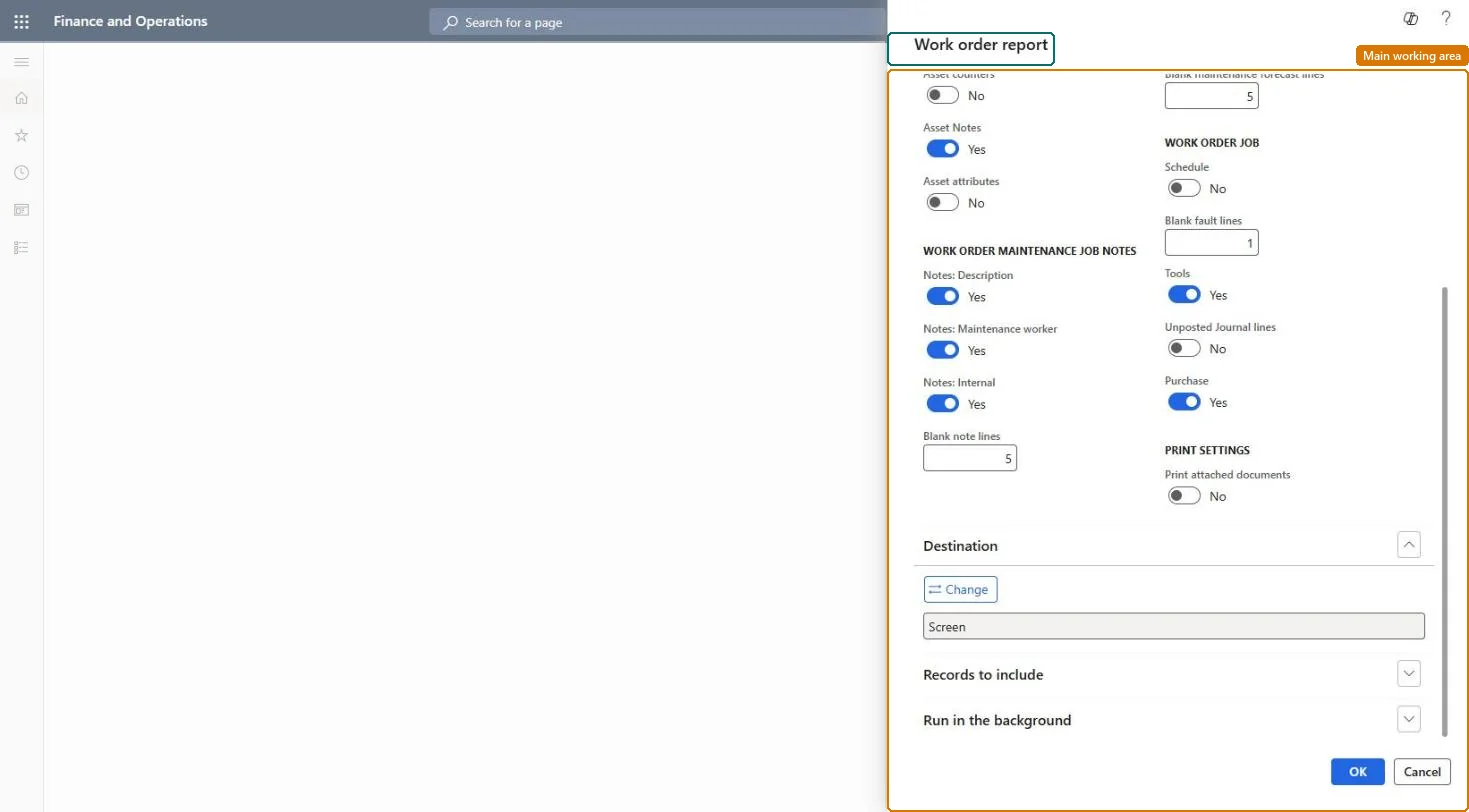
Set the Yes/No toggles for the details the printout should contain.
In Print settings, choose whether to include attachments from the setup of the related maintenance job type, for example instructions for the technician.
Filter by Work order under Records to include, then print and hand the report to the maintenance worker.
Section where you choose whether to include attachments from the related maintenance job type.Microsoft Learn
Work order (Records to include)
Filter that limits the report to selected work orders.Microsoft Learn
Solution architect
4Design impact
Can it be undone
Nothing to undo: The report only reads work orders; it changes nothing. Microsoft Learn
Technical architect
5Technical
Menu item
output:EntAssetWorkOrderFullReportChecked in Dynamics 365
Form
SysOperationTemplateFormChecked in Dynamics 365
Roles to set it up and use it
To use itMaintenance manager EntAssetMaintenanceManagerMaintenance clerk EntAssetMaintenanceClerkMaintenance worker EntAssetMaintenanceWorkerGive people one of these roles. On this system, 3 roles can run this page.Checked in Dynamics 365