PAGE GUIDEWhat the page does and how to use it6 sections. Choose a role to highlight what matters to you.
Everyone
1What it is and why
What it is
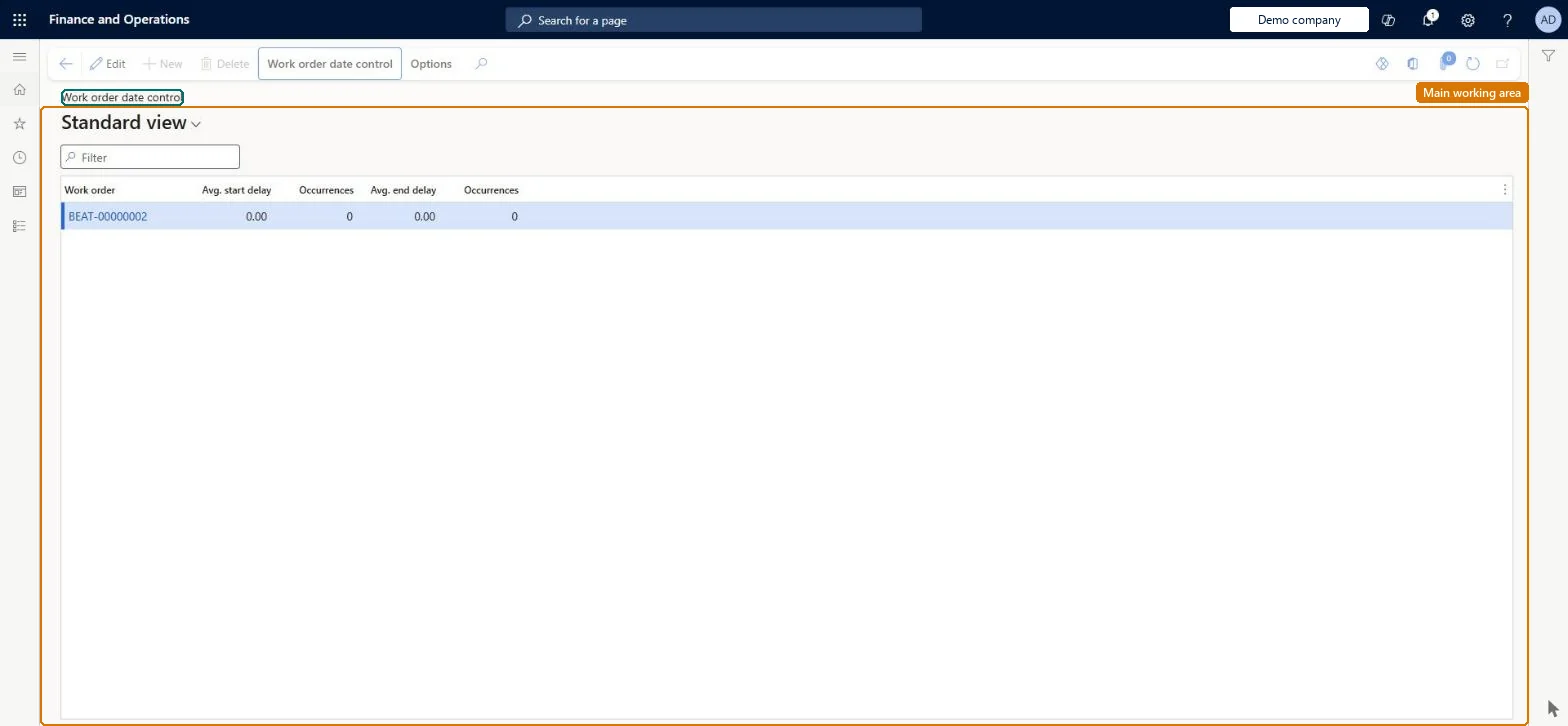
An inquiry page that compares expected start and end dates with actual start and end dates on work orders.
What you do here
Use this page to calculate, for a functional location and date range, how far work orders start and end from their scheduled dates and how often this happens.
Example
For example, a planner checks Avg. end delay for a functional location to see how many days late work orders finish on average.
The page in Dynamics 365. page title tab to open what to set or check
About the examples: Examples and screenshots in this guide use BEAT, a demo company in a Dynamics 365 test environment. Use your own company's codes and values instead of copying them.
Steps from Microsoft
Go to Asset management > Inquiries > Work orders > Work order date control.
Select Calculate.
In the Functional location field, select a functional location.
In the From date and To date fields, enter the date range.
Select OK.
Use the Group by buttons to show the detail level you need.
EntAssetWorkOrderDateControlChecked in Dynamics 365
Form
EntAssetWorkOrderDateControlChecked in Dynamics 365
Table
EntAssetTmpWorkOrderDateShown as “WORK ORDER DATE CONTROL” in Record infoChecked in Dynamics 365
Who can open it
PrivilegesMaintain work orders EntAssetWorkOrderTableMaintainDutiesMaintain work orders EntAssetWorkOrderMaintain3 security rolesMaintenance clerk EntAssetMaintenanceClerkMaintenance manager EntAssetMaintenanceManagerMaintenance worker EntAssetMaintenanceWorkerChecked in Dynamics 365
Roles to set it up and use it
To set it up or change itMaintenance manager EntAssetMaintenanceManagerMaintenance clerk EntAssetMaintenanceClerkMaintenance worker EntAssetMaintenanceWorkerGive people one of these roles. On this system, 3 roles can open this page.Checked in Dynamics 365