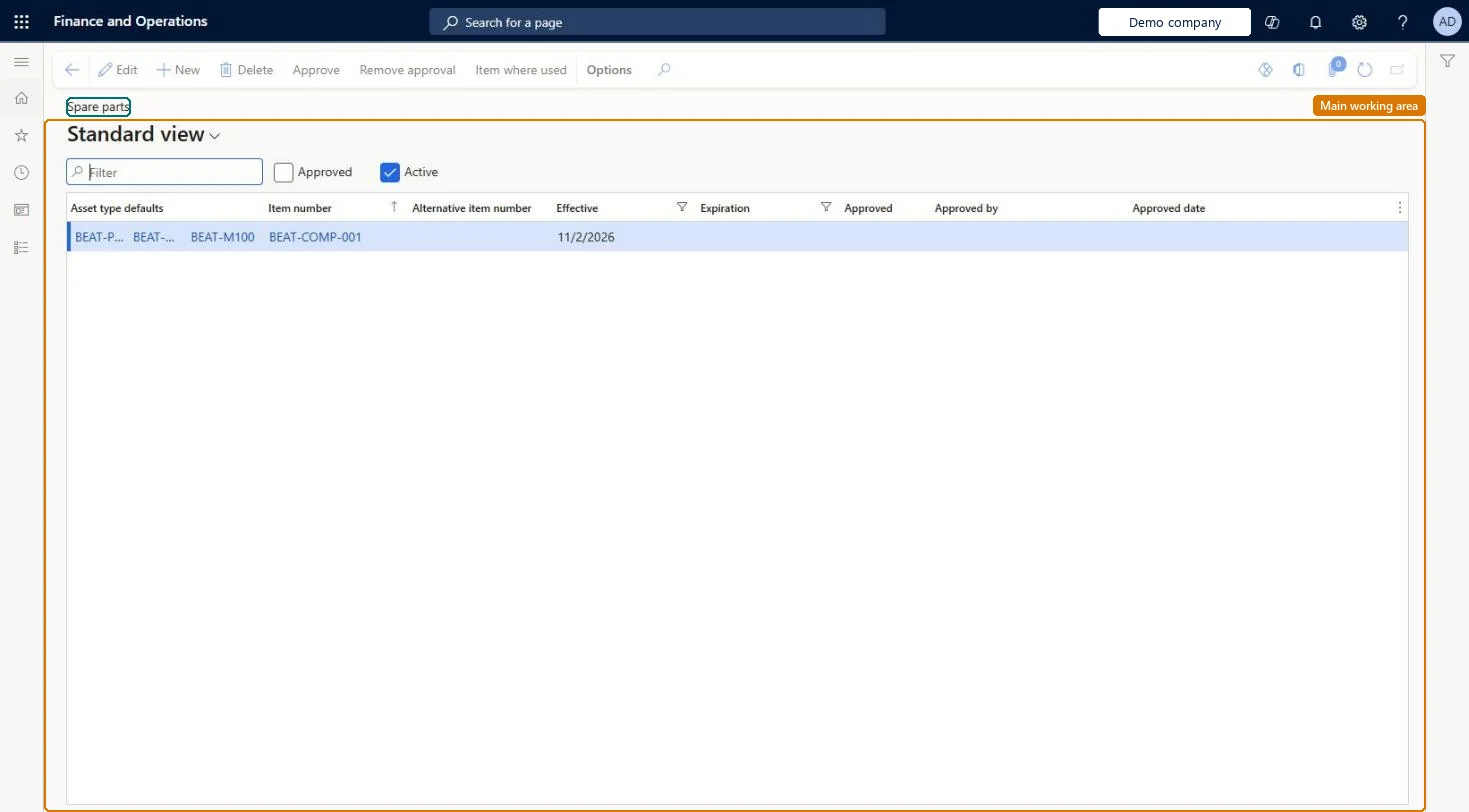
An inquiry page that shows all spare part records across all asset-type setup lines, where a spare part is an item that is typically used to maintain or repair assets.
PAGE GUIDEWhat the page does and how to use it7 sections. Choose a role to highlight what matters to you.
Everyone
1What it is and why
What it is
An inquiry page that shows all spare part records across all asset-type setup lines, where a spare part is an item that is typically used to maintain or repair assets.
What you do here
Use this page to view all spare parts, create spare parts for existing combinations of asset type, manufacturer, and model, and check where a spare part is used.
Example
For example, when the spare parts list for one asset is empty, a planner opens this page to see which asset-type setup line each spare part record belongs to.
The page in Dynamics 365. page title tab to open what to set or check
About the examples: Examples and screenshots in this guide use BEAT, a demo company in a Dynamics 365 test environment. Use your own company's codes and values instead of copying them.
Steps from Microsoft
Go to Asset management > Inquiries > Spare parts.
Review the spare part records and the asset-type setup line that each belongs to.
To create a spare part, add a record for an existing combination of asset type, manufacturer, and model.
To see where a spare part is used, select the line and select Item where used on the Action Pane.
Set the filter options in the Item where used dialog and select OK.
The period in which the spare part is valid and appears in the filtered list on work orders.Microsoft Learn
Approved
Only approved spare parts appear in the filtered list on work orders.Microsoft Learn
Solution architect
4Design impact
If you change it later
Only the spare parts on the asset-type setup line that an asset matches apply to that asset; parts defined on a more general line are not offered on its work orders. Microsoft Learn
Technical architect
5Technical
Menu item
EntAssetObjectTypeDefaultSparePartChecked in Dynamics 365
Form
EntAssetObjectTypeDefaultSparePartChecked in Dynamics 365
Table
EntAssetObjectTypeDefaulShown as “SPARE PART ITEMS” in Record infoKey field: ObjectTypeDefault_ObjectType_ObjectTypeID, ObjectTypeDefault_Product_ProductID, ObjectTypeDefault_Model_ModelID, ItemIdChecked in Dynamics 365
Data entities
EntAssetMaintenanceAssetTypeDefaultSparePartV2EntityAsset management spare part items V2 Checked in Dynamics 365
To set it up or change itMaintenance manager EntAssetMaintenanceManagerTo use itMaintenance clerk EntAssetMaintenanceClerkGive people one of these roles. On this system, 2 roles can open this page.Checked in Dynamics 365
Actions on the page
(Action Pane without tabs): Approve, Remove approval, Item where usedChecked in Dynamics 365