PAGE GUIDEWhat the page does and how to use it6 sections. Choose a role to highlight what matters to you.
Everyone
1What it is and why
What it is
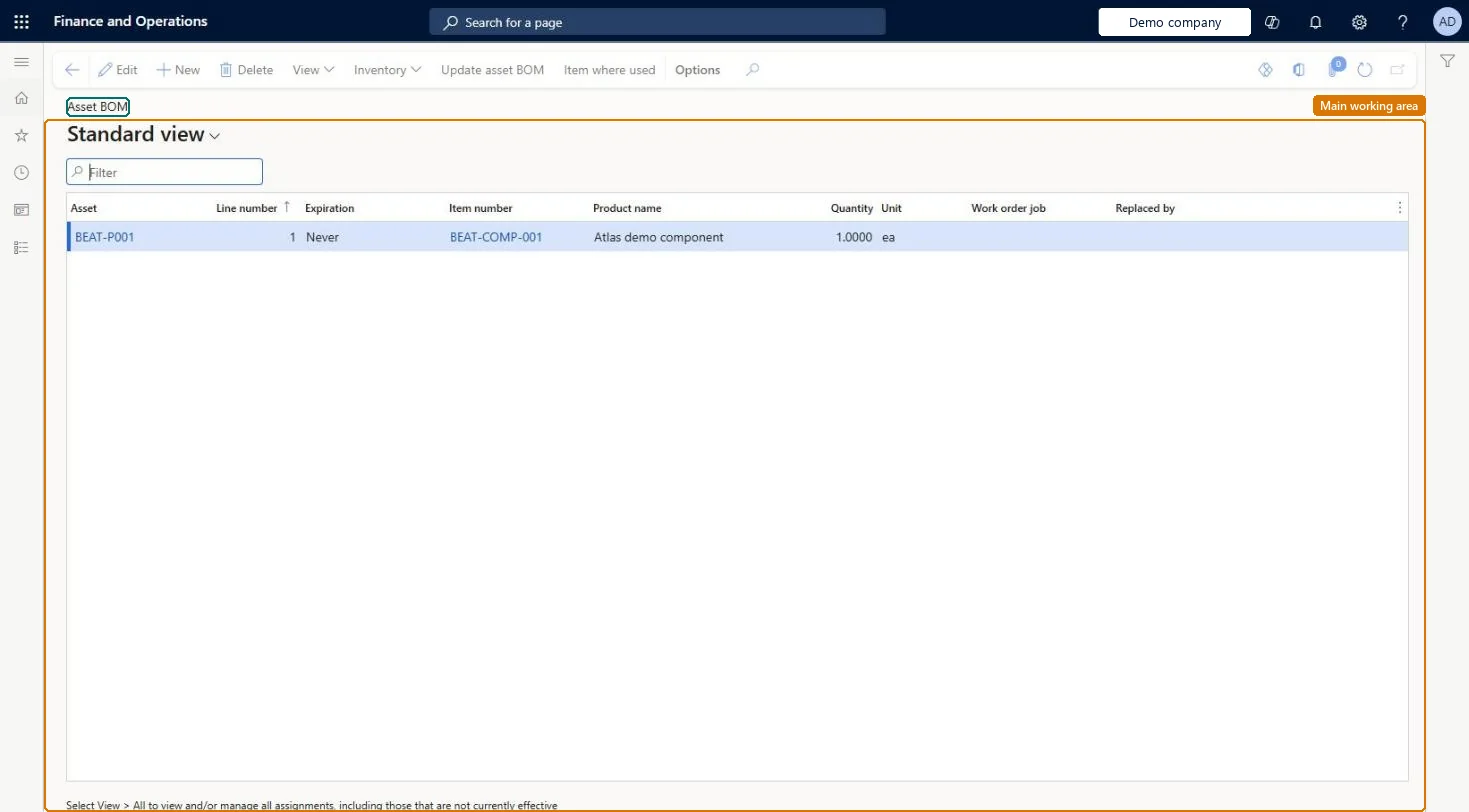
An inquiry page that shows the items, such as spare parts, that have been used on all assets.
What you do here
Use this page to track spare parts and other items used on assets over their lifetime, update the asset BOM from posted work order consumption, and add item lines manually.
Example
For example, a maintenance manager checks whether a specific spare part is often replaced on an asset.
The page in Dynamics 365. page title tab to open what to set or check
About the examples: Examples and screenshots in this guide use BEAT, a demo company in a Dynamics 365 test environment. Use your own company's codes and values instead of copying them.
Steps from Microsoft
Go to Asset management > Inquiries > Assets > Asset BOM.
Select New.
In the Asset field, select the asset.
In the Line number field, enter a sequential line number.
In the Effective field, enter a start date for the item.
If the item will expire, enter an end date in the Expiration field.
In the Item number field, select the item.
In the Quantity field, enter the quantity that is used.
To set it up or change itMaintenance manager EntAssetMaintenanceManagerMaintenance clerk EntAssetMaintenanceClerkTo use itMaintenance worker EntAssetMaintenanceWorkerGive people one of these roles. On this system, 3 roles can open this page.Checked in Dynamics 365
Actions on the page
(Action Pane without tabs): View, Inventory, Update asset BOM, Item where usedChecked in Dynamics 365
Developer
5Developer
Open it by URL
https://<your-environment>/?mi=EntAssetObjectBOM
Integrate with
EntAssetMaintenanceAssetBillOfMaterialV2Entity data entity Checked in Dynamics 365