Lease accountant, Lease manager, Accountant and 1 more role
Business process
Maintain asset leases
Menu item
AssetLeaseIndexRevaluation
Main table
AssetLeaseIndexRevaluati
Data entity
AssetLeaseIndexRevaluationDataEntity
Setup steps
1 on this page
Show what matters for
PAGE GUIDEWhat the page does and how to use it8 sections. Choose a role to highlight what matters to you.
Everyone
1What it is and why
What it is
A periodic page that lists earlier lease index revaluation runs and lets you start a new one.
What you do here
Use this page to revalue lease payments that are linked to an index rate, so that the lease liability and right-of-use asset reflect the new payment amounts.
Example
For example, when a change in the index rate changes variable lease payments, run the revaluation to adjust the affected leases.
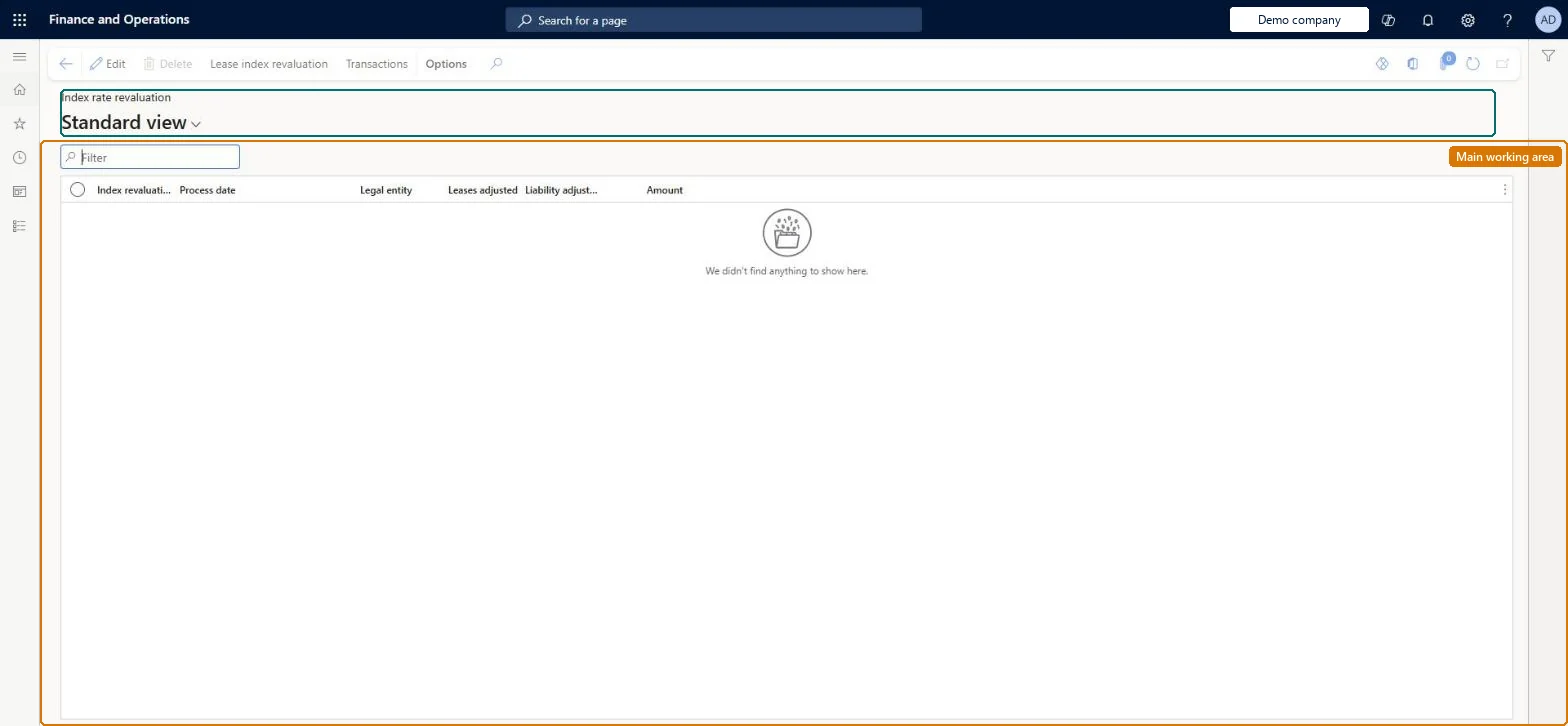
The page in Dynamics 365. page title tab to open what to set or check
About the examples: Examples and screenshots in this guide use BEAT, a demo company in a Dynamics 365 test environment. Use your own company's codes and values instead of copying them.
Setup steps on this page
Run the lease index revaluation
Remeasure leases whose payments follow an index when the index rate changes.
Steps from Microsoft
Go to Asset leasing > Periodic > Index rate revaluation.
On the Action Pane, select Lease index revaluation.
In the Index revaluation parameters dialog, select the filters for the leases to revalue (optionally set it to run in the background), and then select OK.
In the Index Rate revaluation preview dialog, select the leases that should be revalued, and then select OK.
To see what a run created, select the process ID, and then select Transactions.
The ID of the revaluation run, taken from the number sequence setup.Microsoft Learn
LIR-000001
Total liability adjustment
The total liability adjustment made for IFRS 16 leases in the run.Microsoft Learn
Total variable payments
The total variable payments adjusted for ASC 842 leases in the run.Microsoft Learn
Common errors and fixes
Message
What to do
IFRS 16 index revaluation doesn't complete
A lease uses payment breakdown and no payment amount type is marked Used for IFRS 16 index revaluation. Mark exactly one type on Payment amount types. Microsoft Learn
A lease isn't revalued
Only leases whose revaluation date is on or before today are revalued; later dates are skipped. Microsoft Learn
Test checklist
Add a new dated value for the index rate type used by a lease, on or before today.
On Index rate revaluation select Lease index revaluation, filter to the lease and review the preview.
For an IFRS 16 book, check the new payment schedule from the revaluation date, the new amortization and depreciation schedules, and the posted adjustment entry.
For an ASC 842 book, check only the variable payments from the revaluation date changed and the amortization and depreciation schedules are unchanged.
Select the Process ID, then Transactions, and check the created transactions.
Enter the new index value on Index rate type first, run Lease index revaluation for the lease group, and check the Index rate revaluation preview before OK.Revaluation uses the latest rate on or before the revaluation date. Under ASC 842 only the variable payments change; under IFRS 16 the liability and right-of-use asset are remeasured and the adjustment journal posts automatically.
Asset leasing must be turned on in Feature management (feature Asset leasing). Microsoft Learn describes three Asset leasing roles: Maintain lease (add, edit and post leases), View lease (view leases and schedules and run reports) and Lease clerk (create new leases only). Maintain lease users run index revaluations.
Per company: leases with their books, schedules and journals belong to the legal entity you are working in, and Lease ID numbers come from a number sequence set per company. Turn on Cross entity batch in Asset leasing parameters to create journals for other legal entities from the current one. Microsoft Learn
Can it be undone
Hard to reverse: For IFRS 16 books the run creates new schedules and posts the adjustment entry automatically; for ASC 842 books it changes the variable payments on the payment schedule. Undoing it means reversing the posted transactions from Asset or Liability transactions. Only leases with a revaluation date on or before the system date are processed. Microsoft Learn
If you change it later
For ASC 842 leases only variable payments change; for IFRS 16 leases new schedules are created and an adjustment journal entry is posted automatically. Microsoft Learn
Technical architect
6Technical
Menu item
AssetLeaseIndexRevaluationChecked in Dynamics 365
Form
AssetLeaseIndexRevaluationChecked in Dynamics 365
Table
AssetLeaseIndexRevaluatiShown as “INDEX RATE REVALUATION” in Record infoKey field: ProcessIdChecked in Dynamics 365
Data entities
AssetLeaseIndexRevaluationDataEntityIndex rate revaluation Checked in Dynamics 365
To set it up or change itLease accountant AssetLeaseLeaseMaintainAccountant LedgerAccountantTo use itLease manager AssetLeaseLeaseViewAccounting manager LedgerAccountingManagerGive people one of these roles. On this system, 4 roles can open this page.Checked in Dynamics 365
Actions on the page
(Action Pane without tabs): Lease index revaluation, TransactionsChecked in Dynamics 365
AssetLeaseIndexRevaluationDataEntity data entity Checked in Dynamics 365
Data migration
AssetLeaseIndexRevaluationDataEntity (Index rate revaluation): reads past revaluation runs. Runs are created by Lease index revaluation, not loaded.Load order: Revaluation runs are history; load the index rate types and their dated values, then run the revaluation in the new system.Load first: Index rate typeMicrosoft Learn