About the examples: Examples and screenshots in this guide use BEAT, a demo company in a Dynamics 365 test environment. Use your own company's codes and values instead of copying them.
Setup steps on this page
Set up Update fields selection
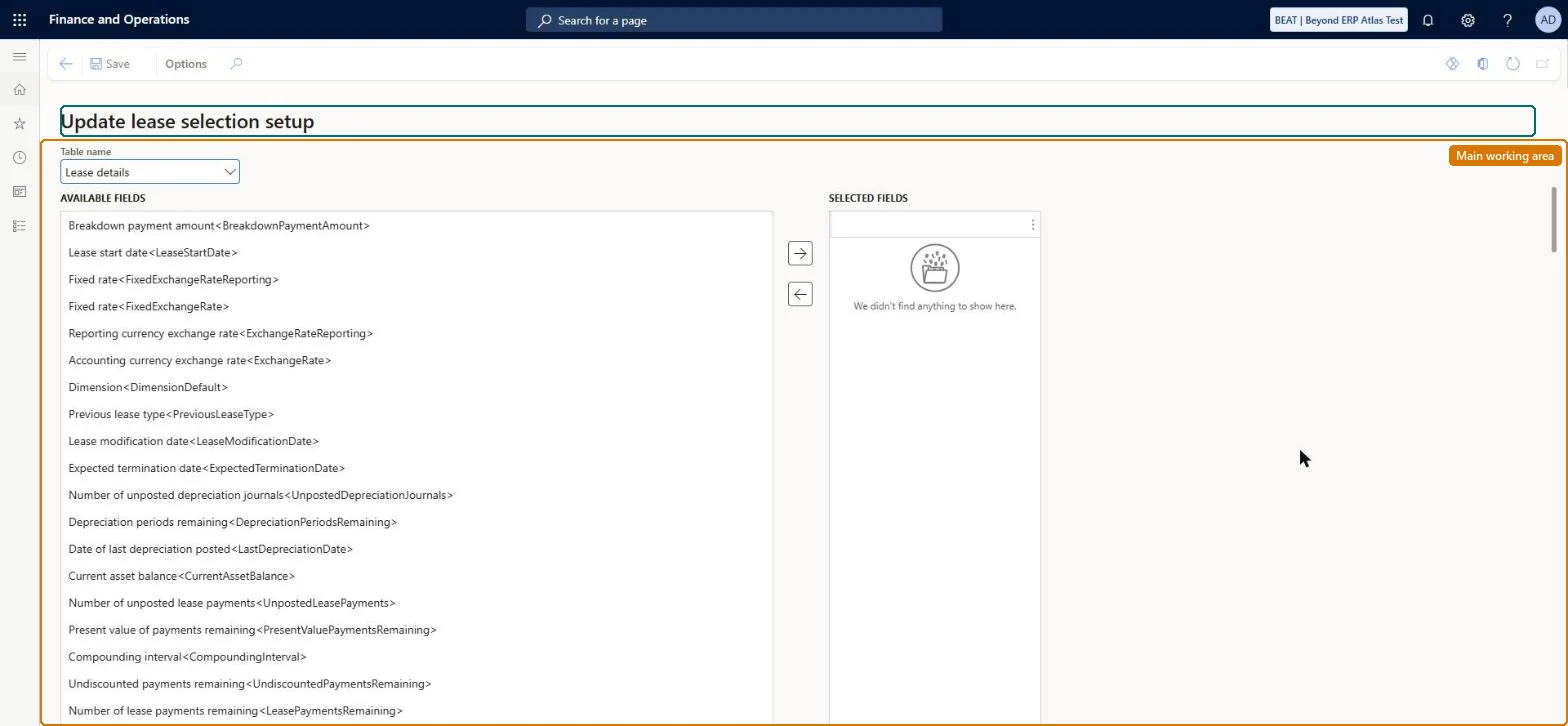
Use this page to pick the fields that an import with the Update record process type can change. Only fields in the Selected fields list are updated.
Steps from Microsoft
Go to Asset leasing > Lease import framework > Setup > Update fields selection.
Select the table name that you are updating (Lease details, Payment schedule contract or Executory cost contact).
In the Available fields list, select the fields to update.
Select the arrow to move them to the Selected fields list.
Only nonfinancial lease fields in the Selected fields listMicrosoft recommends nonfinancial fields here because the Update record process type overwrites field values without adjusting the lease. Financial changes belong in an Adjust record import.
Asset leasing must be turned on in Feature management (feature Asset leasing). Microsoft Learn describes three Asset leasing roles: Maintain lease (add, edit and post leases), View lease (view leases and schedules and run reports) and Lease clerk (create new leases only). Maintain lease users set it up.
Per company: leases with their books, schedules and journals belong to the legal entity you are working in, and Lease ID numbers come from a number sequence set per company. Turn on Cross entity batch in Asset leasing parameters to create journals for other legal entities from the current one. Microsoft Learn
Can it be undone
Reversible: The field selection can be changed at any time and affects only later Update record migrations. Values already written to leases aren't rolled back. Microsoft Learn
If you change it later
Adding or removing fields here changes which lease values an Update record import overwrites. Microsoft Learn
Technical architect
6Technical
Menu item
AssetLeaseUpdateLeaseSelectionChecked in Dynamics 365
Form
AssetLeaseUpdateLeaseSelectionChecked in Dynamics 365
To set it up or change itLease accountant AssetLeaseLeaseMaintainAccountant LedgerAccountantTo use itLease manager AssetLeaseLeaseViewAccounting manager LedgerAccountingManagerGive people one of these roles. On this system, 4 roles can open this page.Checked in Dynamics 365
Load order: Update fields selection has no data entity in Data management, so it can't be loaded from a file or a configuration template. Select the fields by hand in each environment; the list is short.Microsoft Learn