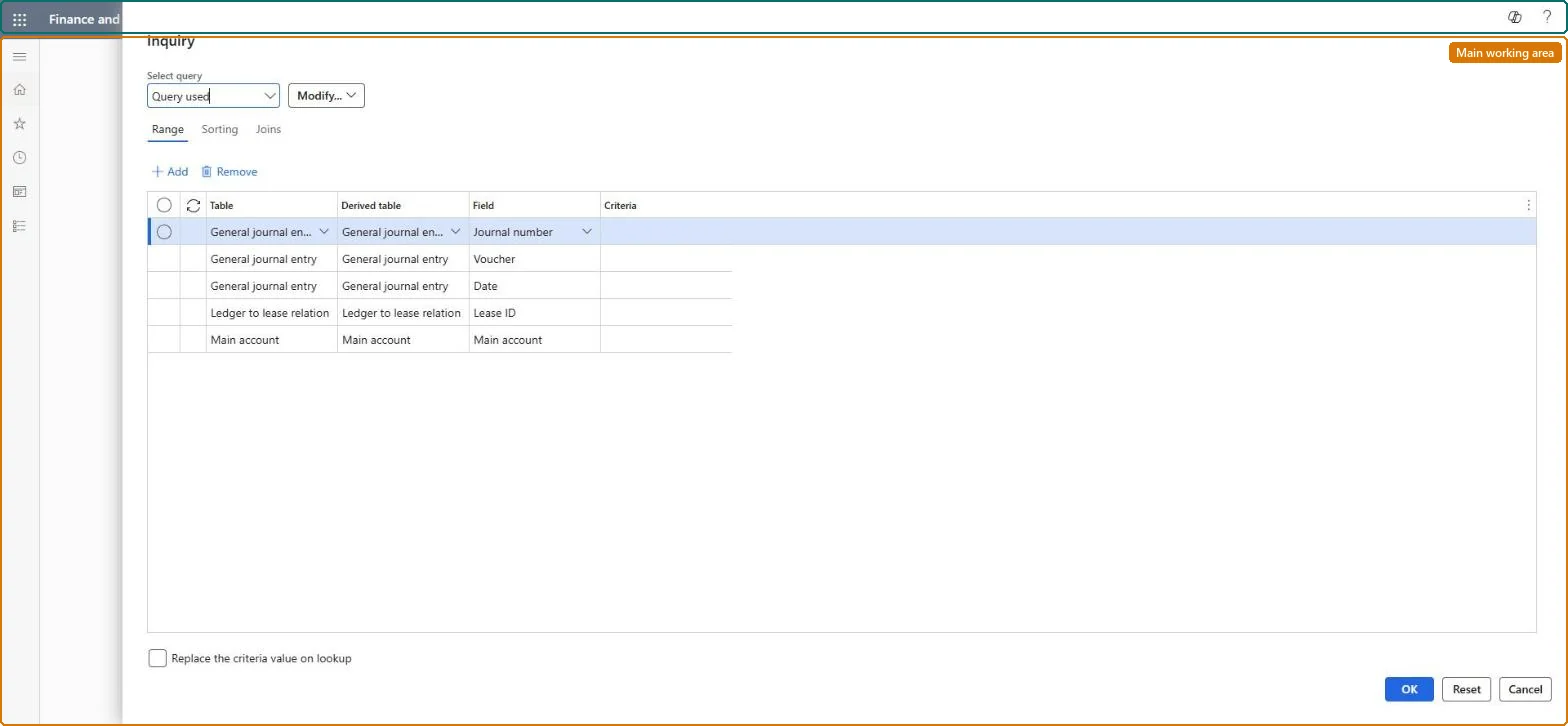
An inquiry, like General ledger Voucher transactions, that shows every journal entry Asset leasing posted, each linked to the lease book it came from. It opens with a query where you set the journal, voucher, date, lease ID and main account.
PAGE GUIDEWhat the page does and how to use it8 sections. Choose a role to highlight what matters to you.
Everyone
1What it is and why
What it is
An inquiry, like General ledger Voucher transactions, that shows every journal entry Asset leasing posted, each linked to the lease book it came from. It opens with a query where you set the journal, voucher, date, lease ID and main account.
What you do here
Use this inquiry to trace journal entries back to their lease; it works like the Voucher transactions page in General ledger.
Example
For example, before the BEAT quarter-end close an accountant filters on Lease ID and the quarter's dates to check that each month's interest and depreciation entries posted for an office lease.
The page in Dynamics 365. page title tab to open what to set or check
About the examples: Examples and screenshots in this guide use BEAT, a demo company in a Dynamics 365 test environment. Use your own company's codes and values instead of copying them.
Setup steps on this page
Trace posted lease entries to the ledger
Check which ledger entries Asset leasing posted for a lease or an account.
Steps from Microsoft
Go to Asset leasing > Inquiries and reports > Lease transactions.
In the query, enter the Date range and a Lease ID or Main account in Criteria.
Select OK to see the entries.
Compare the balance of the lease liability account with Lease movements for the same dates.
Always enter a date range and either a Lease ID or a Main account in the query before OK.The inquiry reads every Asset leasing ledger entry; without criteria it returns the whole history.
Asset leasing must be turned on in Feature management (feature Asset leasing). Microsoft Learn describes three Asset leasing roles: Maintain lease (add, edit and post leases), View lease (view leases and schedules and run reports) and Lease clerk (create new leases only). Maintain lease and View lease users read it.
Per company: leases with their books, schedules and journals belong to the legal entity you are working in, and Lease ID numbers come from a number sequence set per company. Turn on Cross entity batch in Asset leasing parameters to create journals for other legal entities from the current one. Microsoft Learn
Read only. Wrong entries are corrected on the lease with Reverse transaction, which updates the schedules and carrying values. Microsoft Learn
Technical architect
6Technical
Menu item
AssetLeaseLedgerTransVoucherChecked in Dynamics 365
Form
SysQueryFormChecked in Dynamics 365
Roles to set it up and use it
To use itLease accountant AssetLeaseLeaseMaintainAccountant LedgerAccountantLease manager AssetLeaseLeaseViewAccounting manager LedgerAccountingManagerGive people one of these roles. On this system, 4 roles can open this page.Checked in Dynamics 365
Load order: Lease transactions has no data entity in Data management, so it can't be loaded from a file or a configuration template. It reads posted ledger entries; migrate opening balances through General ledger and the leases through the Lease import framework.Microsoft Learn