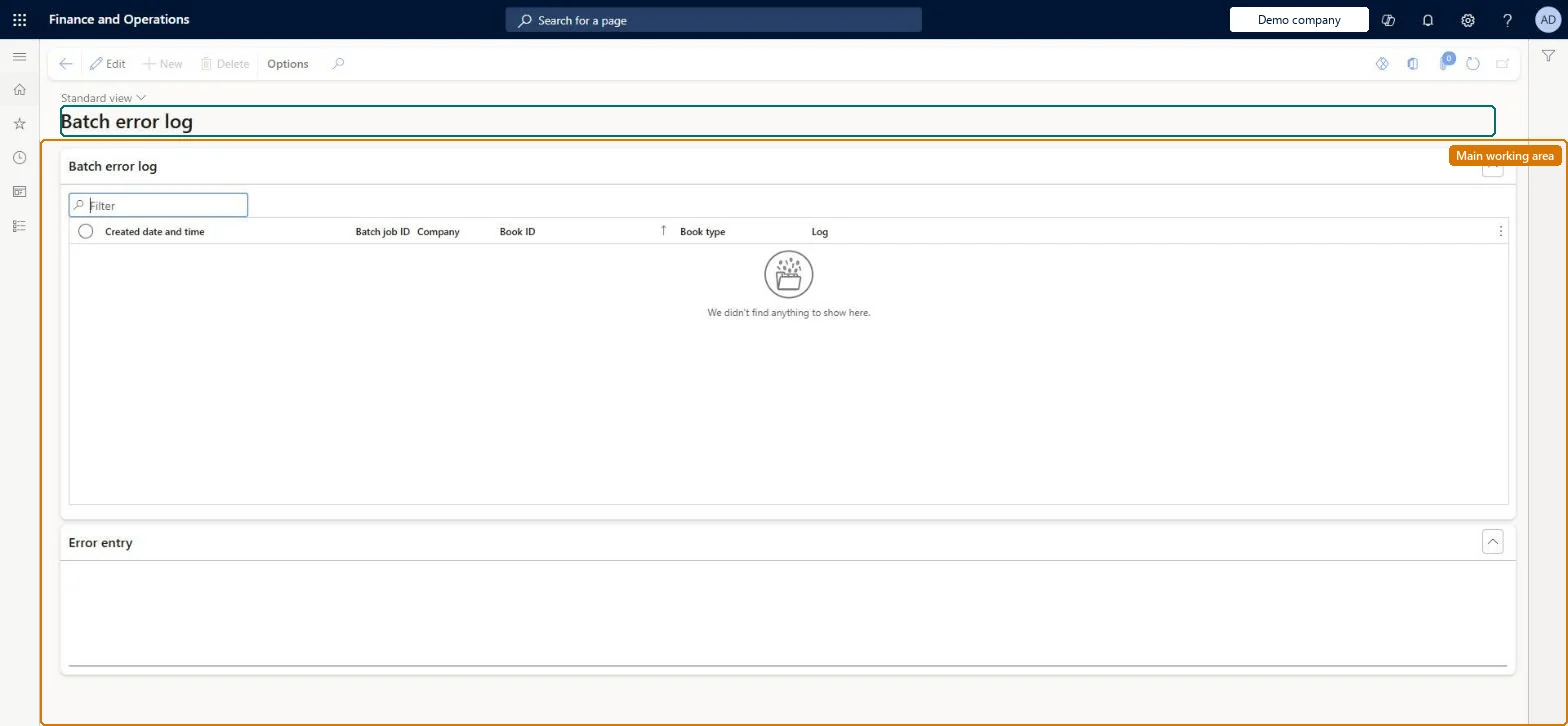
An inquiry (form title Batch error log) that lists the errors that lease batch jobs such as Batch journal creation recorded, with the batch job, company, book and the error text.
Lease accountant, Lease manager, Accountant and 1 more role
Business process
Make payments on asset leases
Menu item
AssetLeasePostJournalBatchErrorLog
Main table
AssetLeasePostJournalBat
Setup steps
1 on this page
Show what matters for
PAGE GUIDEWhat the page does and how to use it8 sections. Choose a role to highlight what matters to you.
Everyone
1What it is and why
What it is
An inquiry (form title Batch error log) that lists the errors that lease batch jobs such as Batch journal creation recorded, with the batch job, company, book and the error text.
What you do here
Use this page to find out why a batch job failed for a lease book and to read the error entry.
Example
For example, after the October Batch journal creation run for BEAT skipped two books, the lease accountant filters the log on the batch job ID and reads the error entry for each book before running the job again.
The page in Dynamics 365. page title tab to open what to set or check
About the examples: Examples and screenshots in this guide use BEAT, a demo company in a Dynamics 365 test environment. Use your own company's codes and values instead of copying them.
Setup steps on this page
Check the batch error log after each run
Find the lease books a batch run skipped and why.
Steps from Microsoft
Go to Asset leasing > Inquiries and reports > Error log.
Sort on Created date and time and filter on the Batch job ID of your run.
Select a row and read Error entry.
Fix the cause on the lease book, then run Batch journal creation again for that book.
Filter on the Batch job ID of the run you just made, before you post or close the period.The log keeps every run, so without the job filter old errors that were already fixed look like new ones.
Asset leasing must be turned on in Feature management (feature Asset leasing). Microsoft Learn describes three Asset leasing roles: Maintain lease (add, edit and post leases), View lease (view leases and schedules and run reports) and Lease clerk (create new leases only). Maintain lease users read the log.
Per company, unless Cross entity batch is on in Asset leasing parameters: then journals can be created for any legal entity you have access to. Microsoft Learn
The log only records failures; the books in it got no journal from that run, so their journals are missing until the job runs again for them. Microsoft Learn
Technical architect
6Technical
Menu item
AssetLeasePostJournalBatchErrorLogChecked in Dynamics 365
Form
AssetLeasePostJournalBatchErrorLogChecked in Dynamics 365
Table
AssetLeasePostJournalBatShown as “BATCH ERROR LOG” in Record infoKey field: LeaseId, BookType, ProcessIdChecked in Dynamics 365
To set it up or change itLease accountant AssetLeaseLeaseMaintainAccountant LedgerAccountantTo use itLease manager AssetLeaseLeaseViewAccounting manager LedgerAccountingManagerGive people one of these roles. On this system, 4 roles can open this page.Checked in Dynamics 365
Load order: The batch error log has no data entity in Data management, so it can't be loaded from a file or a configuration template. It is a run history; don't migrate it.Microsoft Learn