BeyondERP.Newsletter
Menu

Transaction page · Accounts receivable

Payment transfers

A page where you import the bank's return files for customer payments.

Used by
Accounts receivable clerk, Accounts receivable manager, Auditor and 11 more roles
Business process
Import payments from a file in Dynamics 365 Finance
Menu item
CustPaymReconciliation
Main table
LedgerJournalTrans
Data entity
CustomerPaymentJournalLineEntity
Show what matters for
PAGE GUIDEWhat the page does and how to use it7 sections. Choose a role to highlight what matters to you.
Everyone

1What it is and why

What it isA page where you import the bank's return files for customer payments.
What you do hereUse this page to bring in a bank return file so that customer payments that were sent to the bank get their new status, such as Approved.
ExampleFor example, a Swedish company imports Bankgirot Autogiro return messages in response to direct debit payments that it exported earlier.
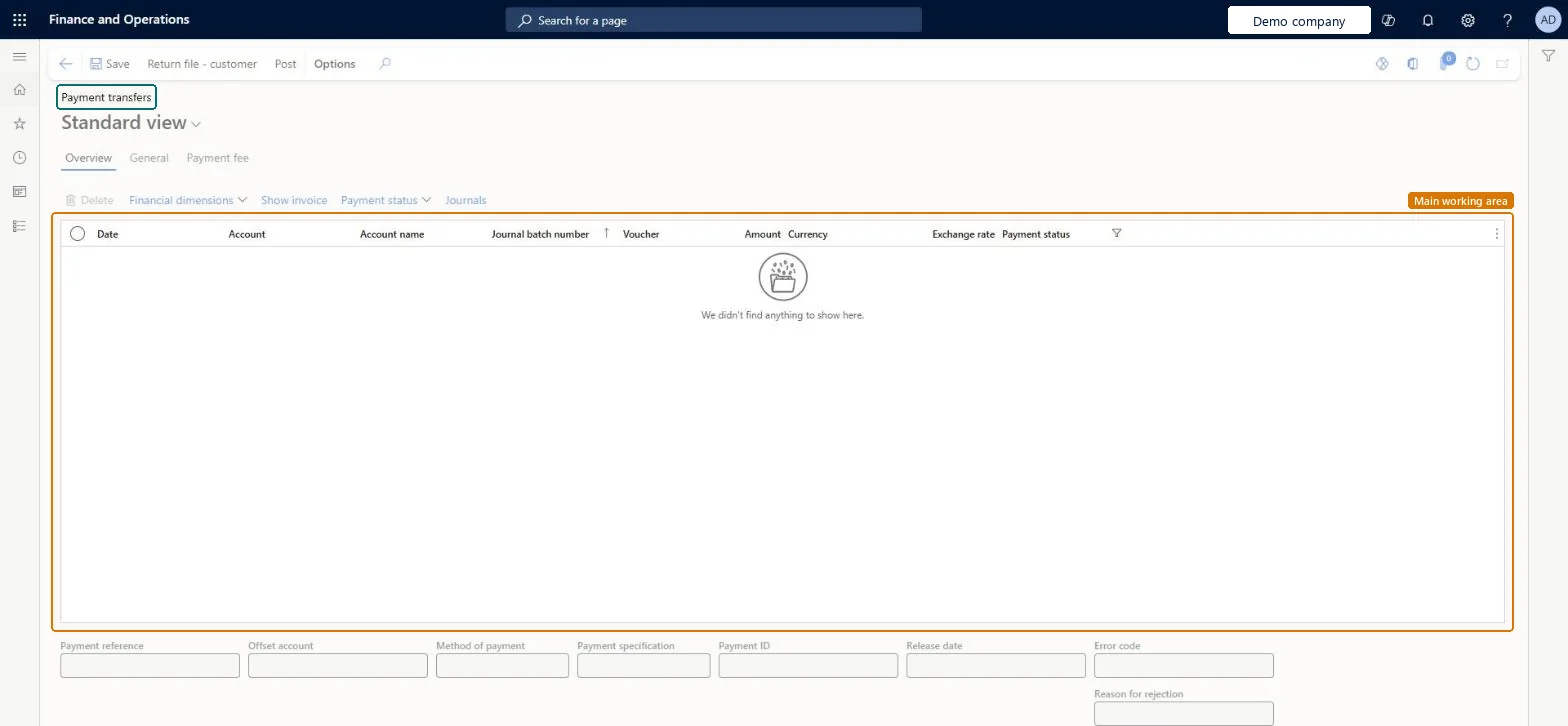
Payment transfers page in Dynamics 365
The page in Dynamics 365. page title tab to open what to set or check
Functional consultant · Solution architect

2Where it fits

End user · Functional consultant

3How to do it

About the examples: Examples and screenshots in this guide use BEAT, a demo company in a Dynamics 365 test environment. Use your own company's codes and values instead of copying them.

Steps from Microsoft

  1. Go to the Payment transfers page.
  2. Select Return file-customer.
  3. In the dialog, select the method of payment and browse to the return file to import.

Source: Microsoft Learn

Solution architect

4Design impact

Shared or per companyPer company: each legal entity has its own records. Microsoft data model
Technical architect

5Technical

Menu itemCustPaymReconciliation Checked in Dynamics 365
FormCustVendPaymReconciliation Checked in Dynamics 365
TableLedgerJournalTransShown as “Journal lines” in Record infoChecked in Dynamics 365
Data entitiesCustomerPaymentJournalLineEntityCustomer payment journal line Microsoft data model VendorPaymentJournalLineEntityVendor payment journal line Microsoft data model BankJournalLineEntityBank journal line Microsoft data model CustInvoiceJournalLineEntityCustomer invoice journal line Microsoft data model ExpenseJournalLineEntityProject expense journal lines Microsoft data model LedgerReportingCurrencyAdjustmentJournalLineEntityReporting currency adjustment journal line Microsoft data model RAssetJournalLineEntityFixed asset journal lines (Russia) Microsoft data model VendInvoiceJournalLineEntityVendor invoice journal line Microsoft data model VendInvoiceRegisterLineEntityVendor invoice register line Microsoft data model VendInvoiceRegisterLineV2EntityVendor invoice register line V2 Microsoft data model AssetJournalLineEntityFixed asset journal line Microsoft data model LedgerJournalLineCDSEntityCDS Ledger journal line entity Microsoft data model LedgerJournalLineEntityJournal lines Microsoft data model
Who can open itPrivilegesMaintain customer payment transfer journals CustPaymReconciliationMaintainView customer payment transfer journals CustPaymReconciliationViewDutiesInquire into collections status CollectionLetterCollectionsStatusInquirReview invoice and cash process performance CustInvoiceInvoiceAndCashProcPerfReviewMaintain customer payments PaymCustomerPaymentsMaintainInquire into customer payments status PaymCustomerPaymentsStatusInquireMaintain customer invoices for payment RentalCustomerPaymentMaintain
14 security rolesAuditor AuditPolicyManagerCollections agent CollectionLetterCollectionsAgentCollections manager CollectionLetterCollectionsManagerChief executive officer CompanyChiefExecutiveOfficerChief financial officer CompanyChiefFinancialOfficerAccounts receivable clerk CustInvoiceAccountsReceivableClerkAccounts receivable manager CustInvoiceAccountsReceivableManagerAccountant LedgerAccountantAccounting manager LedgerAccountingManagerAccounting supervisor LedgerAccountingSupervisorFinancial controller LedgerFinancialControllerAccounts receivable centralized payments clerk PaymAccountsReceivableCentralPaymClerkAccounts receivable payments clerk PaymAccountsReceivablePaymentsClerkRental manager RentalManager
Checked in Dynamics 365
Roles to set it up and use itTo set it up or change itRental manager RentalManagerAccounts receivable payments clerk PaymAccountsReceivablePaymentsClerkTo use itAccounts receivable manager CustInvoiceAccountsReceivableManagerAccounts receivable clerk CustInvoiceAccountsReceivableClerkAccounting manager LedgerAccountingManagerCollections manager CollectionLetterCollectionsManagerAccounts receivable centralized payments clerk PaymAccountsReceivableCentralPaymClerkGive people one of these roles. On this system, 14 roles can open this page.Checked in Dynamics 365
Actions on the pageButtons: Return file - customer, PostChecked in Dynamics 365
Developer

6Developer

Open it by URLhttps://<your-environment>/?mi=CustPaymReconciliation
Integrate withCustomerPaymentJournalLineEntity data entity Microsoft data model
Table definitionLedgerJournalTrans columns and relations Microsoft data model
Everyone

7Sources