Setup page · Accounts payable
Vendors advanced notes groups
A setup page (Italy, Advanced notes management) for groups of vendors that share advanced notes.
- Used by
- Accounts payable clerk, Accounts payable manager, Auditor and 21 more roles
- Business process
- Maintain vendors in Dynamics 365 Supply Chain Management
- Menu item
VendNotesGroup_IT- Main table
FreeNotesGroupsTable_IT- Data entity
- —
- Setup steps
- 1 on this page
Show what matters for
Everyone
1What it is and why
| What it is | A setup page (Italy, Advanced notes management) for groups of vendors that share advanced notes. |
|---|---|
| What you do here | Used to create advanced notes groups that are then assigned to vendors on the Purchase orders defaults FastTab, so the same notes apply to a group of vendors. |
| Example | Similar notes must be printed on purchase documents for a group of vendors, so you create a group and assign those vendors to it. |
Functional consultant · Solution architect
2Where it fits
| Business process | Manage supplier relationships › Onboard new suppliers › Maintain vendors in Dynamics 365 Supply Chain Management |
|---|---|
| Menu path | Accounts payable › Setup › Advanced notes › Vendors advanced notes groups |
| Set up first | — |
| Used next by | All vendors Microsoft Learn ↗ |
| Related pages | Vendors advanced notes setup Microsoft Learn ↗ |
End user · Functional consultant
3How to do it
Step by step, with screenshots
Set up Vendors advanced notes groups1 screen
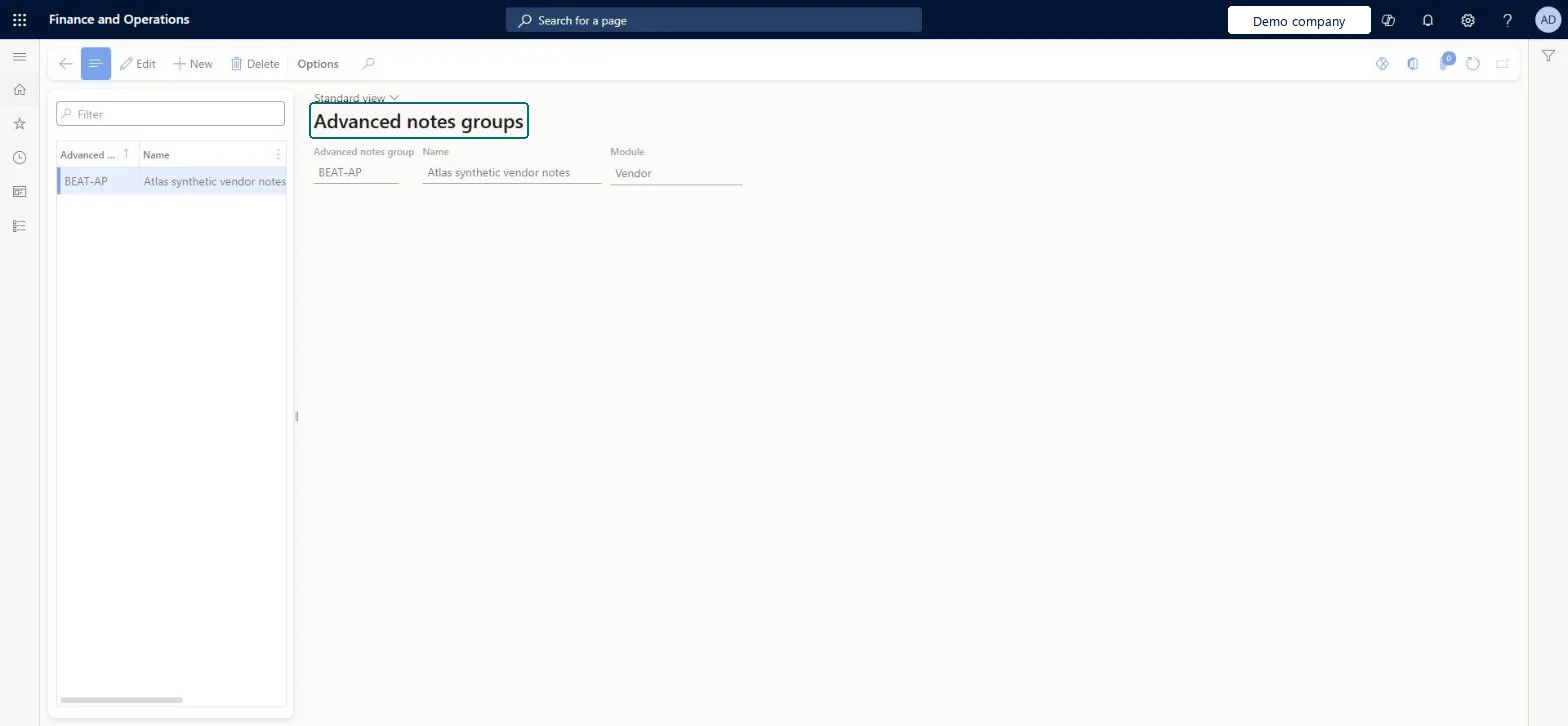
Defines groups of vendors that should receive the same predefined notes on purchase documents.
Screen 1
Create the vendor advanced notes group
Go to Accounts payable > Setup > Advanced notes > Vendors advanced notes groups
- Select New
- Enter the group, name and module
1Advanced notes group BEAT-AP Name Atlas synthetic vendor notes Module Vendor 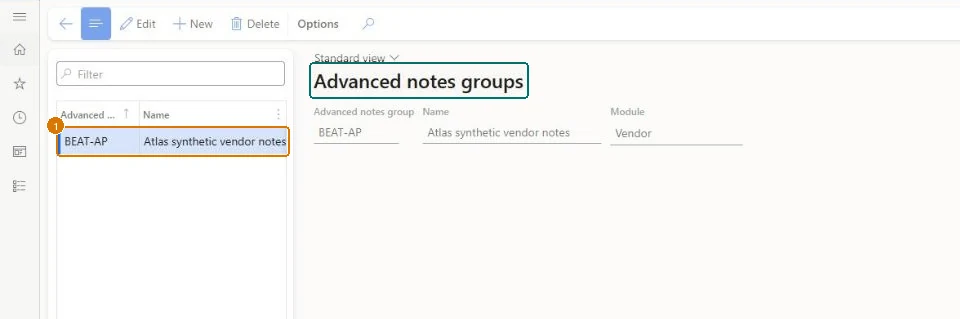
Show the full screen
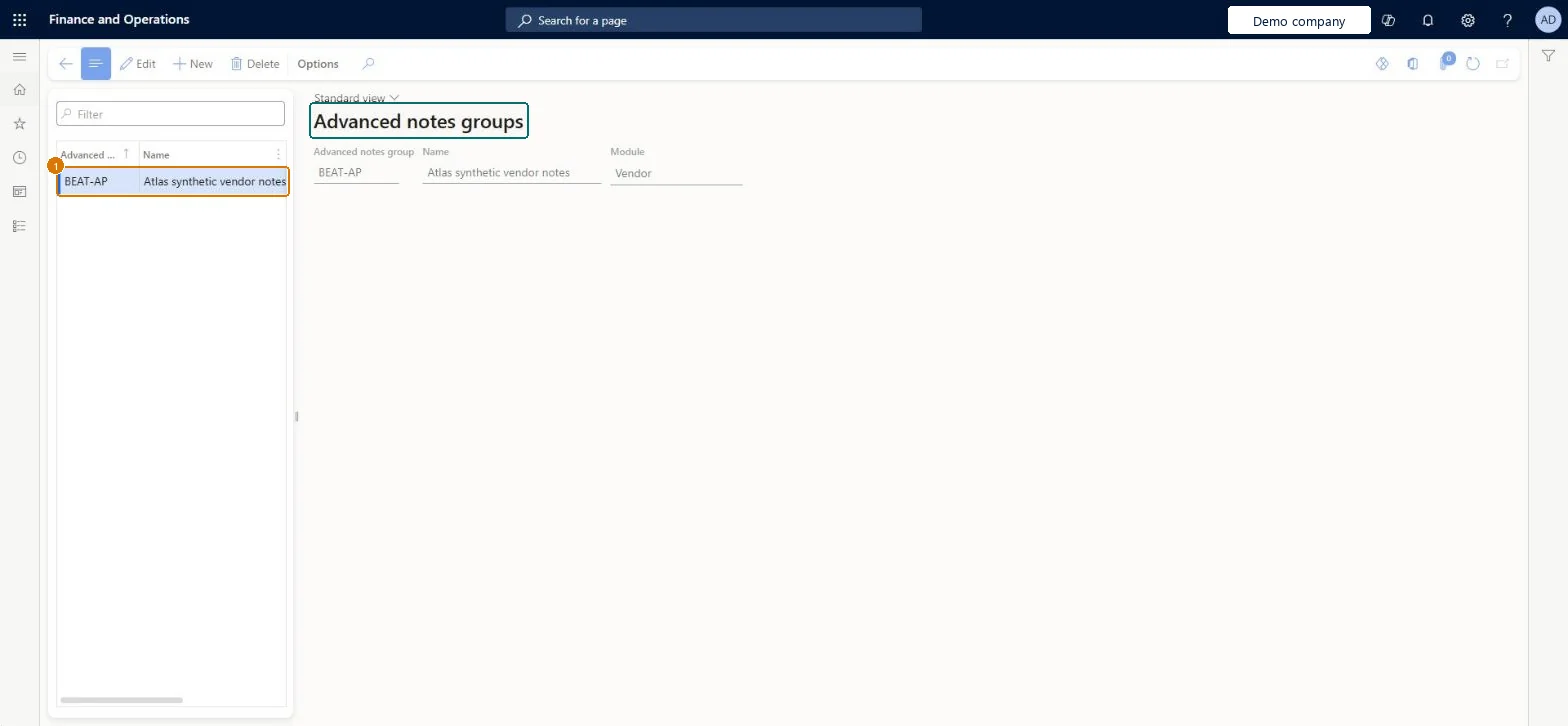
page title tab to open what to set or check
Microsoft's steps
- Go to Accounts payable > Setup > Advanced notes > Vendors advanced notes groups.
- Create the groups of vendors that should share the same notes.
- Go to Accounts payable > Vendors > All vendors.
- On the Purchase orders defaults FastTab, in the Advanced notes section, assign each vendor to its group.
Source: Microsoft Learn ↗
Field guide
| Field | What it means | Worked example | Table column |
|---|---|---|---|
| Advanced notes group | — | BEAT-AP | — |
| Name | — | Atlas synthetic vendor notes | Name |
| Module | — | Vendor | Module |
Functional consultant
4Setup decisions
| Setup step | Recommended value and why | Decision · common mistake · test |
|---|---|---|
| Set up Vendors advanced notes groups | — | — |
Solution architect
5Design impact
| Shared or per company | Per company: each legal entity has its own records. Microsoft data model ↗ |
|---|---|
| Can it be undone | — |
| Feature or country | — |
| If you change it later | — |
Technical architect
6Technical
| Menu item | VendNotesGroup_IT Checked in Dynamics 365 |
|---|---|
| Form | FreeNotesGroups_IT Checked in Dynamics 365 |
| Table | FreeNotesGroupsTable_ITShown as “Advanced notes group” in Record infoChecked in Dynamics 365 |
| Data entities | — |
| Who can open it | PrivilegesManagement of document notes FreeNotesMaintainFreeNotesView FreeNotesViewDutiesInquire into invoice and cash policies CustInvoiceInvoiceAndCashPoliciesInquirEnable invoice and cash process CustInvoiceInvoiceAndCashProcessEnableInquire into shipping policies InventShippingPoliciesInquireEnable shipping process InventShippingProcessEnableInquire into quotation to sales order policies SalesQuotationToSalesOrderPolInquireEnable quotation to sales order process SalesQuotationToSalesOrderProcessEnableInquire into invoice and payment policies VendInvoiceInvoicePaymentPoliciesInquirEnable invoice and payment process VendInvoiceInvoicePaymentProcessEnableMaintain vendor invoices VendInvoiceVendorInvoicesMaintainInquire into vendor invoice status VendInvoiceVendorInvoiceStatusInquire24 security rolesAuditorAuditPolicyManagerCollections manager CollectionLetterCollectionsManagerChief financial officer CompanyChiefFinancialOfficerAccounts receivable clerk CustInvoiceAccountsReceivableClerkAccounts receivable manager CustInvoiceAccountsReceivableManagerLanded cost agent ITMAgentAccountant LedgerAccountantAccounting manager LedgerAccountingManagerAccounting supervisor LedgerAccountingSupervisorFinancial controller LedgerFinancialControllerAccounts payable centralized payments clerk PaymAccountsPayableCentralPaymClerkAccounts payable payments clerk PaymAccountsPayablePaymentsClerkAccounts receivable centralized payments clerk PaymAccountsReceivableCentralPaymClerkAccounts receivable payments clerk PaymAccountsReceivablePaymentsClerkRental coordinator agent RentalCoordinatorAgentRental manager RentalManagerRental purchasing manager RentalPurchasingManagerRental sales manager RentalSalesManagerRetail service RetailServiceSales manager TradeSalesManagerAccounts payable clerk VendInvoiceAccountsPayableClerkAccounts payable manager VendInvoiceAccountsPayableManagerWarehouse planner WHSWarehousePlannerWarehouse manager WMSWarehouseManager |
| Actions on the page | — |
Developer
7Developer
| Open it directly | https://<your-environment>/?mi=VendNotesGroup_IT |
|---|---|
| Integrate with | — |
| Table definition | FreeNotesGroupsTable_IT columns and relations Microsoft data model ↗ |
Everyone
8Sources and checks
- learn.microsoft.com/dynamics365/finance/localizations/italy/emea-ita-exil-structured-notes
- learn.microsoft.com/dynamics365/finance/localizations/italy/emea-ita-exil-structured-notes#set-up-advanced-notes-groups-for-vendors
- learn.microsoft.com/dynamics365/finance/localizations/italy/emea-ita-exil-structured-notes
- learn.microsoft.com/common-data-model/schema/core/operationscommon/tables/finance/aparshared/miscellaneous/freenotesgroupstable_it
- Checked in a working Dynamics 365 system, version 10.0.49: the menu item, form, table and security, the page, the demo records and the values in the screenshots.