Transaction page · Accounts payable
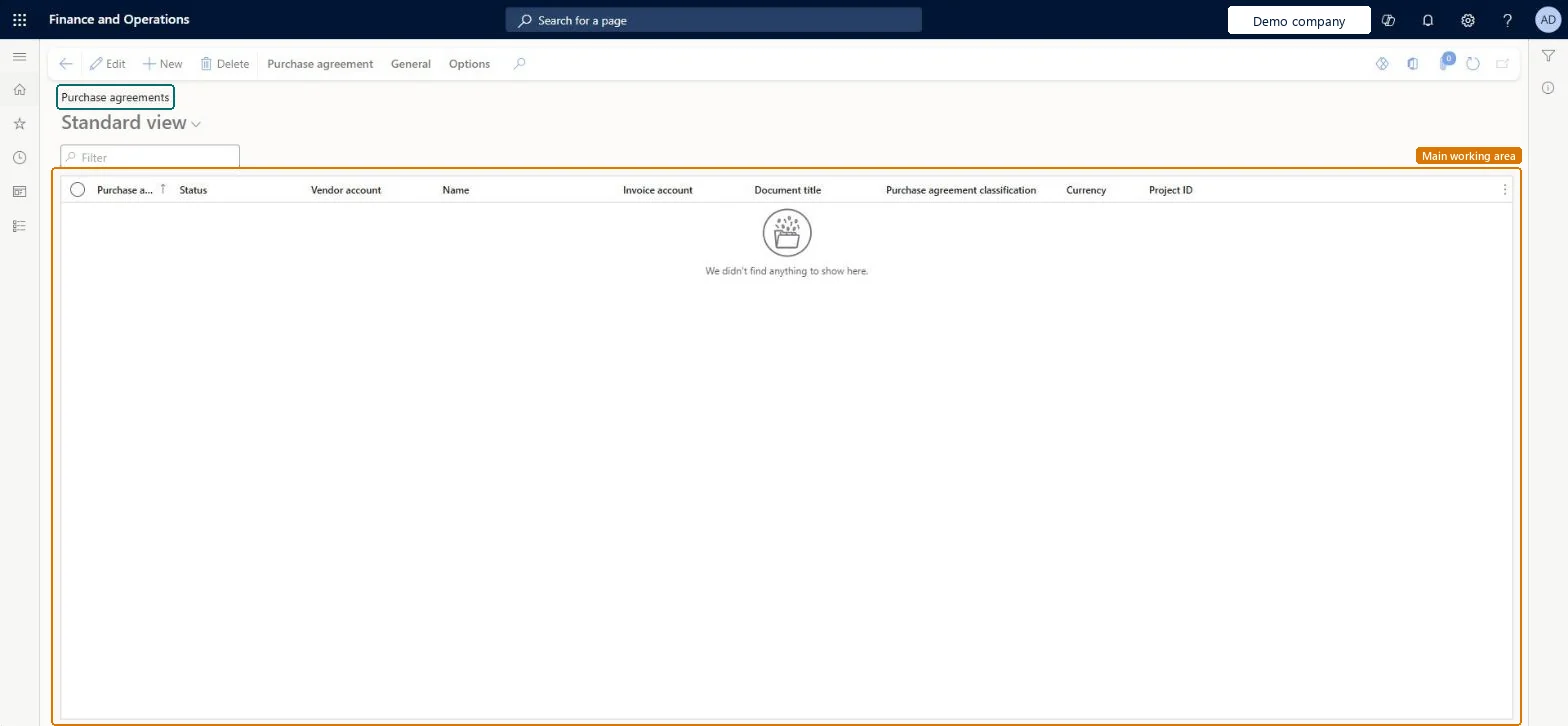
Purchase agreements
A purchase agreement is a contract that commits the organization to buy a specified quantity or amount over time through multiple purchase orders, in exchange for special prices and discounts.
- Used by
- Purchasing agent, Purchasing Agent - Public Sector, Materials manager and 6 more roles
- Business process
- —
- Menu item
PurchAgreementListPage- Main table
PurchAgreementHeader- Data entity
PurchPurchaseAgreementHeaderV2Entity- Setup steps
- —
Show what matters for
Everyone
1What it is and why
| What it is | A purchase agreement is a contract that commits the organization to buy a specified quantity or amount over time through multiple purchase orders, in exchange for special prices and discounts. |
|---|---|
| What you do here | Used to create, apply, and follow up on purchase agreements with vendors, including commitment lines, validity period, and activation of the agreement. |
| Example | After creating and activating a purchase agreement, order directly from it so that the agreement's prices and discounts apply to the purchase order lines. |
Functional consultant · Solution architect
2Where it fits
| Business process | — |
|---|---|
| Menu path | Accounts payable › Purchase orders › Purchase agreements |
| Set up first | Purchase agreement classifications Microsoft Learn ↗ |
| Used next by | All purchase orders Microsoft Learn ↗ |
| Related pages | — |
End user · Functional consultant
3How to do it
Microsoft's steps
- Go to the Purchase agreements page.
- Select New.
- Select the Vendor account and the Purchase agreement classification.
- On the General FastTab, enter the Expiration date and a Document title, and check the Default commitment.
- Select OK.
- Select Add line, then enter the item number, quantity and unit price.
- On the line details, set Max is enforced if purchases must not go over the quantity.
- On the Action Pane, select Purchase agreement > Confirmation, set Mark agreement as effective to Yes, and select OK.
Source: Microsoft Learn ↗
Field guide
| Field | What it means | Worked example | Table column |
|---|---|---|---|
| Purchase agreement classification | Groups the agreement by type and can supply the responsible workers.Microsoft Learn ↗ | — | — |
| Expiration date | The default end date for all commitment lines on the agreement.Microsoft Learn ↗ | — | — |
| Default commitment | The commitment type used on new lines: product quantity, product value, category value or value.Microsoft Learn ↗ | — | — |
| Max is enforced | Stops order lines from going over the committed quantity or amount.Microsoft Learn ↗ | — | — |
| Price and discount is fixed | Keeps order line prices the same as the agreement; changing them breaks the link.Microsoft Learn ↗ | — | — |
| Mark agreement as effective | Activates the agreement so it can be used.Microsoft Learn ↗ | — | — |
Functional consultant
4Setup decisions
| Setup step | Recommended value and why | Decision · common mistake · test |
|---|---|---|
| — No setup is made on this page. | ||
Solution architect
5Design impact
| Shared or per company | Per company: each legal entity has its own records. Microsoft data model ↗ |
|---|---|
| Can it be undone | — |
| Feature or country | — |
| If you change it later | Changing financial dimensions on the agreement affects only new orders, not orders already released. Microsoft Learn ↗ |
Technical architect
6Technical
| Menu item | PurchAgreementListPage Checked in Dynamics 365 |
|---|---|
| Form | PurchAgreement Checked in Dynamics 365 |
| Table | PurchAgreementHeaderShown as “Purchase agreement” in Record infoKey field: RecIdChecked in Dynamics 365 |
| Data entities | PurchPurchaseAgreementHeaderV2EntityPurchase agreements V2 Microsoft data model ↗ |
| Who can open it | PrivilegesMaintain purchase agreements PurchAgreementListMaintainView purchase agreements PurchAgreementListViewMaintain all purchase requisitions PurchReqPurchaseRequisitionMaintainAllDutiesInquire into purchase agreement master AgreementPurchaseAgreementMasterInquireMaintain purchase agreement master AgreementPurchaseAgreementMasterMaintaiMaintain service receipts kanban execution KanbanExecutionServiceReceiptsMaintainMaintain kanban purchase orders schedule KanbanSchedulePurchaseOrdersMaintainMaintain production flow service master LeanProductionFlowServiceMaintainInquire into production flow service master LeanProductionFlowServiceMasterInquireMaintain purchase order release from agreements PurchaseAgreementReleasePurchaseOrderMaintain all purchase requisitions PurchReqPurchaseRequisitionMaintainAll9 security rolesMaterials managerInventMaterialsManagerProduction manager ProdProductionManagerProduction supervisor ProdProductionSupervisorProject manager ProjProjectManagerProcess engineer RouteProcessEngineerBuying agent TradeBuyingAgentPurchasing manager TradePurchasingManagerPurchasing agent VendPurchasingAgentPurchasing Agent - Public Sector VendPurchasingAgent_PSN |
| Actions on the page | Purchase agreement: New, Maintain, Generate, Intercompany, Related informationGeneral: Set upOptions: Personalize, Page options, ShareChecked in Dynamics 365 |
Developer
7Developer
| Open it directly | https://<your-environment>/?mi=PurchAgreementListPage |
|---|---|
| Integrate with | PurchPurchaseAgreementHeaderV2Entity data entity Microsoft data model ↗ |
| Table definition | PurchAgreementHeader columns and relations Microsoft data model ↗ |
Everyone
8Sources and checks
- learn.microsoft.com/dynamics365/supply-chain/procurement/purchase-agreements
- learn.microsoft.com/dynamics365/supply-chain/procurement/tasks/create-purchase-agreement
- learn.microsoft.com/common-data-model/schema/core/operationscommon/tables/supplychain/procurementandsourcing/worksheetheader/purchagreementheader
- learn.microsoft.com/dynamics365/supply-chain/procurement/purchase-agreements
- Checked in a working Dynamics 365 system, version 10.0.49: the menu item, form, table and security, the page.