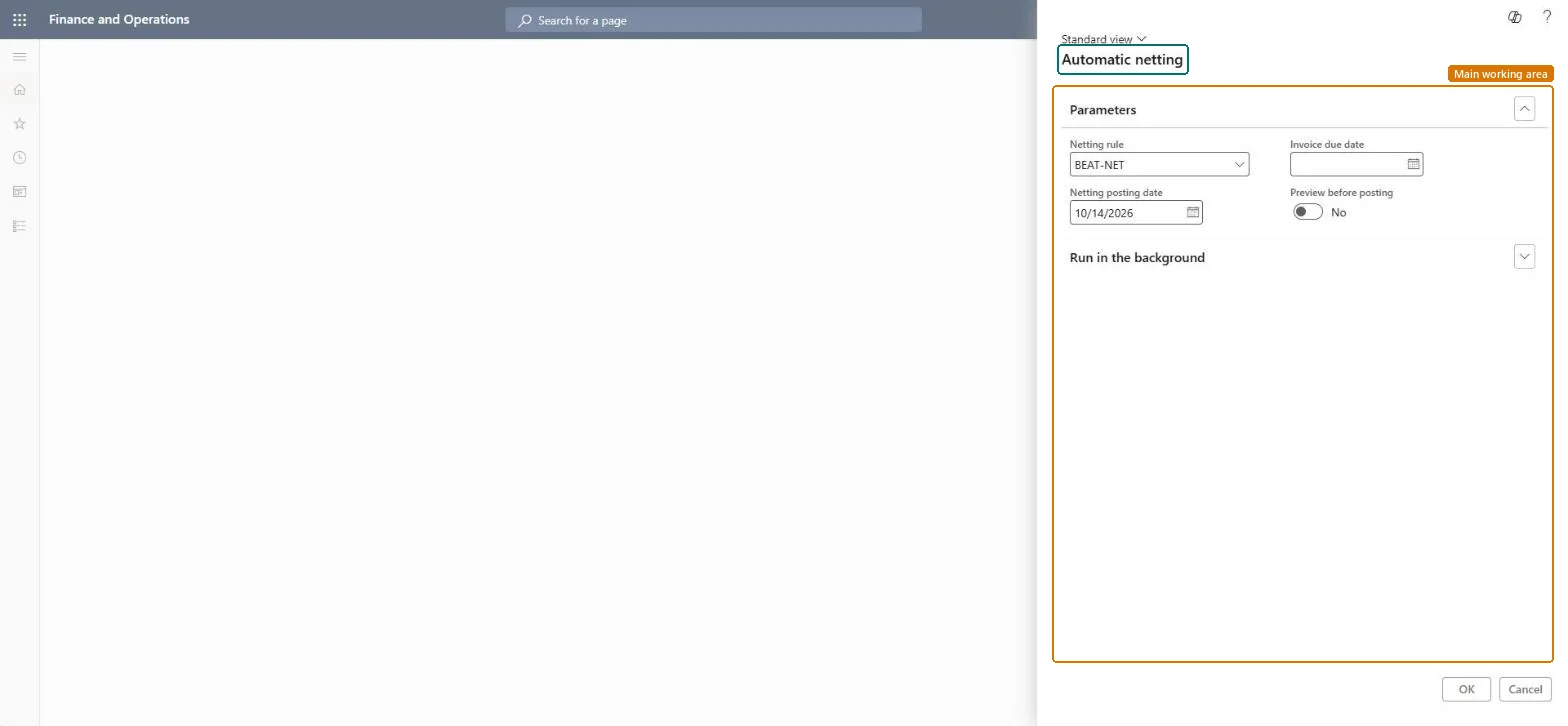
Net payments between customers and vendors in Dynamics 365 Finance
Menu item
Action:CustVendNettingProposalBatch
Show what matters for
PAGE GUIDEWhat the page does and how to use it7 sections. Choose a role to highlight what matters to you.
Everyone
1What it is and why
What it is
A process that automatically nets open customer and vendor balances under active netting agreements, based on a defined netting rule.
What you do here
Use this page to settle customer and vendor balances of the same party against each other through a batch job or process automation, before payment journals are created.
Example
A company buys from and sells to the same party, so it nets the customer and vendor balances before each payment run to minimize the money exchanged and save transaction fees.
The page in Dynamics 365. page title tab to open what to set or check
About the examples: Examples and screenshots in this guide use BEAT, a demo company in a Dynamics 365 test environment. Use your own company's codes and values instead of copying them.
When to run it
When to run it
Before payment journals are created, so payments cover only what remains after netting.
How often
Before each payment run.
Batch settings
Schedule regular runs through Process automation; this menu item starts a one-time run.
What the output shows
Netting journals that settle customer and vendor invoices of the same party. An invoice left open is often already in a payment journal; check All marked transaction details.
Yes: Reverse netting on Netting history unsettles the invoices and reverses the netting journal. Microsoft Learn
If you change it later
Netting is meant to run before payment journals are created; transactions already in a payment journal aren't netted. Microsoft Learn
Technical architect
5Technical
Menu item
Action:CustVendNettingProposalBatchChecked in Dynamics 365
Form
CustVendNettingProposalDialogChecked in Dynamics 365
Roles to set it up and use it
To use itAccounts payable payments clerk PaymAccountsPayablePaymentsClerkAccounts receivable payments clerk PaymAccountsReceivablePaymentsClerkGive people one of these roles. On this system, 2 roles can run this page.Checked in Dynamics 365