Warehouse management › Workspaces › Outbound work planning
End user · Functional consultant
3How to do it
About the examples: Examples and screenshots in this guide use BEAT, a demo company in a Dynamics 365 test environment. Use your own company's codes and values instead of copying them.
How to use it
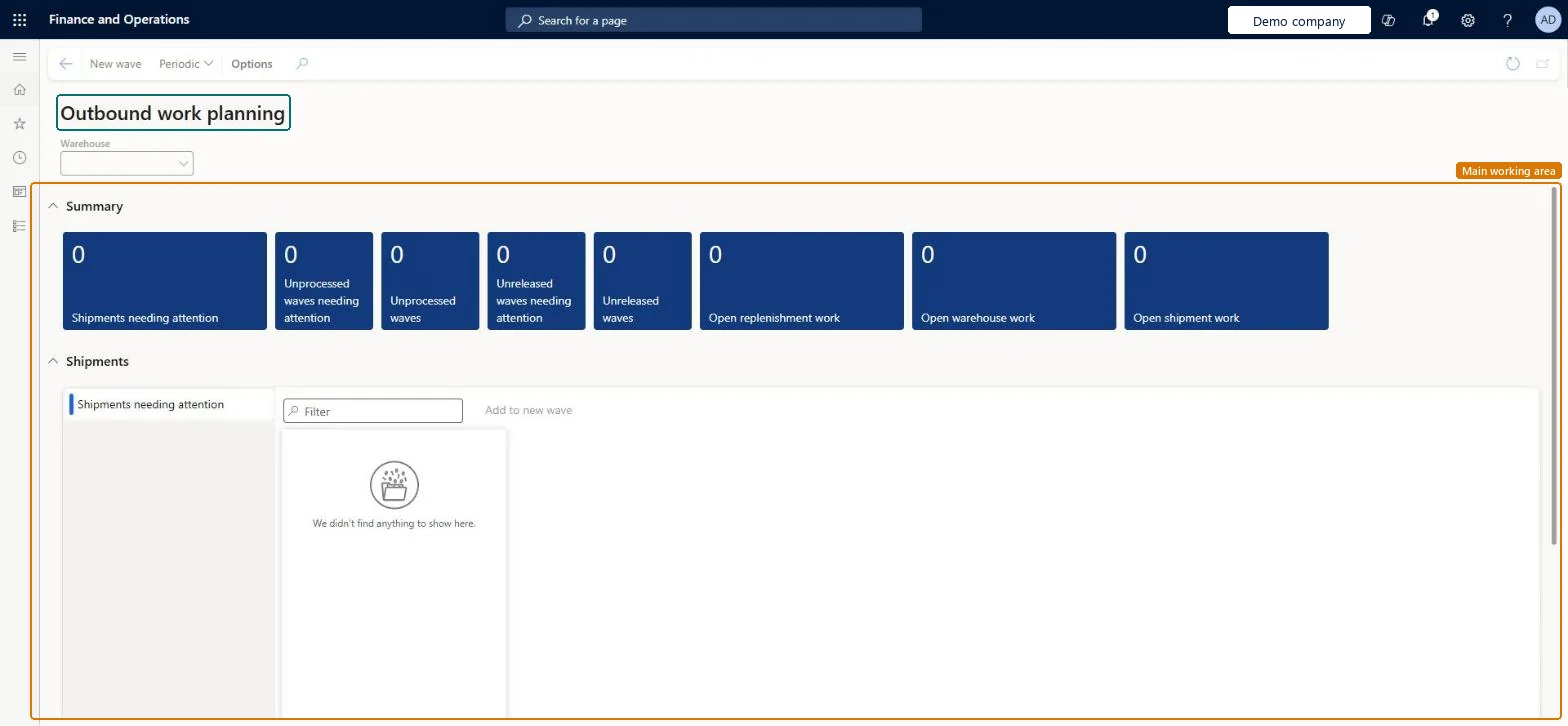
Go to Warehouse management > Workspaces > Outbound work planning.
Select a warehouse in the Warehouse field.
Review the tiles under Summary, such as Shipments needing attention, Unprocessed waves and Unreleased waves.
In the Shipments section, use the Filter box to find the shipments you want.
Select shipments and use Add to new wave, or select New wave on the Action Pane.
Source: Checked in Dynamics 365
Technical architect
4Technical
Menu item
WHSWavePlanningWorkspaceChecked in Dynamics 365
Form
WHSWavePlanningWorkspaceChecked in Dynamics 365
Who can open it
PrivilegesView wave planning work space WHSWavePlanningWorkspaceViewDutiesMaintain warehouse planning WHSWarehousePlanningMaintain1 security roleWarehouse planner WHSWarehousePlannerChecked in Dynamics 365
Roles to set it up and use it
To use itWarehouse planner WHSWarehousePlannerGive people one of these roles. On this system, 1 role can open this page.Checked in Dynamics 365
Actions on the page
(Action Pane without tabs): New wave, PeriodicChecked in Dynamics 365