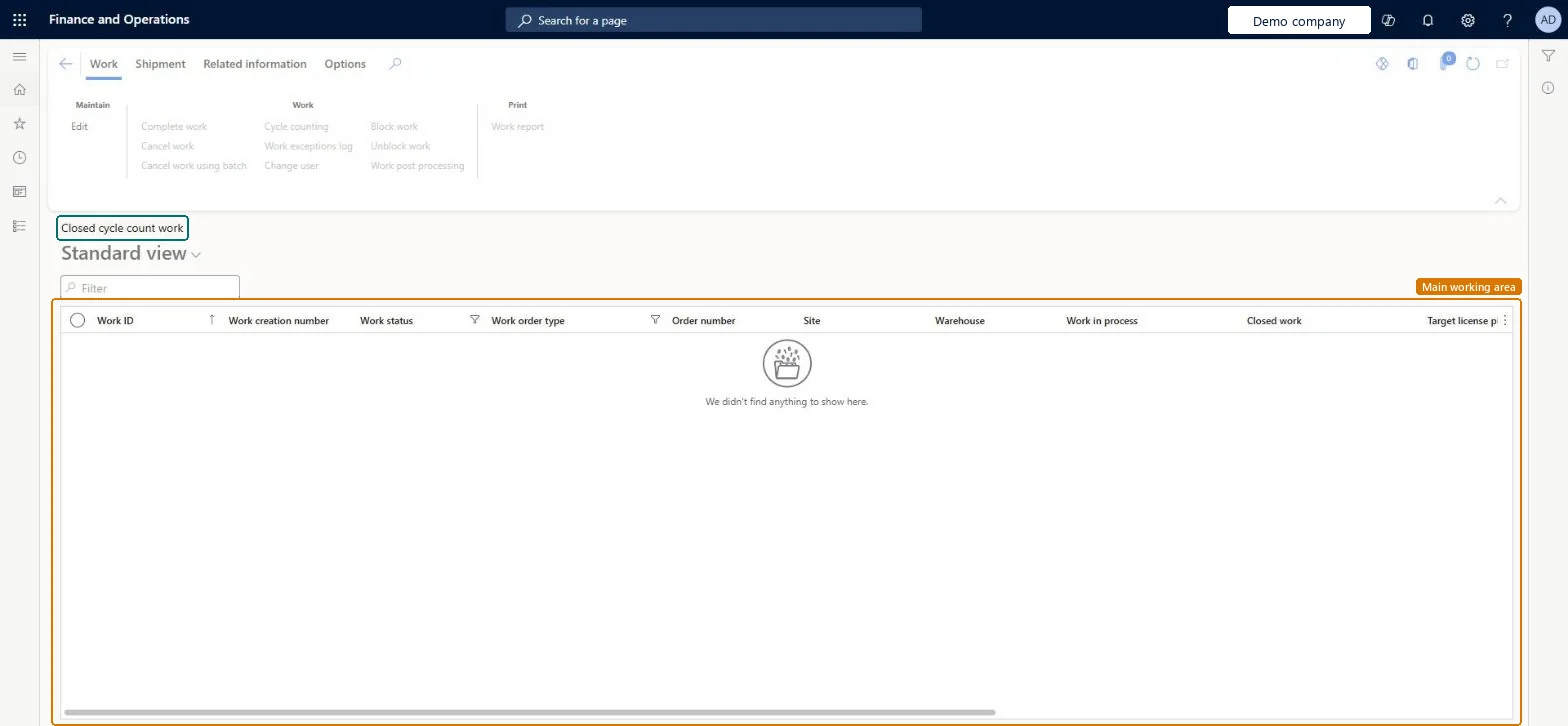
Warehouse management › Work › Warehouse › Closed cycle count work
End user · Functional consultant
3How to do it
About the examples: Examples and screenshots in this guide use BEAT, a demo company in a Dynamics 365 test environment. Use your own company's codes and values instead of copying them.
How to use it
Go to Warehouse management > Work > Warehouse > Closed cycle count work.
Type in the Filter box to narrow the list.
Select the filter icon on a column heading, such as Work status or Work order type, to narrow the list by that value.
Select a work record to work with it.
Use the buttons on the Work, Shipment and Related information tabs of the Action Pane to act on the selected work.
Source: Checked in Dynamics 365
Common errors and fixes
Message
What to do
You cannot cancel work %1 because it has a status of %2.
Only work with a Work status of Open or In progress can be canceled with the regular Cancel action. For work that is stuck for exceptional reasons, an administrator can use Warehouse management > Periodic tasks > Clean up > Cancel work. Microsoft Learn
Test checklist
Create cycle counting work with Cycle count work by location (or a cycle counting plan) and check it is listed with status Open.
Count the location on the mobile app with a user who isn't a cycle count supervisor and has 0 deviation limits; enter a quantity that differs from on-hand.
Check the work status is Pending review and the work appears on Cycle count work pending review.
Select Work > Cycle counting > Accept count; check the difference is posted through the counting journal and the work is Closed.
Repeat with Reject count and check the work is closed without an adjustment.
Hard to reverse: Closed cycle counts can't be reopened. An accepted count was posted through the standard counting journal, so the inventory adjustment is in posted history; correct it with a new count, not by changing the closed work. Microsoft Learn
Technical architect
5Technical
Menu item
WHSWorkTableListPageClosedCycleCountChecked in Dynamics 365
Form
WHSWorkTableListPageChecked in Dynamics 365
Table
WHSWorkTableShown as “WORK” in Record infoKey field: WorkIdChecked in Dynamics 365
PrivilegesMaintain closed cycle count work by using a list page WHSWorkTableListPageClosedCyCounMaintainView closed cycle count work by using a list page WHSWorkTableListPageClosedCyCounViewDutiesMaintain warehouse planning WHSWarehousePlanningMaintainInquire into warehouse planning status WHSWarehousePlanningStatusInquire5 security rolesReceiving clerk InventReceivingClerkShipping clerk InventShippingClerkWarehouse planner WHSWarehousePlannerWarehouse manager WMSWarehouseManagerWarehouse worker WMSWarehouseWorkerChecked in Dynamics 365
Roles to set it up and use it
To set it up or change itWarehouse planner WHSWarehousePlannerTo use itWarehouse manager WMSWarehouseManagerWarehouse worker WMSWarehouseWorkerShipping clerk InventShippingClerkReceiving clerk InventReceivingClerkGive people one of these roles. On this system, 5 roles can open this page.Checked in Dynamics 365
Actions on the page
Work: Maintain, Work, PrintShipment: ShipmentRelated information: Related informationChecked in Dynamics 365