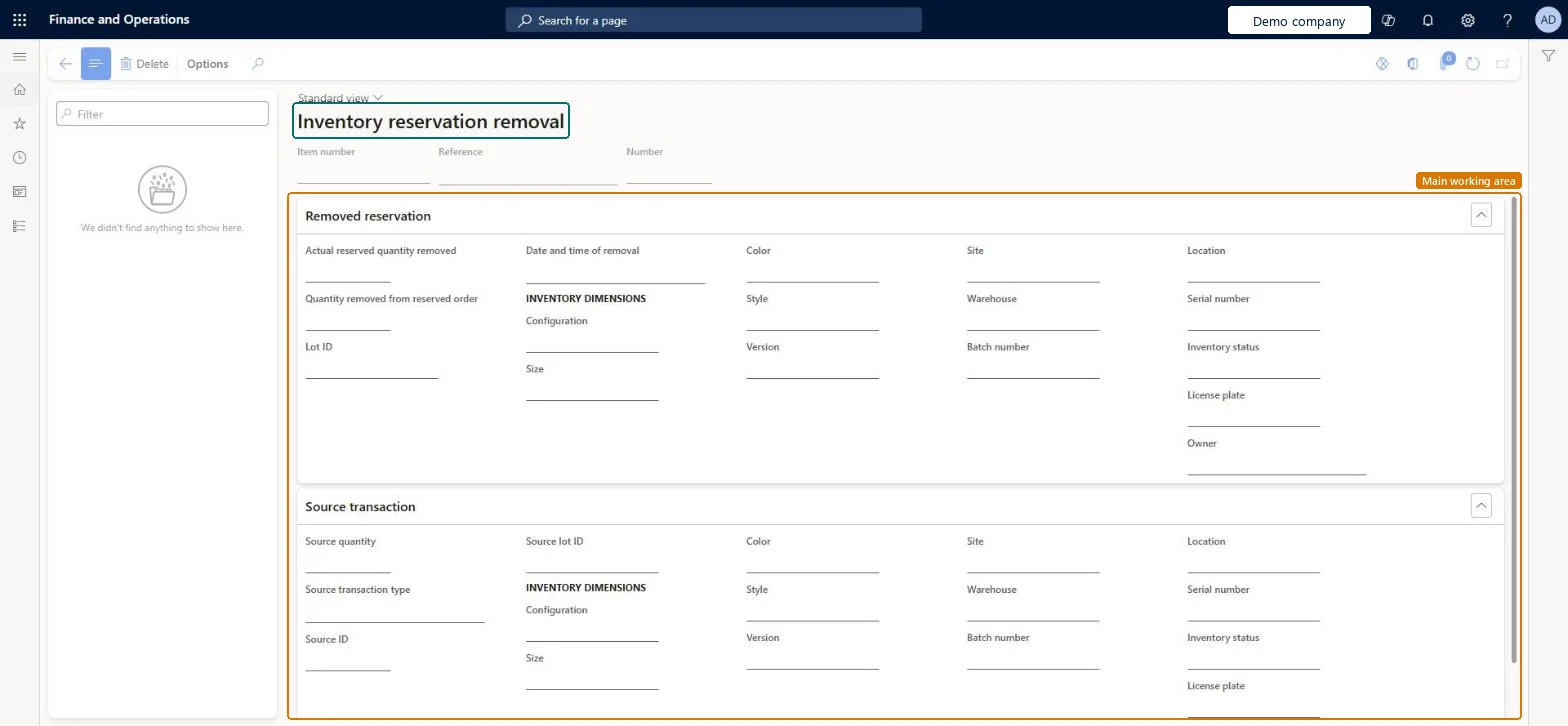
A details page that shows inventory reservations that were removed, with the quantity removed, the date and time of removal, the inventory dimensions and the source transaction.
Product designer, Product design manager, Materials manager and 4 more roles
Business process
Allocate goods
Menu item
WHSReservationRemoveHistory
Main table
WHSReservationRemoveHistory
Show what matters for
PAGE GUIDEWhat the page does and how to use it6 sections. Choose a role to highlight what matters to you.
Everyone
1What it is and why
What it is
A details page that shows inventory reservations that were removed, with the quantity removed, the date and time of removal, the inventory dimensions and the source transaction.
What you do here
Use this page to see which reservations were removed and which transaction caused it.
The page in Dynamics 365. page title tab to open what to set or check
Warehouse management › Work › Outbound › Reservation removal history
End user · Functional consultant
3How to do it
About the examples: Examples and screenshots in this guide use BEAT, a demo company in a Dynamics 365 test environment. Use your own company's codes and values instead of copying them.
How to use it
Go to Warehouse management > Work > Outbound > Reservation removal history.
In the list on the left, use the Filter box to find a removal record.
Select a record to see its item number, reference and number at the top of the page.
Review the Removed reservation FastTab for the quantity removed, the date and time of removal and the inventory dimensions.
Review the Source transaction FastTab for the source quantity, source transaction type and source ID.
Source: Checked in Dynamics 365
Technical architect
4Technical
Menu item
WHSReservationRemoveHistoryChecked in Dynamics 365
Form
WHSReservationRemoveHistoryChecked in Dynamics 365
Table
WHSReservationRemoveHistoryShown as “REMOVED RESERVATIONS” in Record infoChecked in Dynamics 365
Who can open it
PrivilegesMaintain reservation history WHSReservationRemoveHistoryMaintainView reservation removal history WHSReservationRemoveHistoryViewDutiesInquire into reservation hierarchy WHSReservationHierarchyMasterInquireSet up reservation hierarchy WHSReservationHierarchyMasterMaintain7 security rolesProduct designer BOMProductDesignerProduct design manager BOMProductDesignManagerMaterials manager InventMaterialsManagerQuality control manager InventQualityControlManagerProcess engineering manager RouteProcessEngineeringManagerWarehouse planner WHSWarehousePlannerWarehouse manager WMSWarehouseManagerChecked in Dynamics 365
Roles to set it up and use it
To set it up or change itMaterials manager InventMaterialsManagerProduct designer BOMProductDesignerTo use itWarehouse planner WHSWarehousePlannerWarehouse manager WMSWarehouseManagerProcess engineering manager RouteProcessEngineeringManagerQuality control manager InventQualityControlManagerProduct design manager BOMProductDesignManagerGive people one of these roles. On this system, 7 roles can open this page.Checked in Dynamics 365