About the examples: Examples and screenshots in this guide use BEAT, a demo company in a Dynamics 365 test environment. Use your own company's codes and values instead of copying them.
How to use it
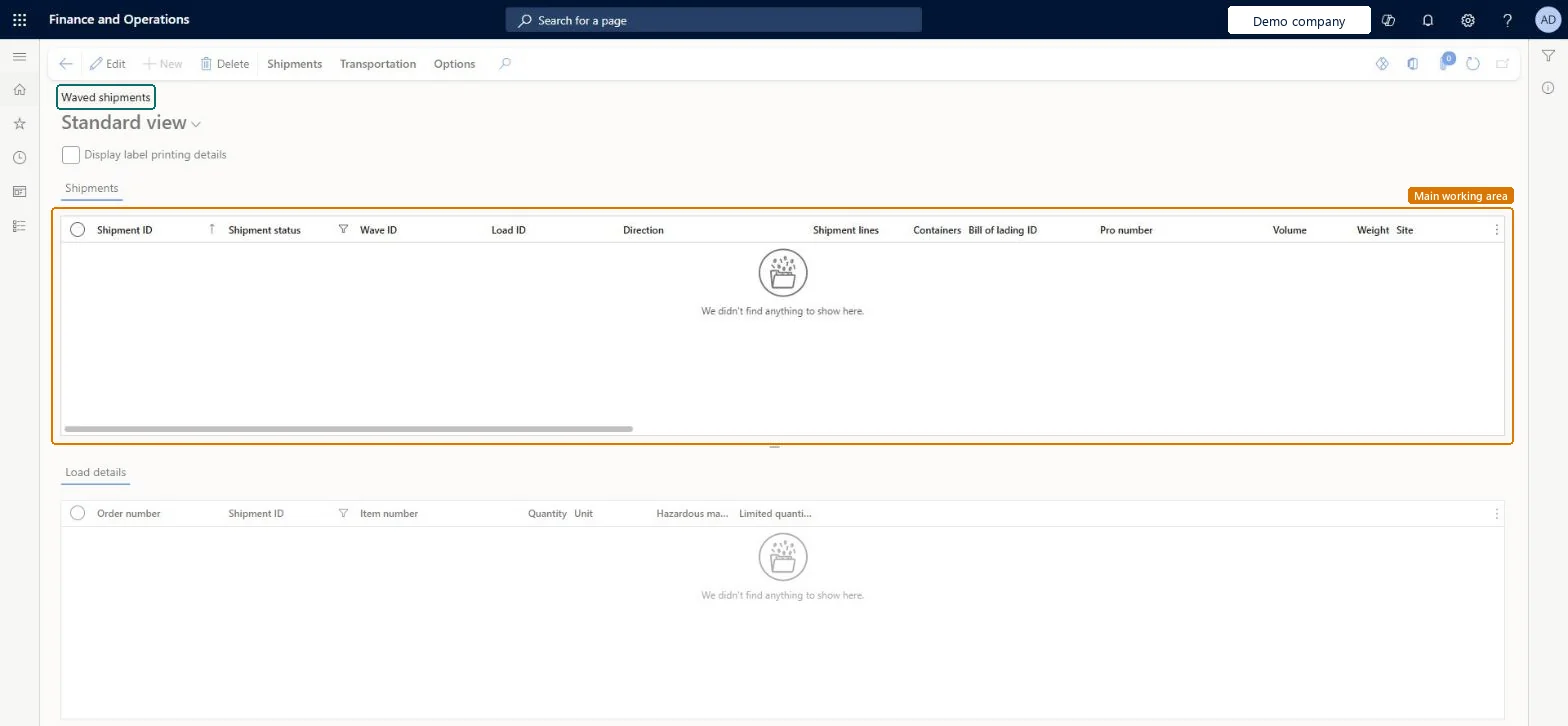
Go to Warehouse management > Shipments > Waved shipments.
Select a shipment in the Shipments section to see its lines in the Load details section below.
Select the Display label printing details check box to show label printing details.
Select Edit to open a shipment, or use the Shipments and Transportation tabs on the Action Pane for related actions.
Once a shipment has the status Waved or higher, changes to the quantity on the sales or transfer order line are no longer reflected on its load line. Change the quantity on the load line itself. Microsoft Learn
Technical architect
5Technical
Menu item
WHSShipPlanningListPageWaveChecked in Dynamics 365
Form
WHSShipPlanningListPageChecked in Dynamics 365
Table
WHSShipmentTableShown as “SHIPMENTS” in Record infoKey field: ShipmentIdChecked in Dynamics 365
PrivilegesMaintain waves shipping plan by using a list page WHSShipPlanningListPageWaveMaintainView wave shipping plan by using a list page WHSShipPlanningListPageWaveViewDutiesReview transportation management process performance TMSTransportationMgmtProcessPerfReviewMaintain load planning WHSLoadPlanningMaintainInquire into load planning progress WHSLoadPlanningProgressInquire4 security rolesLogistics manager TMSLogisticsManagerTransportation coordinator TMSTransportationCoordinatorWarehouse planner WHSWarehousePlannerWarehouse manager WMSWarehouseManagerChecked in Dynamics 365
Roles to set it up and use it
To set it up or change itTransportation coordinator TMSTransportationCoordinatorTo use itWarehouse planner WHSWarehousePlannerWarehouse manager WMSWarehouseManagerLogistics manager TMSLogisticsManagerGive people one of these roles. On this system, 4 roles can open this page.Checked in Dynamics 365
Actions on the page
Shipments: Shipments, Actions, Generate, Work, Related information, Print, Hazardous material documentTransportation: Transportation, ContainersChecked in Dynamics 365
WHSInboundShipmentHeaderEntity (Inbound shipment header): loaded for each company.WHSOutboundShipmentHeaderEntity (Outbound shipment headers): loaded for each company.Microsoft Learn