Logistics manager, Transportation coordinator, Warehouse planner and 1 more role
Business process
Load goods for shipping
Menu item
WHSShipmentDetails
Main table
WHSShipmentTable
Data entity
WHSInboundShipmentHeaderEntity
Show what matters for
PAGE GUIDEWhat the page does and how to use it7 sections. Choose a role to highlight what matters to you.
Everyone
1What it is and why
What it is
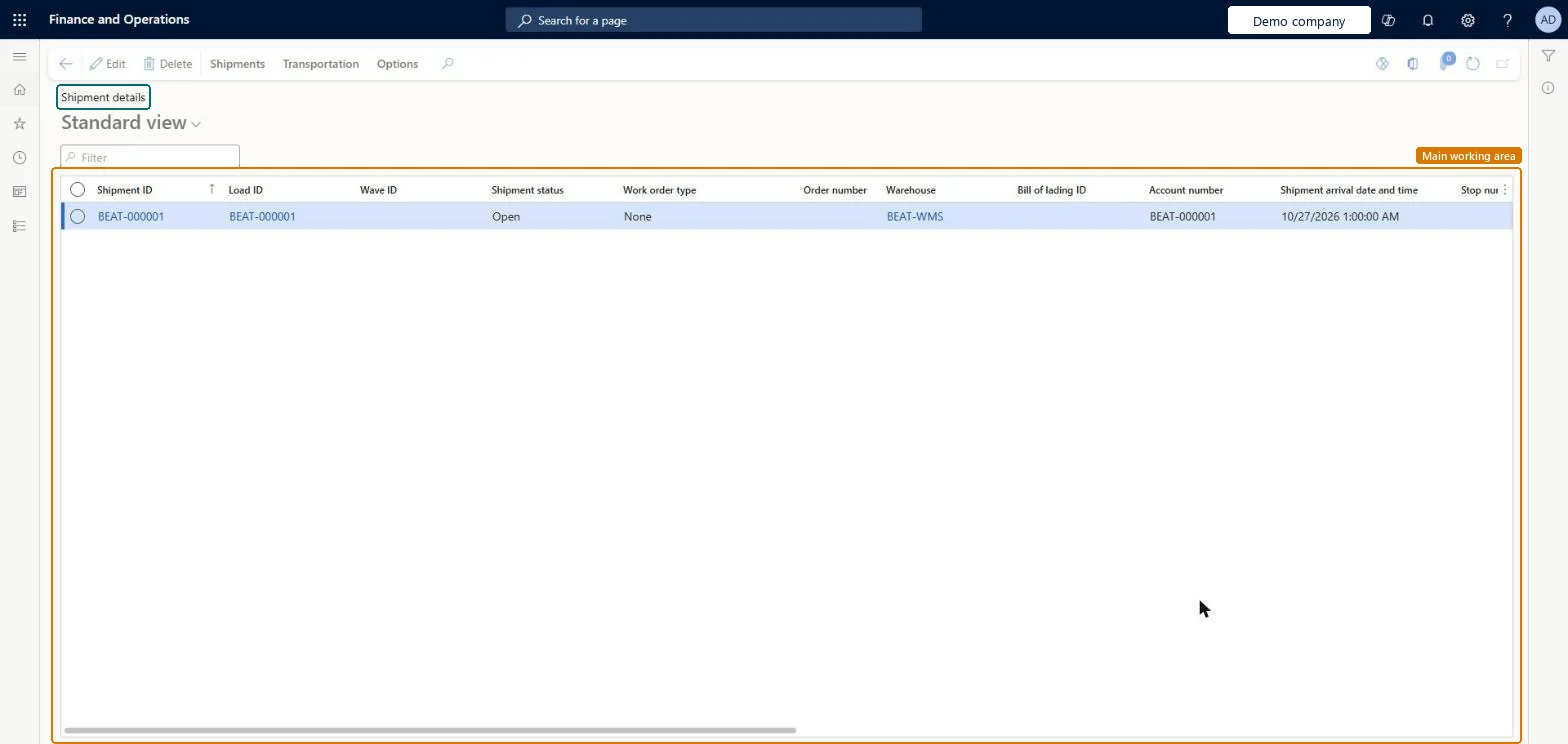
A list page that shows warehouse shipments with their load, wave, status, order number, warehouse and bill of lading.
What you do here
Use this page to review shipments and to open the actions that apply to them, such as consolidating shipments, changing the work location, viewing work details and printing shipping documents.
The page in Dynamics 365. page title tab to open what to set or check
About the examples: Examples and screenshots in this guide use BEAT, a demo company in a Dynamics 365 test environment. Use your own company's codes and values instead of copying them.
Steps from Microsoft
Go to Warehouse management > Shipments > Shipment details.
Select a shipment in the list.
On the Action Pane, on the Shipments tab, in the Actions group, select Compatibility check to evaluate whether the hazardous materials on the shipment can be shipped together.
On the Load lines FastTab, shows the hazardous material score for the load line.Microsoft Learn
Limited quantity net weight
On the Load lines FastTab, shows the total net weight of hazardous content on the load line for products marked as limited-quantity products.Microsoft Learn
To set it up or change itTransportation coordinator TMSTransportationCoordinatorTo use itWarehouse planner WHSWarehousePlannerWarehouse manager WMSWarehouseManagerLogistics manager TMSLogisticsManagerGive people one of these roles. On this system, 4 roles can open this page.Checked in Dynamics 365
Actions on the page
ShipmentsTransportation: Transportation, ContainersChecked in Dynamics 365
WHSInboundShipmentHeaderEntity (Inbound shipment header): loaded for each company.WHSOutboundShipmentHeaderEntity (Outbound shipment headers): loaded for each company.Microsoft Learn