About the examples: Examples and screenshots in this guide use BEAT, a demo company in a Dynamics 365 test environment. Use your own company's codes and values instead of copying them.
Setup steps on this page
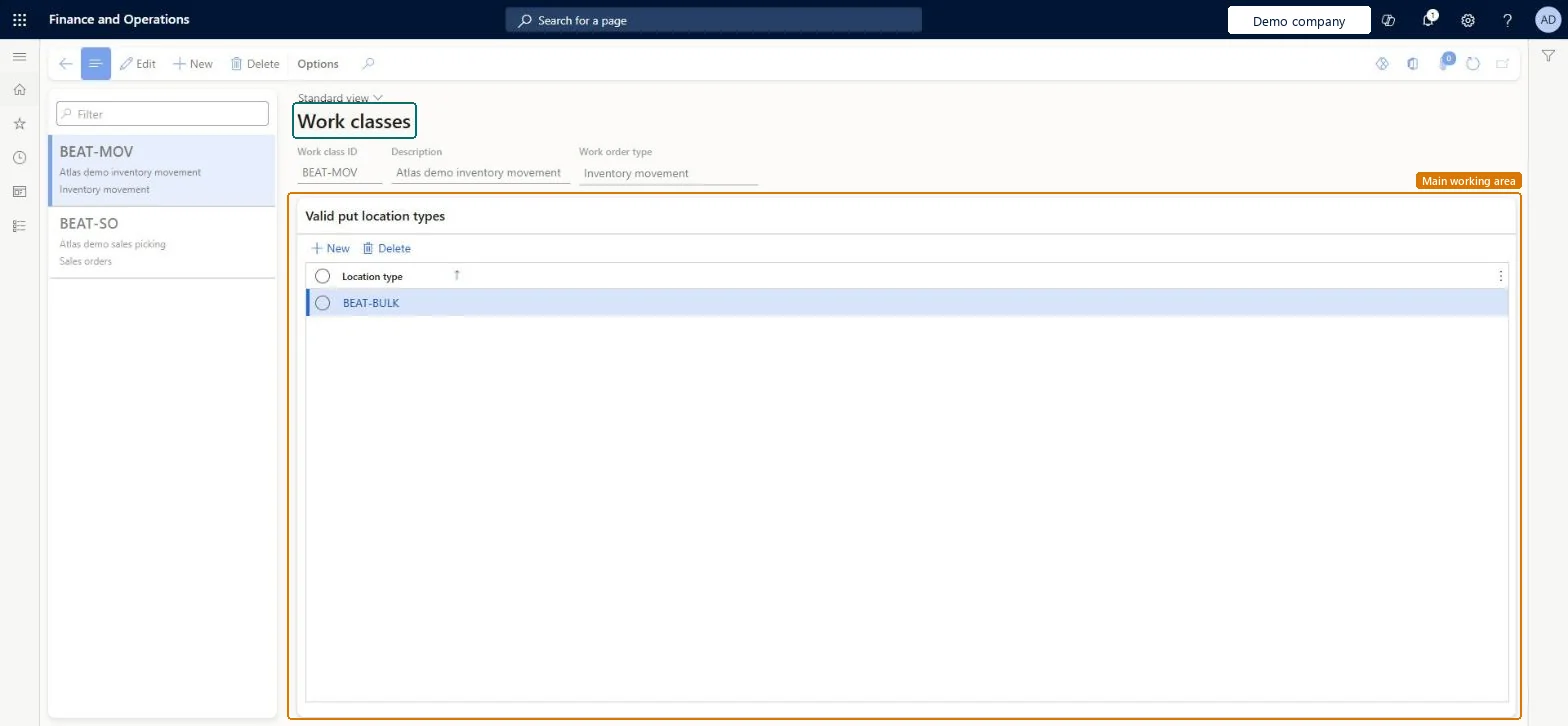
Set up Work classes
Use this page to create work classes and, if needed, to limit the location types where items can be put after they are picked.
Steps from Microsoft
Go to Warehouse management > Setup > Work > Work classes.
Select New.
In the Work class ID field, type a value.
In the Description field, type a value.
In the Work order type field, select an option.
To limit where picked items can be put, select New on the Valid put location types section and enter a location type.
A short description that indicates what the work class is used for.Microsoft Learn
Description
Work order type
The type of work order that is created by the work class.Microsoft Learn
WorkTransType
Location type
Restricts where items can be put after they are picked.Microsoft Learn
LocType
Common errors and fixes
Message
What to do
Location type is invalid.
Put to a location whose location profile uses one of the work class's valid put location types, or add the location type to the work class. Microsoft Learn
One work class per separately handled stream of work (for example picking vs counting), with the correct Work order type; add Valid put location types only where puts must be restrictedMobile device menu items show only work lines whose work class they list, and work class lookups are filtered by work order type.
Adding a valid put location type without realising it excludes every type you don't list; puts elsewhere fail with Location type is invalid.
PrivilegesMaintain work classes WHSWorkClassMaintainView work classes WHSWorkClassViewDutiesInquire into warehouse planning master data WHSWarehousePlanningMasterInquireRecord warehouse planning masters WHSWarehousePlanningMasterMaintain2 security rolesWarehouse planner WHSWarehousePlannerWarehouse manager WMSWarehouseManagerChecked in Dynamics 365
Roles to set it up and use it
To set it up or change itWarehouse manager WMSWarehouseManagerWarehouse planner WHSWarehousePlannerGive people one of these roles. On this system, 2 roles can open this page.Checked in Dynamics 365
WHSWarehouseWorkClassEntity (Work classes): loaded for each company, in Microsoft's default template 400 - Warehouse management.Load order: Microsoft's default template 400 - Warehouse management loads Work classes at execution unit 1, level 30, sequence 10. Lower levels load first, and entities at the same level load in sequence order.Load first: the default templates at lower levels (System setup to General ledger)Microsoft Learn