About the examples: Examples and screenshots in this guide use BEAT, a demo company in a Dynamics 365 test environment. Use your own company's codes and values instead of copying them.
Setup steps on this page
Set up Wave filters
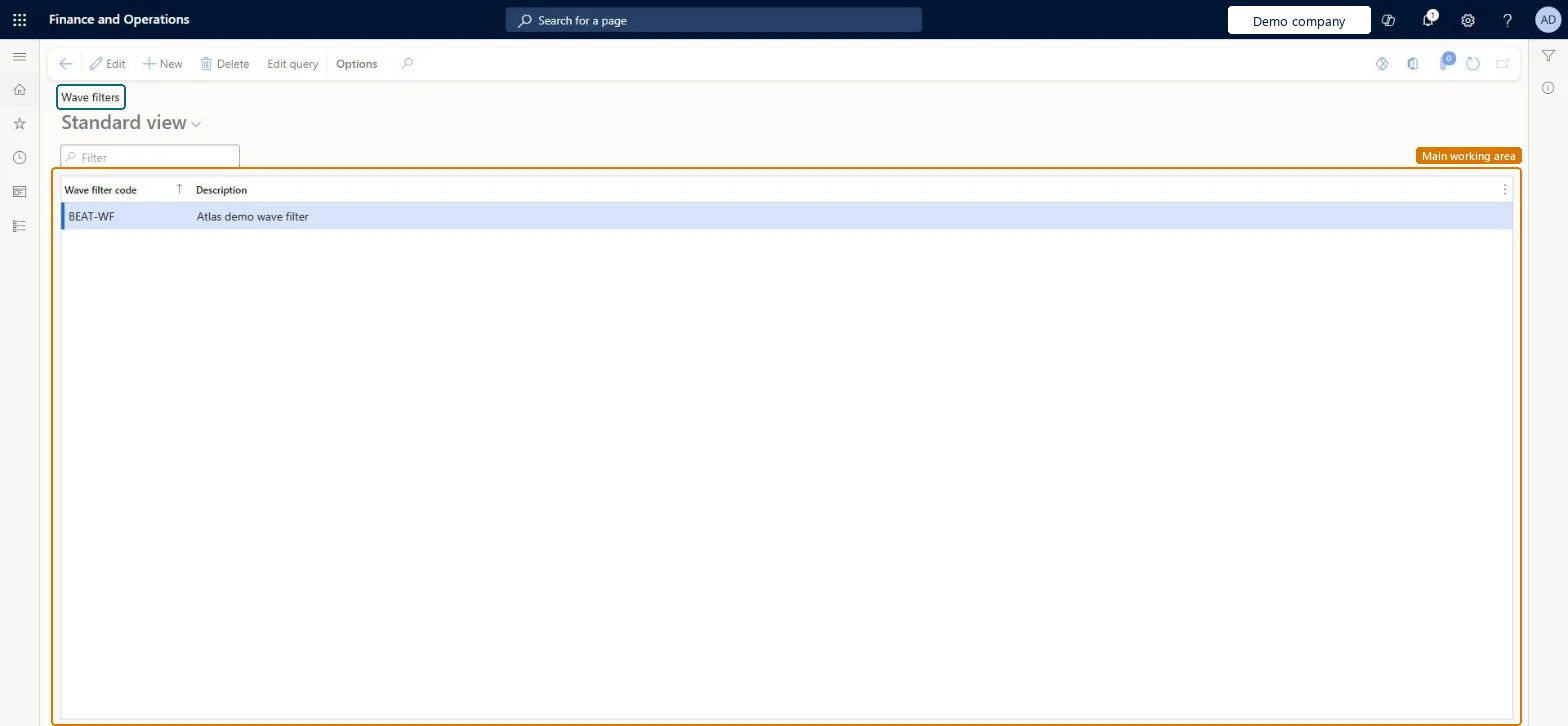
Use this page to create filters that help you find specific shipments when you add lines to a shipment wave.
How to use it
Go to Warehouse management > Setup > Waves > Wave filters.
Select New to add a filter.
Enter the Wave filter code and a Description.
Select Edit query to set the criteria for shipments.
Source: Checked in Dynamics 365
Test checklist
Create a filter code with a query on shipments (for example a customer account).
Create a shipment wave manually from All waves.
Select the filter in the Wave filter code field and add the shown shipments.
Check the On wave column shows a check mark for those shipments.
Filters for the shipment criteria planners use most when building shipment waves by handA wave filter code holds query criteria that quickly find shipments when you add them to a shipment wave.
Expecting the filters on production or kanban waves; the Wave filter code field is only available for shipment waves.
PrivilegesMaintain wave filters WHSWaveFilterTableMaintainView wave filters WHSWaveFilterTableViewDutiesInquire into warehouse planning master data WHSWarehousePlanningMasterInquireRecord warehouse planning masters WHSWarehousePlanningMasterMaintain2 security rolesWarehouse planner WHSWarehousePlannerWarehouse manager WMSWarehouseManagerChecked in Dynamics 365
Roles to set it up and use it
To set it up or change itWarehouse manager WMSWarehouseManagerWarehouse planner WHSWarehousePlannerGive people one of these roles. On this system, 2 roles can open this page.Checked in Dynamics 365
Actions on the page
(Action Pane without tabs): Edit queryChecked in Dynamics 365
WHSWarehouseWaveFilterV2Entity (Wave filters V2): loaded for each company, in Microsoft's default template 400 - Warehouse management.Load order: Microsoft's default template 400 - Warehouse management loads Wave filters V2 at execution unit 1, level 30, sequence 10. Lower levels load first, and entities at the same level load in sequence order.Load first: the default templates at lower levels (System setup to General ledger)Microsoft Learn