| What it is | A list page where you record, for each warehouse, its name, its site and the number of load lines per hour it can handle. |
|---|---|
| What you do here | Use this page to set the outbound load lines per hour for each warehouse. |
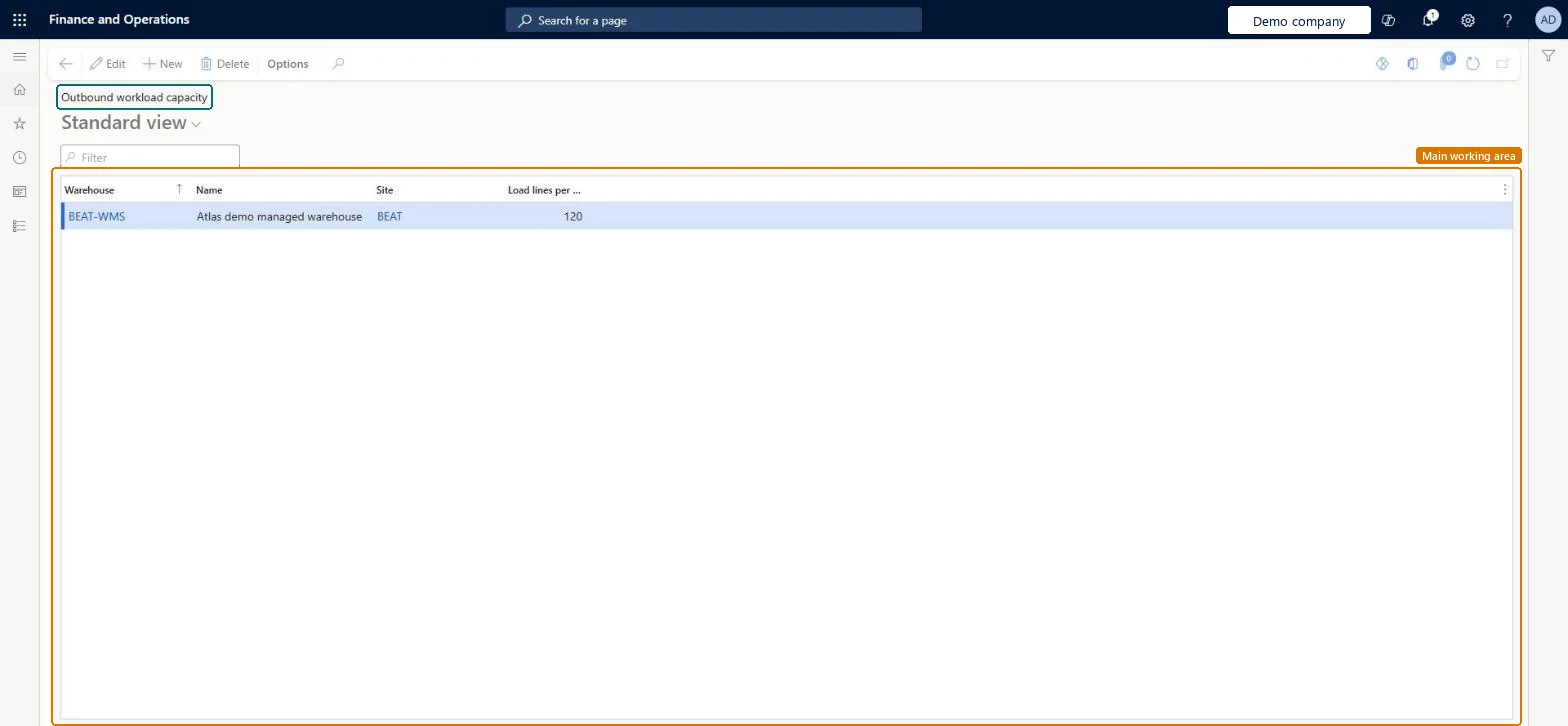
Setup page · Warehouse management
A list page where you record, for each warehouse, its name, its site and the number of load lines per hour it can handle.
WHSOutboundWorkloadCapacityWHSOutboundWorkloadCapacity| What it is | A list page where you record, for each warehouse, its name, its site and the number of load lines per hour it can handle. |
|---|---|
| What you do here | Use this page to set the outbound load lines per hour for each warehouse. |
| Business process | Manage warehouse operations |
|---|---|
| Menu path | Warehouse management › Setup › Waves › Outbound workload capacity |
About the examples: Examples and screenshots in this guide use BEAT, a demo company in a Dynamics 365 test environment. Use your own company's codes and values instead of copying them.
Use this page to set the outbound load lines per hour for each warehouse.
Source: Checked in Dynamics 365
| Menu item | WHSOutboundWorkloadCapacity Checked in Dynamics 365 |
|---|---|
| Form | WHSOutboundWorkloadCapacity Checked in Dynamics 365 |
| Table | WHSOutboundWorkloadCapacityShown as “OUTBOUND WORKLOAD CAPACITY” in Record infoKey field: InventLocationIdChecked in Dynamics 365 |
| Who can open it | PrivilegesMaintain outbound workload capacity WHSOutboundWorkloadCapacityMaintainView outbound workload capacity WHSOutboundWorkloadCapacityViewDutiesInquire into warehouse planning master data WHSWarehousePlanningMasterInquireRecord warehouse planning masters WHSWarehousePlanningMasterMaintain2 security rolesWarehouse plannerWHSWarehousePlannerWarehouse manager WMSWarehouseManager |
| Roles to set it up and use it | To set it up or change itWarehouse manager WMSWarehouseManagerWarehouse planner WHSWarehousePlannerGive people one of these roles. On this system, 2 roles can open this page.Checked in Dynamics 365 |
| Open it by URL | https://<your-environment>/?mi=WHSOutboundWorkloadCapacity |
|---|---|
| Table definition | WHSOutboundWorkloadCapacity columns and relations Microsoft data model |