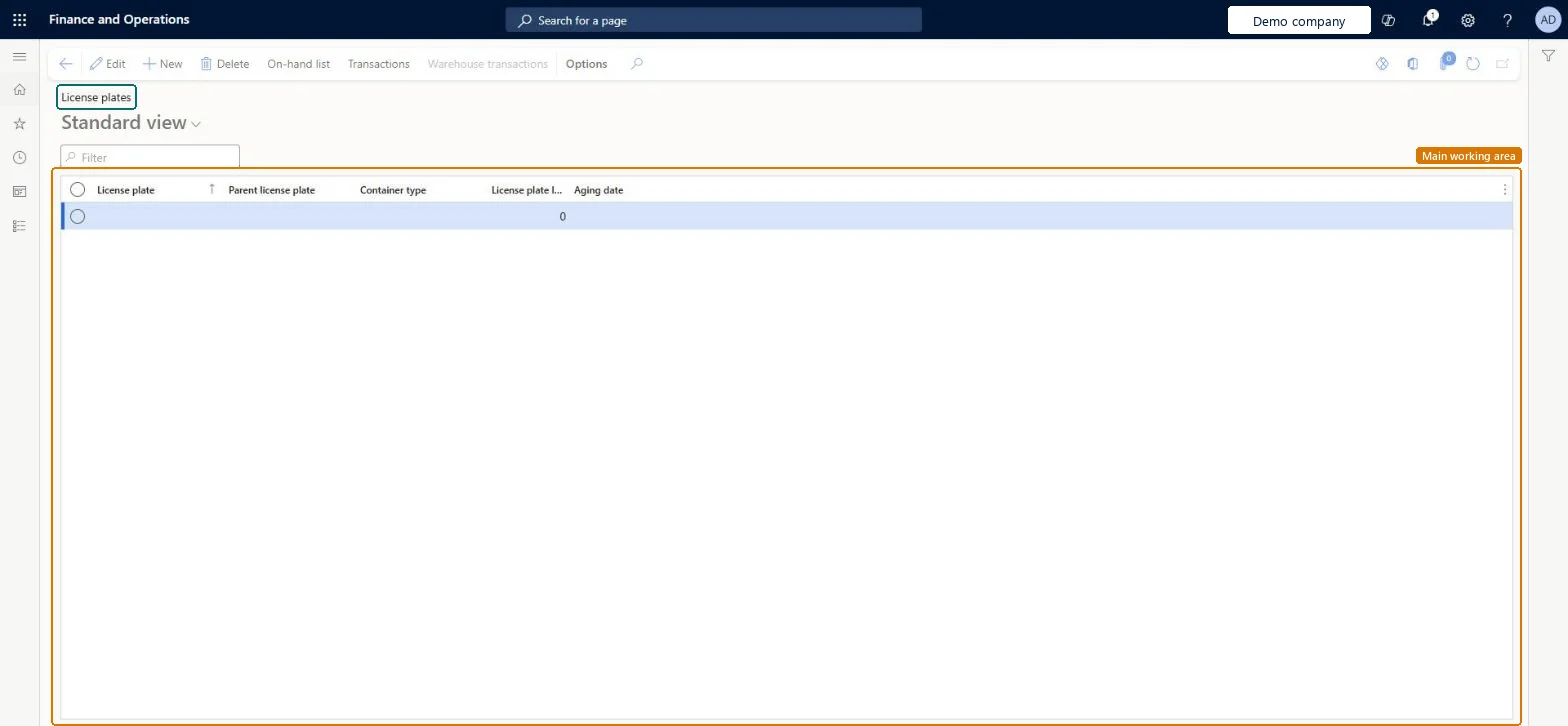
A list page that shows license plates, the unique identifiers assigned to groups of items, with each plate's parent license plate, container type and aging date.
Receiving clerk, Shipping clerk, Waterspider and 3 more roles
Business process
Manage warehouse operations
Menu item
WHSLicensePlate
Main table
WHSLicensePlate
Data entity
WHSLicensePlateEntity
Setup steps
1 on this page
Show what matters for
PAGE GUIDEWhat the page does and how to use it8 sections. Choose a role to highlight what matters to you.
Everyone
1What it is and why
What it is
A list page that shows license plates, the unique identifiers assigned to groups of items, with each plate's parent license plate, container type and aging date.
What you do here
Use this page to find and maintain license plates and to look at the on-hand inventory and transactions that belong to them.
The page in Dynamics 365. page title tab to open what to set or check
About the examples: Examples and screenshots in this guide use BEAT, a demo company in a Dynamics 365 test environment. Use your own company's codes and values instead of copying them.
Setup steps on this page
Set up License plates
Use this page to find and maintain license plates and to look at the on-hand inventory and transactions that belong to them.
How to use it
Go to Warehouse management > Setup > Warehouse > License plates.
Use the Filter box to find a license plate.
Review the License plate, Parent license plate, Container type and Aging date columns.
Select New on the Action Pane to add a license plate, or Edit to change one.
Use On-hand list and Transactions on the Action Pane to look at a selected license plate.
Source: Checked in Dynamics 365
Fields on the page
Field
What it means
Table column
Parent license plate
The larger license plate that this plate is nested under.Microsoft Learn
LicensePlateParent
Container type
The container type linked to the license plate, which storage policies can use.Microsoft Learn
ContainerTypeCode
Test checklist
Create a parent plate and two child plates on this page.
Put on-hand on each child plate in the same location.
Use the License plate build menu item to assign both children to the parent.
Move the parent plate and check in the On-hand list that both items are in the new location.
Keep parent license plates free of on-hand inventory; put on-hand only on the last license plates in a nested sequenceNesting works only if the parent has no on-hand inventory, and Learn recommends never assigning on-hand to parent license plates.
Using a plate with on-hand as a parent; you get an error, and a parent with on-hand isn't fully supported.
PrivilegesMaintain license plate information WHSLicensePlateMaintainView license plates detail WHSLicensePlateViewDutiesMaintain license plate master WHSLicensePlateMaintainInquire into license plate master data WHSLicensePlateStatusInquire6 security rolesReceiving clerk InventReceivingClerkShipping clerk InventShippingClerkWaterspider LeanWaterspiderProduction supervisor ProdProductionSupervisorWarehouse planner WHSWarehousePlannerWarehouse worker WMSWarehouseWorkerChecked in Dynamics 365
Roles to set it up and use it
To set it up or change itShipping clerk InventShippingClerkWarehouse worker WMSWarehouseWorkerReceiving clerk InventReceivingClerkWaterspider LeanWaterspiderTo use itWarehouse planner WHSWarehousePlannerProduction supervisor ProdProductionSupervisorGive people one of these roles. On this system, 6 roles can open this page.Checked in Dynamics 365
Actions on the page
(Action Pane without tabs): On-hand list, Transactions, Warehouse transactionsChecked in Dynamics 365