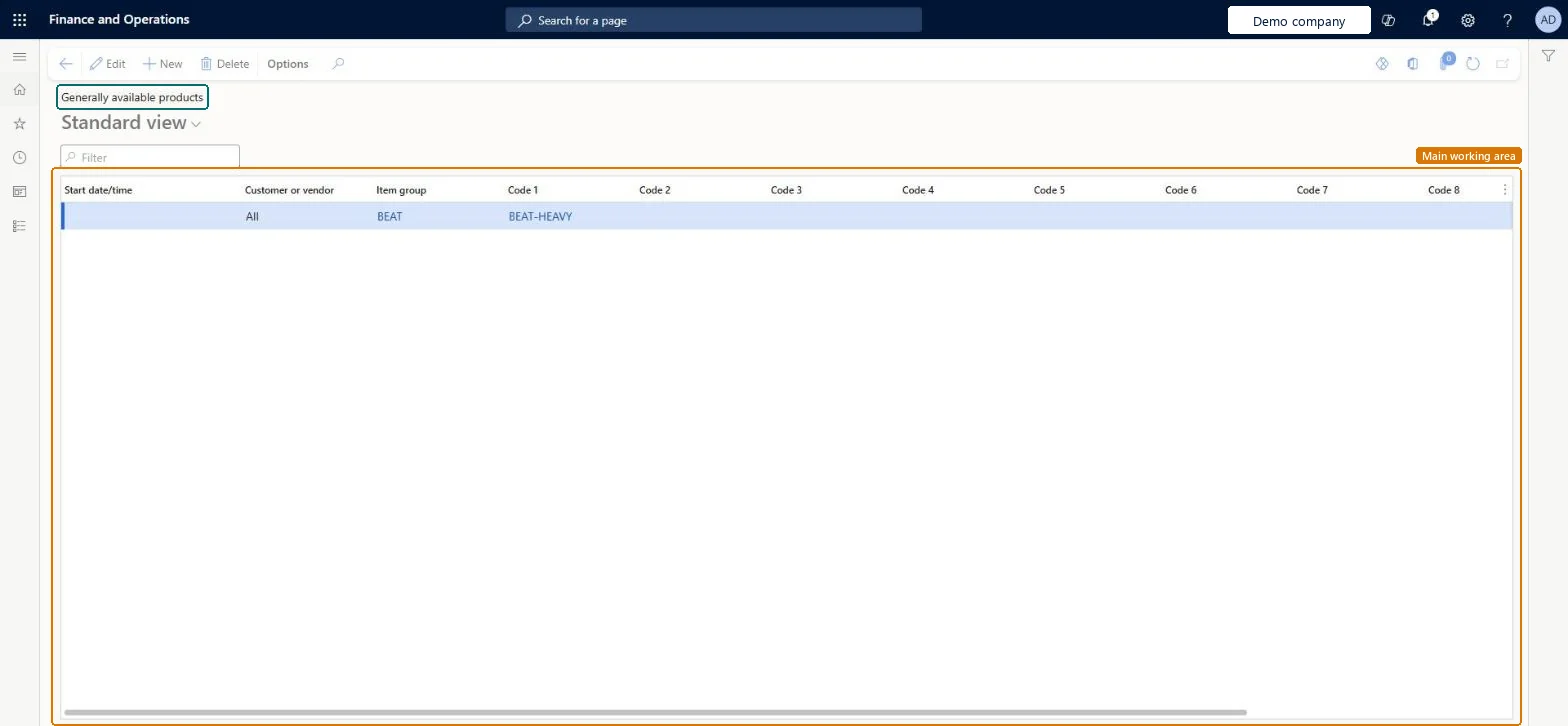
Warehouse management › Setup › Product filters › Generally available products
End user · Functional consultant
3How to do it
About the examples: Examples and screenshots in this guide use BEAT, a demo company in a Dynamics 365 test environment. Use your own company's codes and values instead of copying them.
Setup steps on this page
Set up Generally available products
Use this page to make items available to customers, vendors or both, regardless of customer and vendor filters.
Steps from Microsoft
Go to Warehouse management > Setup > Product filters > Generally available products.
On the Action Pane, select New to create a record.
In the Customer or vendor field, select Customer, Vendor or All.
In the Start date/time field, enter the date and time when the item becomes available.
In the Item group field, select an item group.
In the Code 1 through Code 10 fields, select the filter codes that limit the items that are generally available.
Make item groups generally available for Customer, Vendor or All, narrowed with filter codes; use customer or vendor filters only for the exceptionsCustomer and vendor filters don't apply to generally available items, so these records set the open range and filters add access on top.
Forgetting to turn on Enable customer filters or Enable vendor filters in Warehouse management parameters, so the restriction never applies.
PrivilegesMaintain filters for Warehouse management WHSFilterGenerallyAvailMaintainView filters for Warehouse management WHSFilterGenerallyAvailViewDutiesInquire into warehouse operation master WMSWarehouseOperationMasterInquireMaintain warehouse operation master WMSWarehouseOperationMasterMaintain6 security rolesField Service Integration User FieldServiceIntegrationUserProduction supervisor ProdProductionSupervisorProcess engineer RouteProcessEngineerProcess engineering manager RouteProcessEngineeringManagerWarehouse planner WHSWarehousePlannerWarehouse manager WMSWarehouseManagerChecked in Dynamics 365
Roles to set it up and use it
To set it up or change itWarehouse manager WMSWarehouseManagerProcess engineer RouteProcessEngineerTo use itWarehouse planner WHSWarehousePlannerProduction supervisor ProdProductionSupervisorProcess engineering manager RouteProcessEngineeringManagerField Service Integration User FieldServiceIntegrationUserGive people one of these roles. On this system, 6 roles can open this page.Checked in Dynamics 365
WHSGenerallyAvailableProductFilterEntity (Generally available products): loaded for each company, in Microsoft's default template 400 - Warehouse management.Load order: Microsoft's default template 400 - Warehouse management loads Generally available products at execution unit 1, level 50, sequence 10. Lower levels load first, and entities at the same level load in sequence order.Load first: First product filter codes, Fourth product filter codes, Second product filter codes, Third product filter codes, Item groups, the default templates at lower levels (System setup to dependency bands 30 to 90)Microsoft Learn