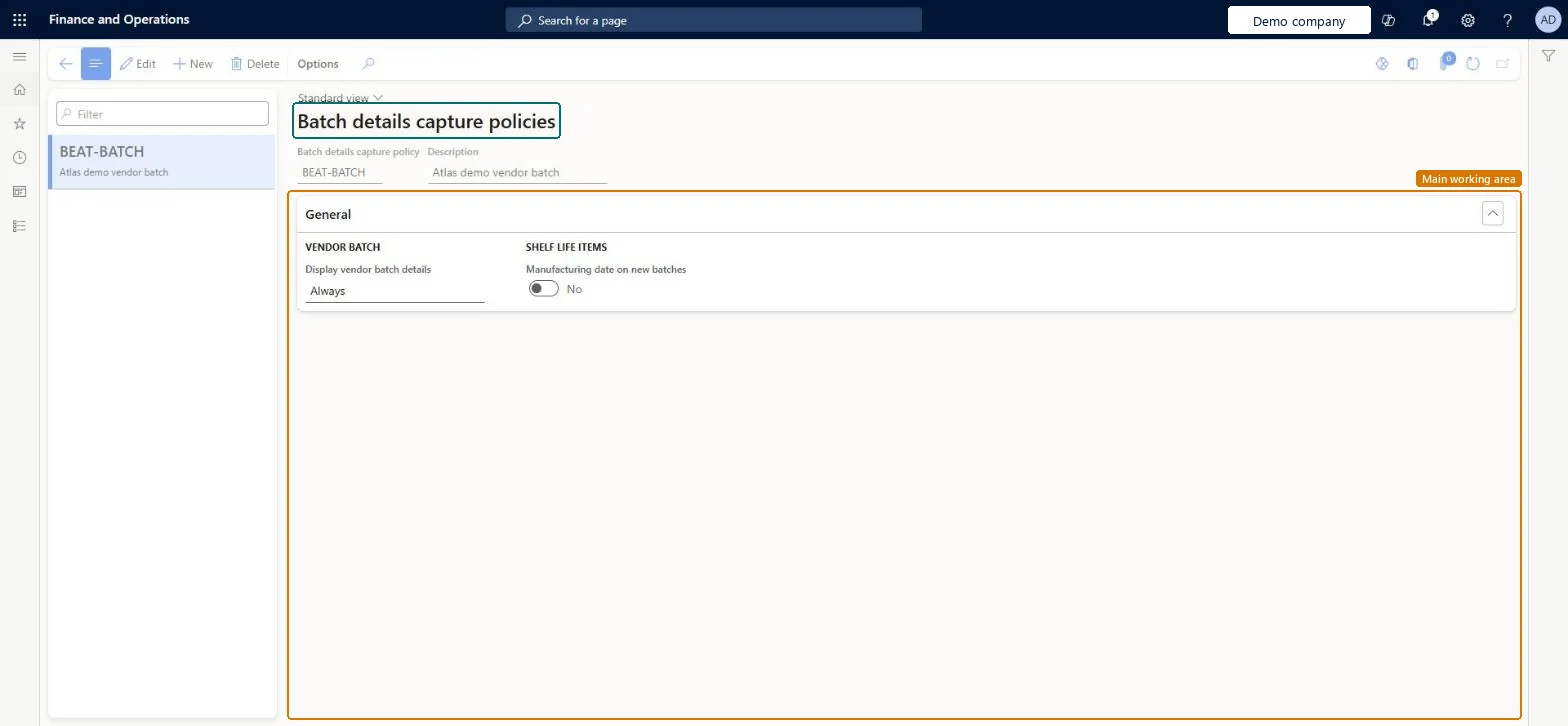
A setup page where you define batch details capture policies, including whether vendor batch details are displayed and whether the manufacturing date is captured on new batches.
Field Service Integration User, Production supervisor, Process engineer and 3 more roles
Business process
Manage warehouse operations
Menu item
WhsBatchDetailsCapturePolicy
Main table
WhsBatchDetailsCapturePo
Data entity
WhsBatchDetailsCapturePolicyEntity
Setup steps
1 on this page
Show what matters for
PAGE GUIDEWhat the page does and how to use it6 sections. Choose a role to highlight what matters to you.
Everyone
1What it is and why
What it is
A setup page where you define batch details capture policies, including whether vendor batch details are displayed and whether the manufacturing date is captured on new batches.
What you do here
Use this page to set up named policies that control which batch details are captured for batch-tracked items.
The page in Dynamics 365. page title tab to open what to set or check
About the examples: Examples and screenshots in this guide use BEAT, a demo company in a Dynamics 365 test environment. Use your own company's codes and values instead of copying them.
Setup steps on this page
Set up Batch details capture policies
Use this page to set up named policies that control which batch details are captured for batch-tracked items.
How to use it
Go to Warehouse management > Setup > Inventory > Batch details capture policies.
Select New to create a policy.
Enter the Batch details capture policy name and a Description.
On the General FastTab, set Display vendor batch details under Vendor batch.
Under Shelf life items, turn on Manufacturing date on new batches if the date should be captured.
To change an existing policy, select it in the list on the left and select Edit.
Source: Checked in Dynamics 365
Technical architect
4Technical
Menu item
WhsBatchDetailsCapturePolicyChecked in Dynamics 365
Form
WhsBatchDetailsCapturePolicyChecked in Dynamics 365
Table
WhsBatchDetailsCapturePoShown as “BATCH DETAILS CAPTURE POLICIES” in Record infoKey field: BatchDetailsCapturePolicyIdChecked in Dynamics 365
Data entities
WhsBatchDetailsCapturePolicyEntityBatch details capture policies Checked in Dynamics 365
Who can open it
PrivilegesMaintain batch details capture policies WhsBatchDetailsCapturePolicyMaintainView batch details capture policies WhsBatchDetailsCapturePolicyViewDutiesInquire into warehouse operation master WMSWarehouseOperationMasterInquireMaintain warehouse operation master WMSWarehouseOperationMasterMaintain6 security rolesField Service Integration User FieldServiceIntegrationUserProduction supervisor ProdProductionSupervisorProcess engineer RouteProcessEngineerProcess engineering manager RouteProcessEngineeringManagerWarehouse planner WHSWarehousePlannerWarehouse manager WMSWarehouseManagerChecked in Dynamics 365
Roles to set it up and use it
To set it up or change itWarehouse manager WMSWarehouseManagerProcess engineer RouteProcessEngineerTo use itWarehouse planner WHSWarehousePlannerProduction supervisor ProdProductionSupervisorProcess engineering manager RouteProcessEngineeringManagerField Service Integration User FieldServiceIntegrationUserGive people one of these roles. On this system, 6 roles can open this page.Checked in Dynamics 365