BeyondERP.Newsletter
Menu

Job page · Warehouse management

Warehouse app task validation

A page where you set up tasks to test, record their steps and run them to validate warehouse app operations.

Business process
Define warehouse processes
Menu item
WHSValidator
Main table
WHSValidatorRun
Show what matters for
PAGE GUIDEWhat the page does and how to use it7 sections. Choose a role to highlight what matters to you.
Everyone

1What it is and why

What it isA page where you set up tasks to test, record their steps and run them to validate warehouse app operations.
What you do hereUse this page to record and run warehouse app tasks, such as sales picking, so that you can check they are executed without errors.
ExampleFor example, you can use the task validation framework together with JMeter for performance testing.
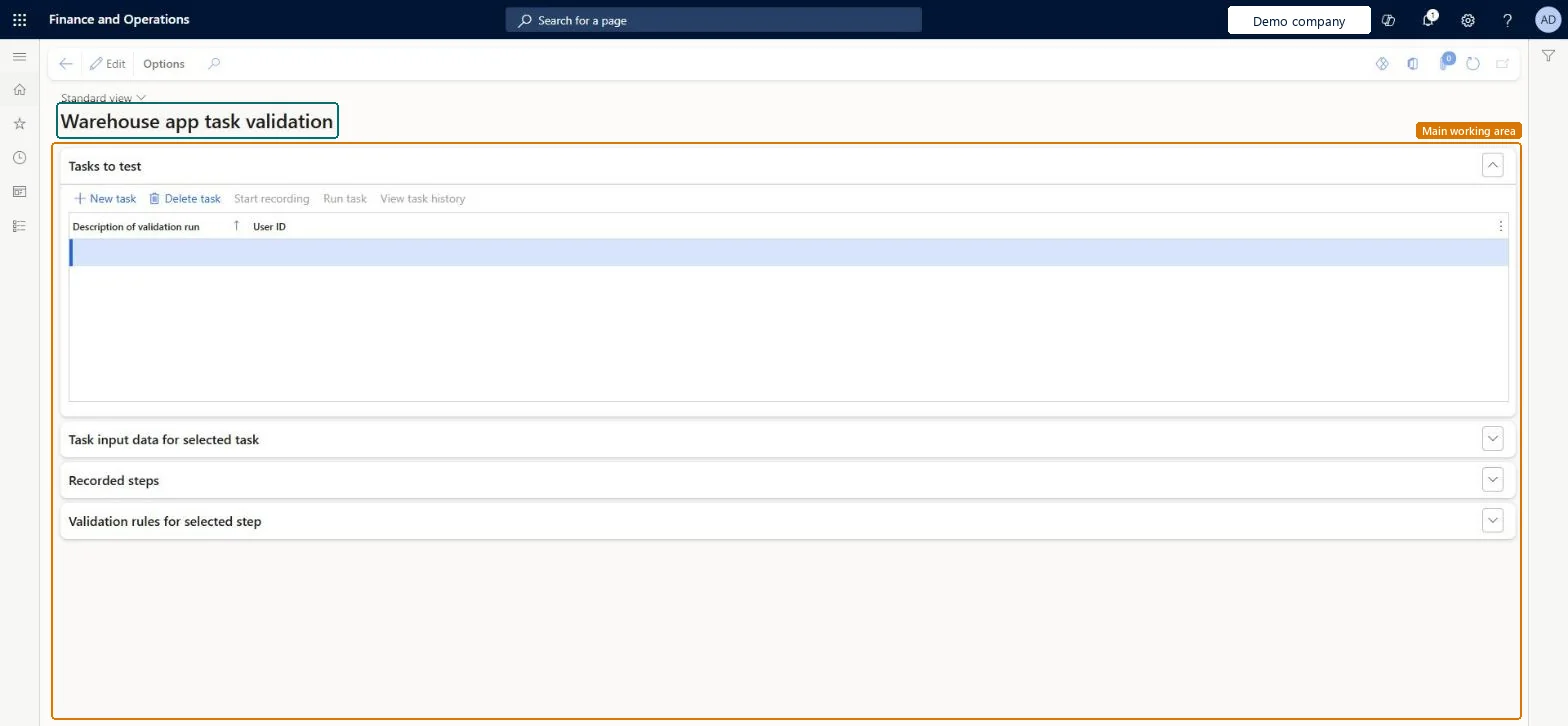
Warehouse app task validation page in Dynamics 365
The page in Dynamics 365. page title tab to open what to set or check
Functional consultant · Solution architect

2Where it fits

Business processManage warehouse operations › Define warehouse processes
Menu pathWarehouse management › Periodic tasks › Warehouse app task validation
End user · Functional consultant

3How to do it

About the examples: Examples and screenshots in this guide use BEAT, a demo company in a Dynamics 365 test environment. Use your own company's codes and values instead of copying them.

When to run it

When to run itWhen you change warehouse app setup, such as menu items or work templates, and want to replay recorded flows to see that they still run.
How oftenOn demand, after warehouse configuration changes or updates.
What the output showsThe task history with the result of each replayed step and its validation rules. A failure on rerun usually means records used by the task were changed or removed by the previous run.

Source: Microsoft Learn

Steps from Microsoft

  1. Go to Warehouse management > Periodic tasks > Warehouse app task validation.
  2. In Tasks to test, select New task and enter a Description of validation run and a User ID.
  3. With the task selected, use Start recording and carry out the flow in the warehouse app, for example a sales pick.
  4. Use Run task to replay it, and View task history to see the results. Each step replays recorded XML, not the output of the previous step.
  5. Before a rerun, make sure the orders, work and other records the task uses still exist in the expected state, because a run changes them.

Source: Microsoft Learn

Common errors and fixes

MessageWhat to do
Unexpected difference between request and session data. Warehouse Mobile Devices XML protocol violated.REQUEST_XML_TAMPERINGReview the output XML of the last successful step, then re-create or edit the records the test needs (orders, work headers), or build a new test on valid records. Microsoft Learn

Test checklist

  1. The recorded task replays all steps.
  2. The task history shows each step as passed.
  3. Data used by the task was reset before a rerun.

Source: Microsoft Learn

Solution architect

4Design impact

Can it be undoneNo: A run changes real data, such as work and order status. Reset or re-create those records before running again; use a test company. Microsoft Learn
If you change it laterRunning a validation task changes the underlying data, so before you rerun a task you might have to reset the records that it uses. Microsoft Learn
Technical architect

5Technical

Menu itemWHSValidator Checked in Dynamics 365
FormWHSValidator Checked in Dynamics 365
TableWHSValidatorRunShown as “TABLE STORES ALL TASKS TO BE TESTED” in Record infoKey field: DescriptionChecked in Dynamics 365
Who can open itPrivilegesMaintain warehouse app task validation WHSWarehouseAppTaskValidatorRunMaintainView warehouse app task validation WHSWarehouseAppTaskValidatorRunViewDuties WHSWarehouseAppTaskValidatorInquire WHSWarehouseAppTaskValidatorMaintainChecked in Dynamics 365
Roles to set it up and use itTo set it up or change itMaintain warehouse app task validation WHSWarehouseAppTaskValidatorRunMaintainTo use itView warehouse app task validation WHSWarehouseAppTaskValidatorRunViewGive people a role that holds these privileges. On this system, 0 roles give access to this page.Checked in Dynamics 365
Developer

6Developer

Open it by URLhttps://<your-environment>/?mi=WHSValidator
Everyone

7Sources