BeyondERP.Newsletter
Menu

Job page · Warehouse management

Create external inventory adjustment journals

A periodic task that generates the inventory adjustment journals that update on-hand inventory for external inventory adjustments.

Business process
Adjust inventory levels
Menu item
action:WHSExternalInventoryAdjustmentJournalCreation
Show what matters for
PAGE GUIDEWhat the page does and how to use it7 sections. Choose a role to highlight what matters to you.
Everyone

1What it is and why

What it isA periodic task that generates the inventory adjustment journals that update on-hand inventory for external inventory adjustments.
What you do hereUse this task to generate the inventory adjustment journals that keep inventory information synced between two legal entities.
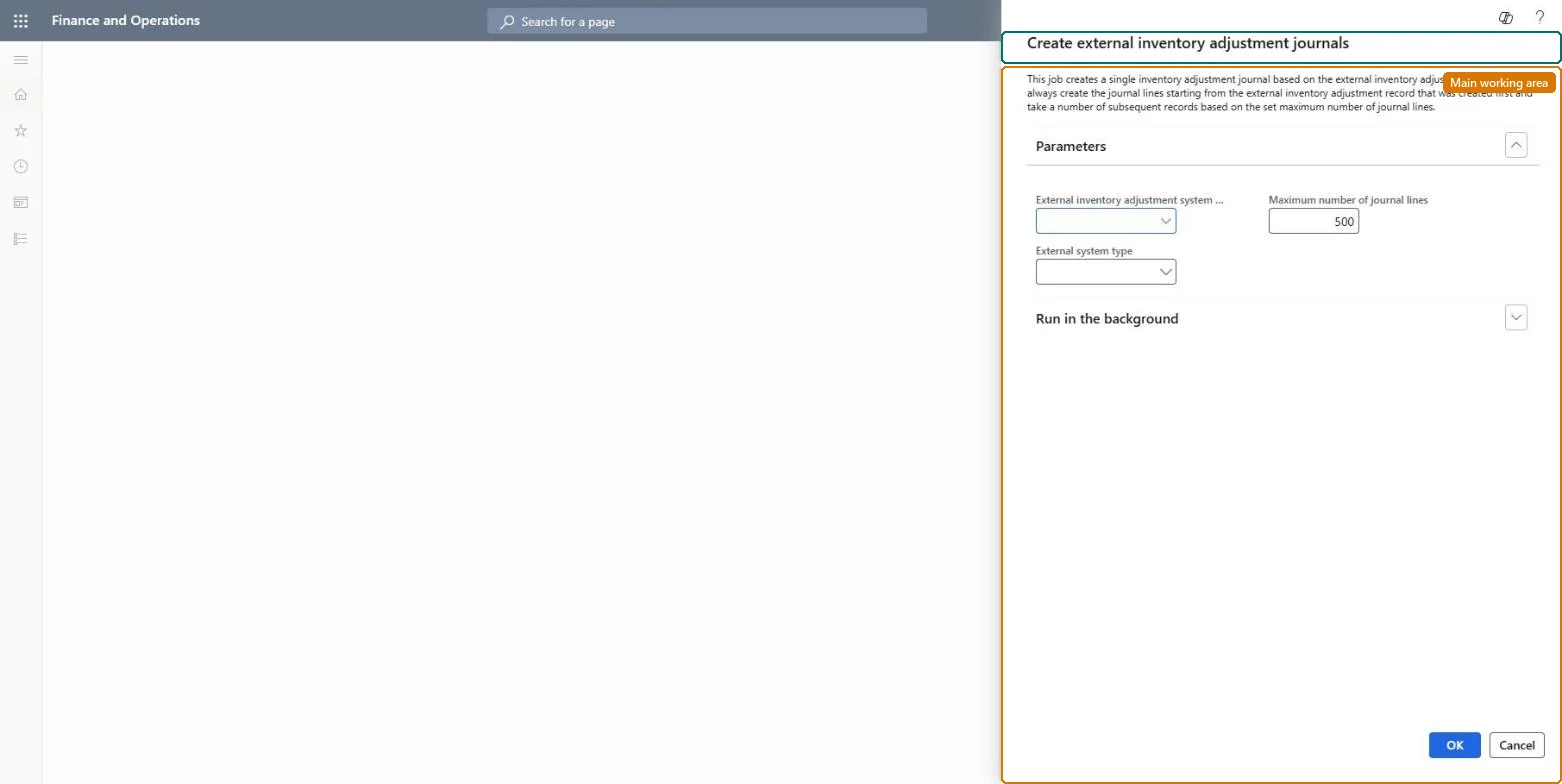
Create external inventory adjustment journals page in Dynamics 365
The page in Dynamics 365. page title tab to open what to set or check
Functional consultant · Solution architect

2Where it fits

Business processMaintain inventory levels › Adjust inventory levels
Menu pathWarehouse management › Periodic tasks › Create external inventory adjustment journals
Used next byPost external inventory adjustment journals Microsoft Learn
End user · Functional consultant

3How to do it

About the examples: Examples and screenshots in this guide use BEAT, a demo company in a Dynamics 365 test environment. Use your own company's codes and values instead of copying them.

When to run it

When to run itAfter warehouse movements such as counting change on-hand in a shared warehouse, so the order processing legal entity keeps the same on-hand.
How oftenRecurring, after the Publish warehouse inventory update log updates process (every 10 minutes by default) has created the adjustments.
Batch settingsRun it as a recurring batch job, followed by the posting job.
What the output showsInventory adjustment journals in the related legal entities. A missing journal usually means the change isn't in the warehouse inventory update log yet.

Source: Microsoft Learn

Steps from Microsoft

  1. Go to Warehouse management > Periodic tasks > Create external inventory adjustment journals.
  2. Use it in a Warehouse management only mode setup, where warehouse inventory updates are logged in the Warehouse inventory update log.
  3. Select the log entries to process, for example per legal entity, and run it.
  4. Open the inventory adjustment journals it created and review the quantities before posting.
  5. Post them by hand or schedule Post external inventory adjustment journals.

Source: Microsoft Learn

Test checklist

  1. Journals exist for the logged updates.
  2. Quantities match the warehouse changes.

Source: Microsoft Learn

Solution architect

4Design impact

Can it be undoneYes, before posting: Unposted journals can be deleted or changed. Microsoft Learn
If you change it laterCreates inventory adjustment journals in related legal entities. Microsoft Learn
Technical architect

5Technical

Menu itemaction:WHSExternalInventoryAdjustmentJournalCreation
Roles to set it up and use itTo use itWarehouse system integration operator WHSWarehouseSystemIntegrationOperatorGive people one of these roles. On this system, 1 role can run this page.Checked in Dynamics 365
Developer

6Developer

Open it by URLhttps://<your-environment>/?mi=action:WHSExternalInventoryAdjustmentJournalCreation
Everyone

7Sources