PAGE GUIDEWhat the page does and how to use it7 sections. Choose a role to highlight what matters to you.
Everyone
1What it is and why
What it is
A periodic task that deletes entries from the work exceptions log in batches.
What you do here
Use this task to delete resolved or unneeded work exceptions by age and status. Cleaning out old work exceptions makes it easier to search for locations with open work exceptions and improves the performance of pages that show them.
The page in Dynamics 365. page title tab to open what to set or check
Warehouse management › Periodic tasks › Clean up › Clean up work exception logs
End user · Functional consultant
3How to do it
About the examples: Examples and screenshots in this guide use BEAT, a demo company in a Dynamics 365 test environment. Use your own company's codes and values instead of copying them.
When to run it
When to run it
When resolved work exceptions make the Work exceptions log hard to search, or slow down the pages that show work exceptions. Requires version 10.0.43 or later.
How often
On demand, or on a recurring schedule that matches how long supervisors need old exceptions.
Batch settings
Set it up as a batch job with a batch group, schedule and alerts as you need; run large deletions outside peak hours.
What the output shows
A notification with the number of work exception log entries removed. The Work exceptions log then holds only entries newer than the days to keep or with the other status. If open exceptions disappeared, Status was set to Open by mistake.
Go to Warehouse management > Periodic tasks > Clean up > Clean up work exception logs.
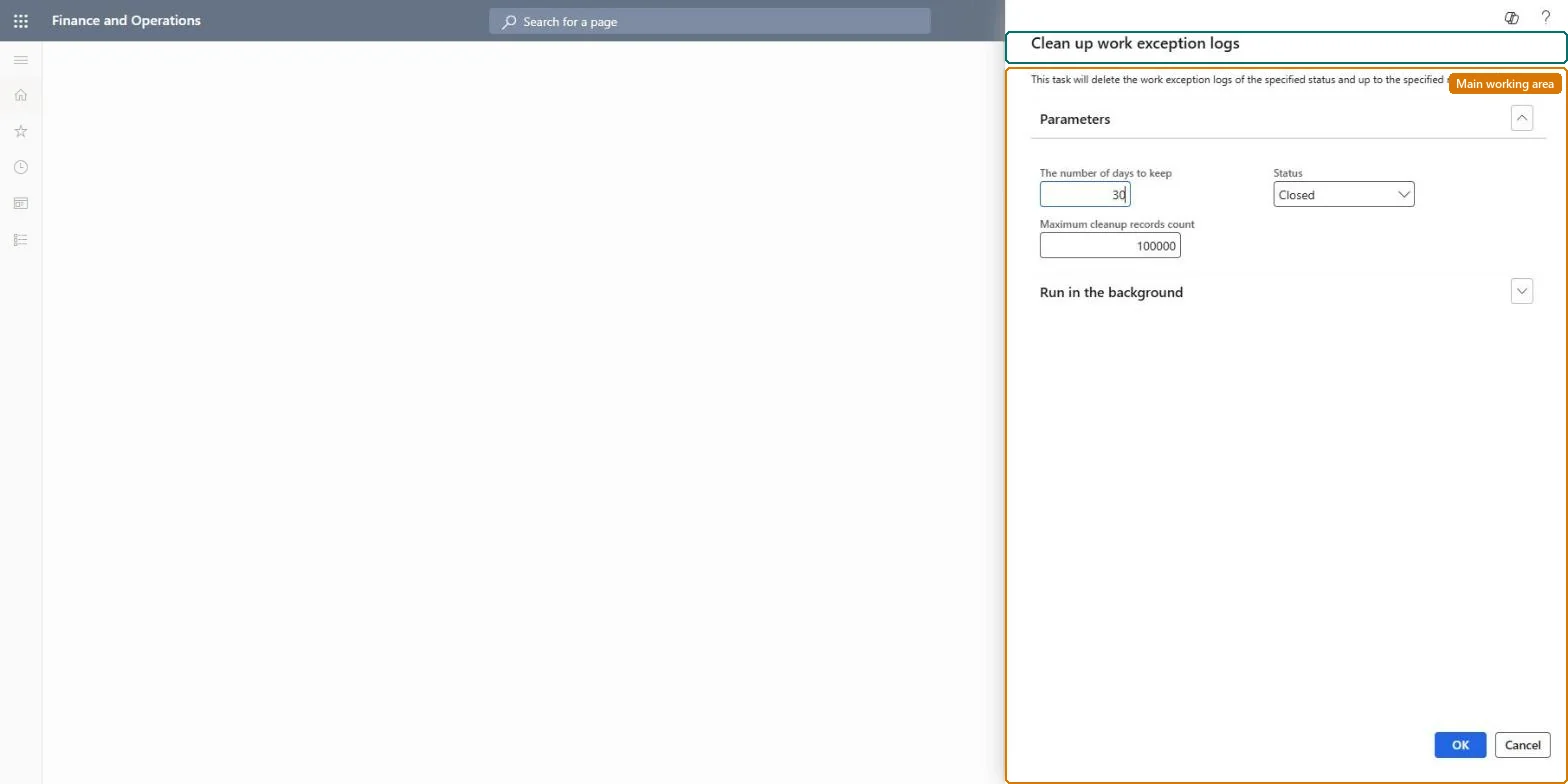
On the Parameters FastTab, in The number of days to keep, enter the age of the oldest entries to keep. Older entries are removed.
In Status, select Closed to remove resolved exceptions, or Open to remove open entries that are no longer relevant.
In Maximum cleanup records count, keep the default of 100,000 or lower it so one run doesn't delete too many records at once.
Run it and read the notification that tells you how many records were removed, then check the Locations with open work exceptions tile in Outbound work monitoring.