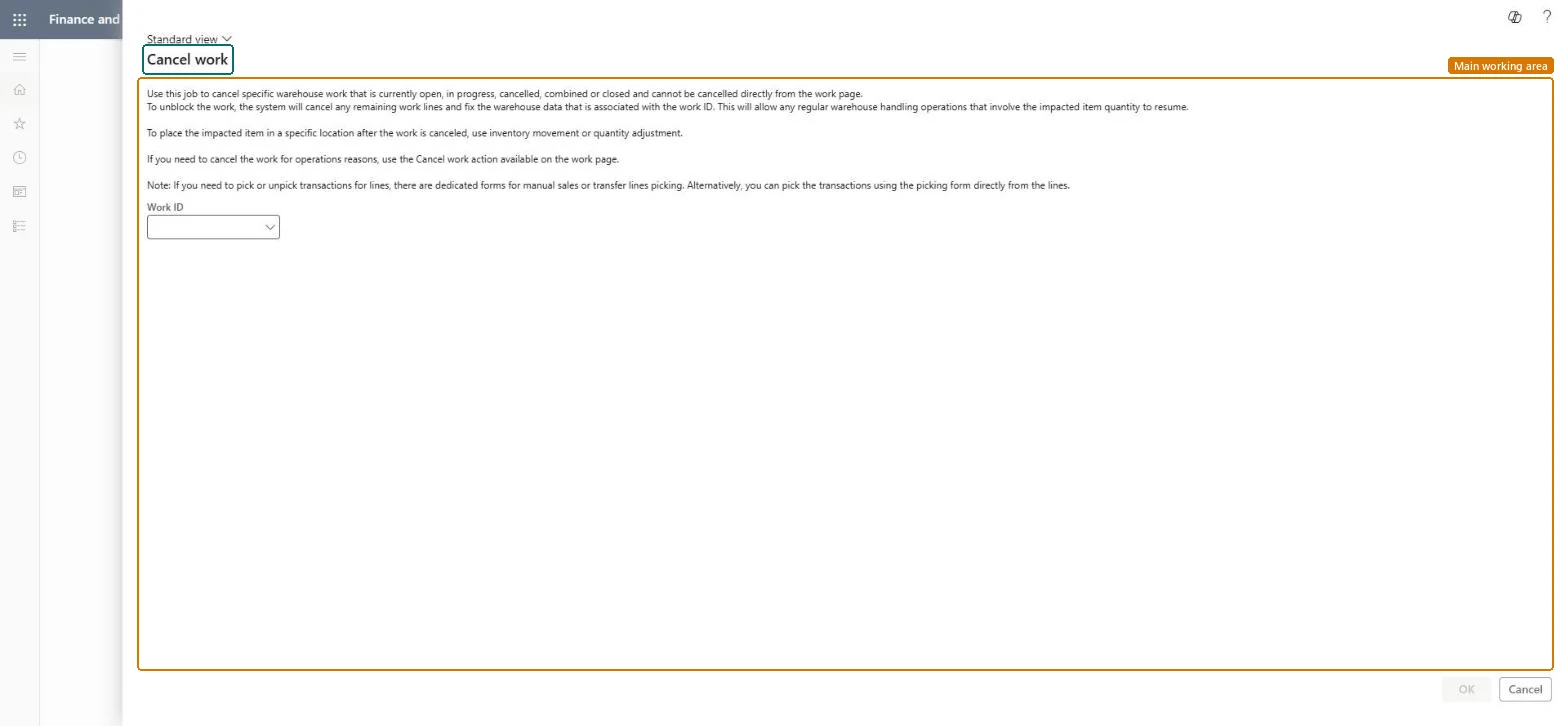
Warehouse management › Periodic tasks › Clean up › Cancel work
End user · Functional consultant
3How to do it
About the examples: Examples and screenshots in this guide use BEAT, a demo company in a Dynamics 365 test environment. Use your own company's codes and values instead of copying them.
When to run it
When to run it
When picked quantity is stuck in a user location and the put can't be registered, so the work can't be completed or canceled in the normal way.
How often
On demand, only for blocked work; use the normal cancel for operational reasons.
What the output shows
The remaining work lines of the work ID are canceled and the related warehouse data is fixed, but the stock is still recorded in the user location. If inventory can't be moved afterwards, the Allow adjusting inventory on User location option is set on the wrong work user.
Go to Warehouse management > Periodic tasks > Clean up > Cancel work.
Check that the work is of type Sales, Transfer issue, Raw material picking or Replenishment and is truly blocked. Work you can cancel with the normal Cancel button on the work header must be canceled there instead.
In the Work ID field, enter the ID of the blocked work, and coordinate with the warehouse worker so they stop processing it.
After the cancel, for the work user whose User ID matches the user location, temporarily select Allow adjusting inventory on User location on the Worker page.
Move the stock from the user location with an inventory movement on a mobile device, check on-hand, location and license plate against the physical stock, then clear the option again.
No: Canceled work can't be reopened. Create new work, or move the stock with a mobile device inventory movement. Microsoft Learn
If you change it later
After the work is canceled, use an inventory movement or quantity adjustment on a mobile device to put the affected item in a specific location. Microsoft Learn
Technical architect
5Technical
Menu item
WHSTroubleshootingSelfServiceChecked in Dynamics 365
Form
WHSTroubleshootingSelfServiceChecked in Dynamics 365