About the examples: Examples and screenshots in this guide use BEAT, a demo company in a Dynamics 365 test environment. Use your own company's codes and values instead of copying them.
How to use it
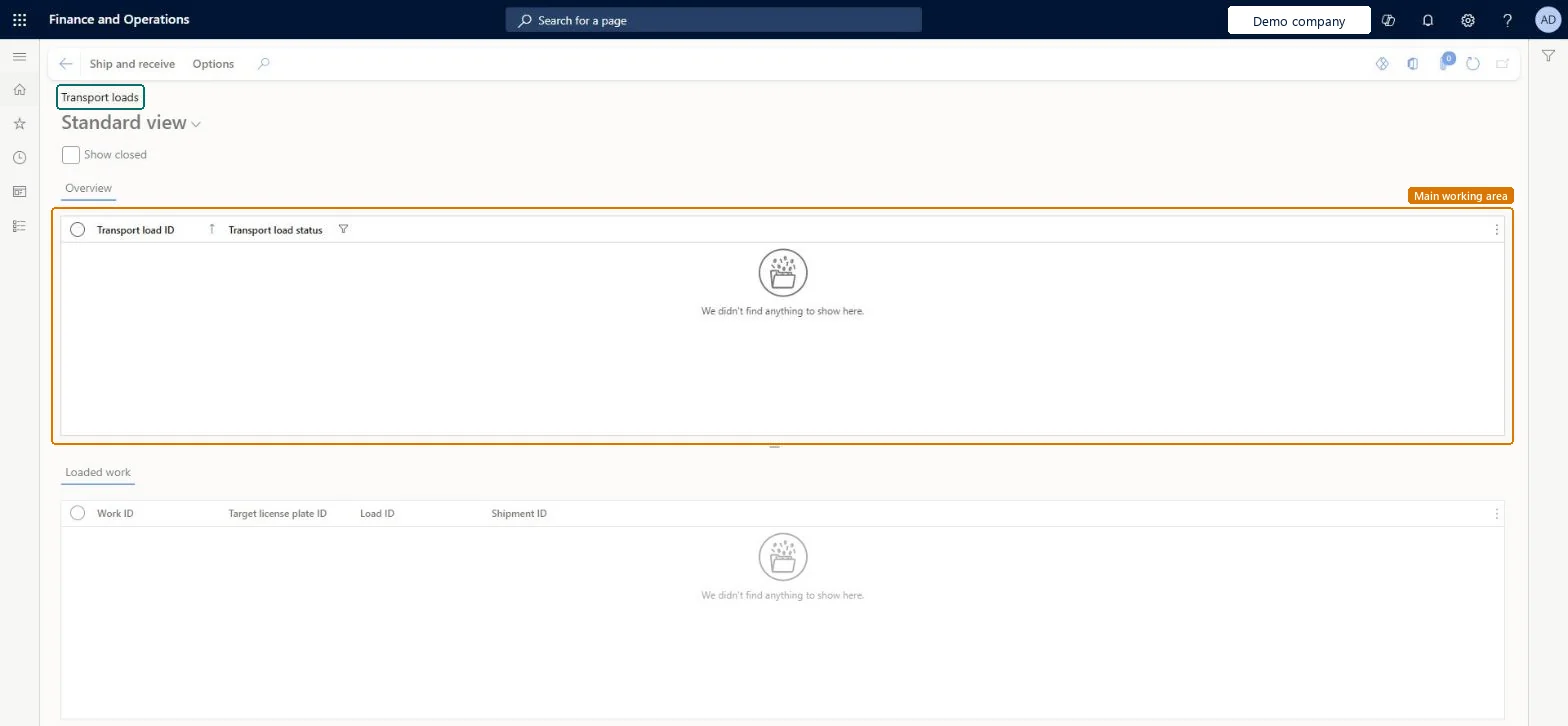
Go to Warehouse management > Loads > Transport loads.
Select the Show closed check box if you also want to see closed transport loads.
Select a transport load in the Overview list.
Review the Loaded work list below it, which shows the Work ID, Target license plate ID, Load ID and Shipment ID.
Use the Ship and receive tab on the Action Pane for shipping and receiving actions.
Source: Checked in Dynamics 365
Test checklist
On All loads, set Loading strategy to Partial load shipping allowed on a load.
Create a mobile device menu item with Mode Work, Use existing work Yes, Directed by Transport loading and Allowed ship confirmation type Transport load.
Release the load with work from a work template that uses a loading work class, then load two pallets to a new transport load in the app.
On Transport loads, select Ship and receive > Confirm > Transport and check only the loaded quantity is shipped.
Hard to reverse: Confirming shipment moves the loads to Shipped and queues load packing slip posting. Undoing it means reversing shipment confirmation load by load from All loads, and cancelling any packing slip already posted from the load. Microsoft Learn
Technical architect
5Technical
Menu item
WHSTransportLoadChecked in Dynamics 365
Form
WHSTransportLoadChecked in Dynamics 365
Table
WHSTransportLoadShown as “TRANSPORT LOADS” in Record infoKey field: TransportLoadIdChecked in Dynamics 365
Who can open it
PrivilegesMaintain transport loads WHSTransportLoadMaintainView transport loads WHSTransportLoadViewDutiesMaintain load planning WHSLoadPlanningMaintainInquire into load planning progress WHSLoadPlanningProgressInquire4 security rolesLogistics manager TMSLogisticsManagerTransportation coordinator TMSTransportationCoordinatorWarehouse planner WHSWarehousePlannerWarehouse manager WMSWarehouseManagerChecked in Dynamics 365
Roles to set it up and use it
To set it up or change itTransportation coordinator TMSTransportationCoordinatorTo use itWarehouse planner WHSWarehousePlannerWarehouse manager WMSWarehouseManagerLogistics manager TMSLogisticsManagerGive people one of these roles. On this system, 4 roles can open this page.Checked in Dynamics 365
Actions on the page
Ship and receive: Confirm, GenerateChecked in Dynamics 365