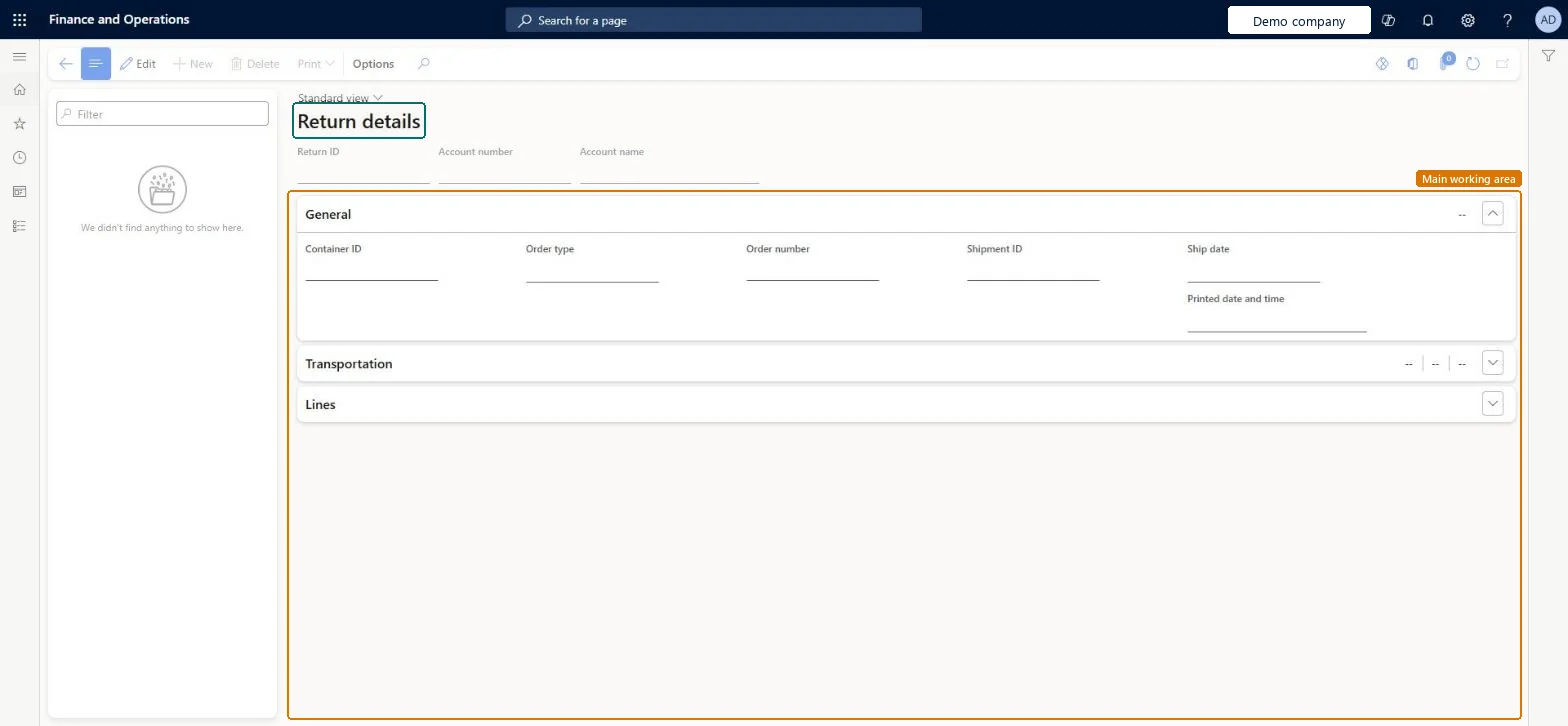
A details page that shows the return details records created when orders are shipped, with the return ID, customer account, order, shipment, container and ship date of each record.
Credit management clerk, Credit management manager, Project assistant and 12 more roles
Business process
Receive goods
Menu item
WHSReturnDetail
Main table
WHSReturnDetail
Data entity
WHSReturnDetailEntity
Show what matters for
PAGE GUIDEWhat the page does and how to use it6 sections. Choose a role to highlight what matters to you.
Everyone
1What it is and why
What it is
A details page that shows the return details records created when orders are shipped, with the return ID, customer account, order, shipment, container and ship date of each record.
What you do here
Use this page to look up the return details of a shipment and to print a return label for it.
Example
For example, when returned items arrive at the warehouse, a worker scans the return label and the item to get the return ID.
The page in Dynamics 365. page title tab to open what to set or check
About the examples: Examples and screenshots in this guide use BEAT, a demo company in a Dynamics 365 test environment. Use your own company's codes and values instead of copying them.
Steps from Microsoft
Go to Warehouse management > Inquiries and reports > Return details.
In the list pane, select the return details record that you want to print a label for.
On the Action Pane, select Print > Return shipping label.
Identifies a return details record, which includes the original order details.Microsoft Learn
ReturnID
Technical architect
4Technical
Menu item
WHSReturnDetailChecked in Dynamics 365
Form
WHSReturnDetailChecked in Dynamics 365
Table
WHSReturnDetailShown as “RETURN DETAIL” in Record infoKey field: ReturnIDChecked in Dynamics 365
Data entities
WHSReturnDetailEntityReturn details Checked in Dynamics 365
Who can open it
PrivilegesView return details WHSReturnDetailViewDutiesMaintain sales return order ReturnSalesReturnOrderMaintainInquire into sales return order progress ReturnSalesReturnOrderProgressInquireMaintain sales order SalesOrderMaintain16 security rolesCredit management clerk CredManClerkCredit management manager CredManManagerMCRTestUserRoleProject assistant ProjProjectClerkRental coordinator agent RentalCoordinatorAgentRental manager RentalManagerRental purchasing manager RentalPurchasingManagerRental sales manager RentalSalesManagerRetail service RetailServiceRetail store manager RetailStoreManagerRevenue recognition manager RevRecManagerCustomer service manager TradeCustomerServiceManagerCustomer service representative TradeCustomerServiceRepresentativeSales clerk TradeSalesClerkSales manager TradeSalesManagerSales representative TradeSalesRepresentativeChecked in Dynamics 365
Roles to set it up and use it
To use itCustomer service representative TradeCustomerServiceRepresentativeSales representative TradeSalesRepresentativeSales manager TradeSalesManagerCustomer service manager TradeCustomerServiceManagerSales clerk TradeSalesClerkGive people one of these roles. On this system, 15 roles can open this page.Checked in Dynamics 365
Actions on the page
(Action Pane without tabs): PrintChecked in Dynamics 365
Developer
5Developer
Open it by URL
https://<your-environment>/?mi=WHSReturnDetail
Integrate with
WHSReturnDetailEntity data entity Checked in Dynamics 365