About the examples: Examples and screenshots in this guide use BEAT, a demo company in a Dynamics 365 test environment. Use your own company's codes and values instead of copying them.
Steps from Microsoft
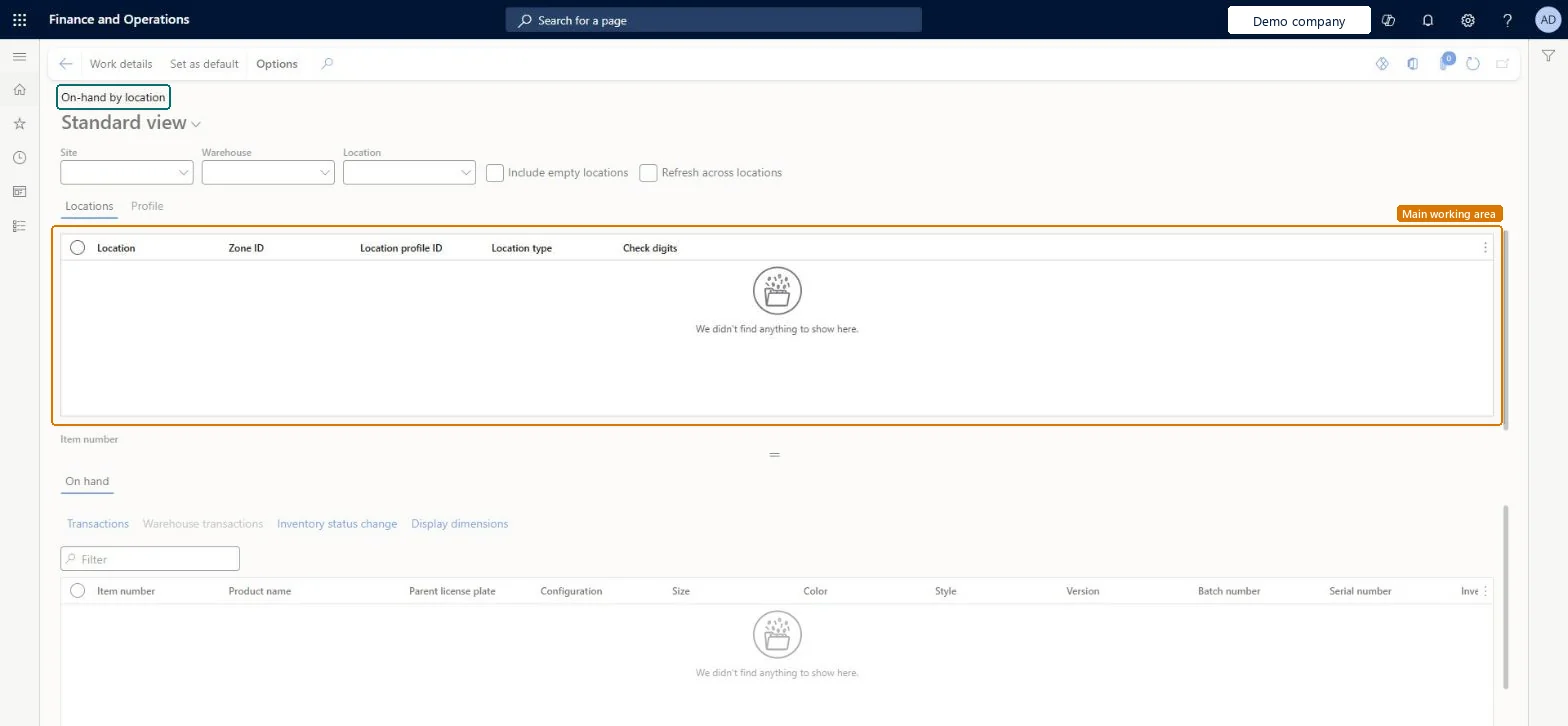
Go to Warehouse management > Inquiries and reports > On-hand by location.
Use the fields at the top of the page to define the site, warehouse and location you want to look up.
Select Refresh at the right side of the Action Pane.
Select a row in the Locations section to see the on-hand inventory for that location in the On hand section.
PrivilegesMaintain on-hand inventory records WHSOnHandMaintainView on-hand inventory details WHSOnHandViewDutiesMaintain quality inspection InventQualityInspectionMaintainInquire into related inventory status InventRelatedInventoryStatusInquireInquire into inventory status InventStatusInquireMaintain physical quantity adjustment WMSPhysicalQuantityAdjustmentMaintainMaintain warehouse operation master WMSWarehouseOperationMasterMaintain29 security rolesProduct designer BOMProductDesignerProduct design manager BOMProductDesignManagerMaintenance clerk EntAssetMaintenanceClerkMaintenance manager EntAssetMaintenanceManagerField Service Integration User FieldServiceIntegrationUserInventory accountant InventCostAccountantInventory accountant clerk InventCostCostClerkMaterials manager InventMaterialsManagerQuality control clerk InventQualityControlClerkQuality control manager InventQualityControlManagerReceiving clerk InventReceivingClerkShipping clerk InventShippingClerkAccounting manager LedgerAccountingManagerProduction manager ProdProductionManagerProduction supervisor ProdProductionSupervisorProject assistant ProjProjectClerkProject manager ProjProjectManagerRetail service RetailServiceRetail store manager RetailStoreManagerProcess engineer RouteProcessEngineerService delivery manager SMAServiceDeliveryManagerBuying agent TradeBuyingAgentCustomer service manager TradeCustomerServiceManagerCustomer service representative TradeCustomerServiceRepresentativePurchasing manager TradePurchasingManagerSales manager TradeSalesManagerSales representative TradeSalesRepresentativeWarehouse manager WMSWarehouseManagerWarehouse worker WMSWarehouseWorkerChecked in Dynamics 365
Roles to set it up and use it
To set it up or change itWarehouse worker WMSWarehouseWorkerQuality control clerk InventQualityControlClerkTo use itWarehouse manager WMSWarehouseManagerProduction supervisor ProdProductionSupervisorField Service Integration User FieldServiceIntegrationUserProcess engineer RouteProcessEngineerShipping clerk InventShippingClerkGive people one of these roles. On this system, 29 roles can open this page.Checked in Dynamics 365
Actions on the page
(Action Pane without tabs): Work details, Set as defaultChecked in Dynamics 365