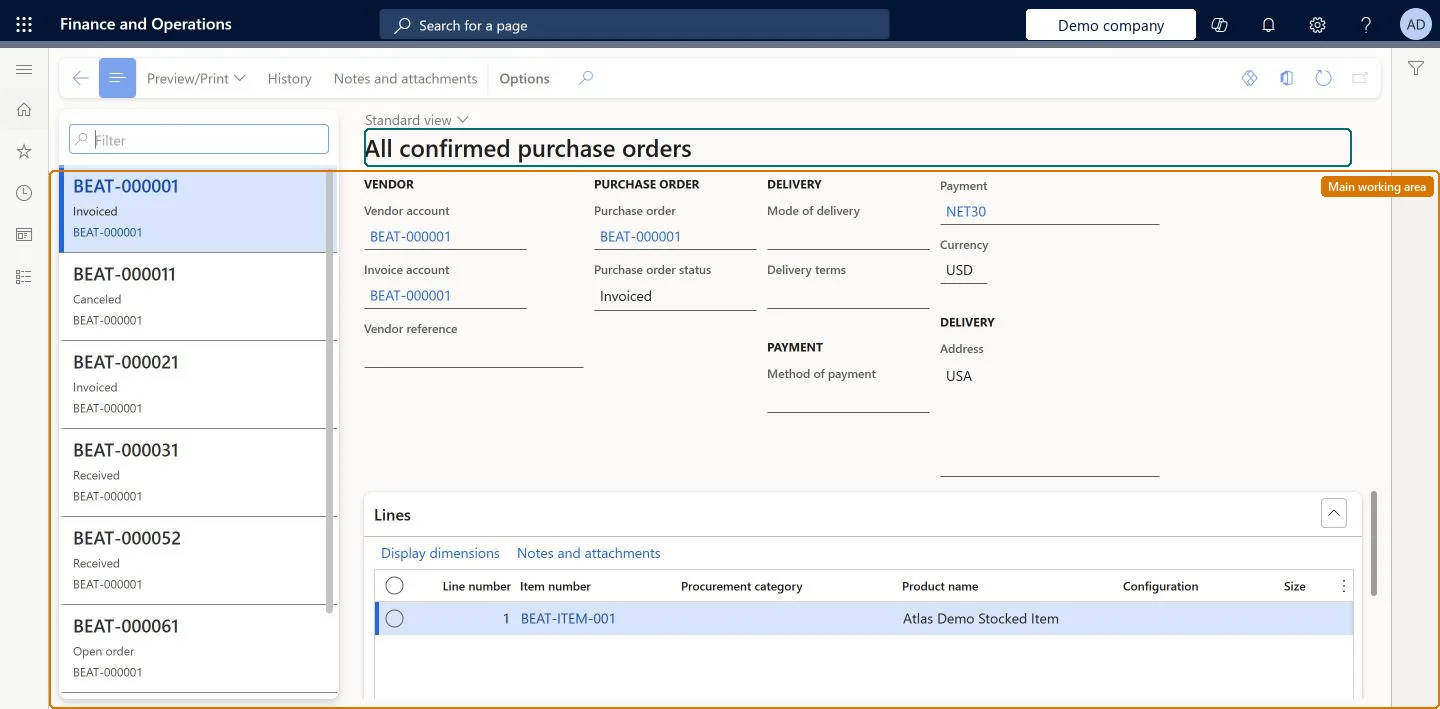
A list page of all the vendor's confirmed purchase orders, including those already received and confirmed cancellations; purchase orders created from consignment inventory are not on this page.
PAGE GUIDEWhat the page does and how to use it8 sections. Choose a role to highlight what matters to you.
Everyone
1What it is and why
What it is
A list page of all the vendor's confirmed purchase orders, including those already received and confirmed cancellations; purchase orders created from consignment inventory are not on this page.
What you do here
Use this page to monitor confirmed purchase orders, including those you can now send invoices for.
Example
For example, a vendor filters the list for received orders to decide which invoices to submit.
The page in Dynamics 365. page title tab to open what to set or check
About the examples: Examples and screenshots in this guide use BEAT, a demo company in a Dynamics 365 test environment. Use your own company's codes and values instead of copying them.
Setup steps on this page
Find confirmed purchase orders to invoice
Find confirmed and received orders to invoice.
Steps from Microsoft
Go to Vendor collaboration > Purchase orders > All confirmed purchase orders.
Filter the list on received orders.
Open an order to check the lines and quantities to invoice.
Create the invoice from the order in the Invoicing workspace.
The order number and its status; a confirmed cancellation shows as Canceled.Microsoft Learn
BEAT-000061, Received
Vendor account
The customer's vendor account on the order.Checked in Dynamics 365
BEAT-000001
Lines
Line number, item number, procurement category, product name and dimensions.Checked in Dynamics 365
Line 1, BEAT-ITEM-001
History
Action that opens the order's versions and responses.Checked in Dynamics 365
Common errors and fixes
Message
What to do
A consignment purchase order is missing
Consignment purchase orders are shown only on Purchase orders consuming consignment inventory. Microsoft Learn
Test checklist
Confirm and fully receive a purchase order.
Check that it is listed here but not on Open confirmed purchase orders.
Cancel another confirmed order in the customer company and send it to the vendor; after the vendor confirms the cancellation, check it is listed as Canceled.
Post an inventory ownership change for a consignment item and check that its purchase order is not listed here.
Microsoft provides two external roles for vendor collaboration: Vendor admin (external), for contacts and user requests, and Vendor (external), for purchase orders, invoices, consignment inventory, RFQs and vendor information. External users created through a user request also get the SystemExternalUser role. On the live system, Vendor contact (external) can open this page.
Load order: All confirmed purchase orders has no data entity in Data management. The list shows the customer's confirmed purchase orders; migrate open purchase orders in the customer company instead.Checked in Dynamics 365